
AI Automation for HVAC Follow-Up
AI automation for HVAC follow-up keeps service calls, tune-up requests, estimates, and customer questions attached to a clear next step.


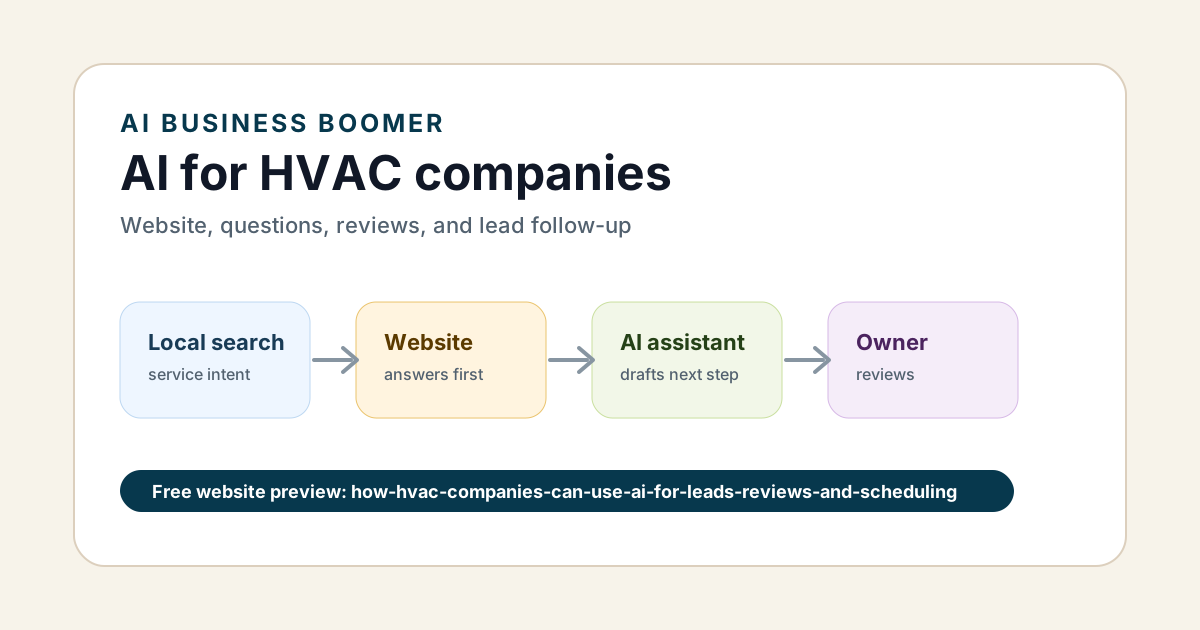
AI automation for HVAC follow-up helps HVAC companies respond faster when customers ask about repairs, tune-ups, installs, estimates, or urgent service. The best first workflow is not a giant AI system. It is a clear follow-up path for the leads already coming in.
Quick answer: HVAC companies should start with one follow-up workflow: missed call or service request comes in, AI summarizes the need, drafts a safe reply, creates an owner or office task, and schedules the next reminder.
HVAC leads often have time pressure. A customer with no heat, no AC, a leaking unit, or a seasonal tune-up request does not wait long. If the business does not answer or follow up, the customer keeps searching.
HVAC follow-up workflow table
| Situation | AI can prepare | Automation can create | Human review |
|---|---|---|---|
| Missed call | Service type, town, urgency, callback note | Text-back draft and task | Urgency and availability |
| AC or heat repair inquiry | Summary and missing questions | Reply draft and booking handoff | Safety and timing |
| Install estimate | Lead brief and next questions | Estimate task and reminder | Scope and price |
| Maintenance request | Service details and preferred timing | Scheduling handoff | Real calendar availability |
| Completed job | Review request draft | Follow-up reminder | Customer sensitivity |
This is one focused branch of AI automation for local service businesses.
Example HVAC text-back
Thanks for reaching out. What HVAC issue are you having, what town are you in, and is this urgent today? If you can share the unit type or a photo, that may help us route the request faster.
This message keeps the lead active without making unsafe promises.
Seasonal follow-up matters
HVAC companies also have recurring follow-up opportunities:
- spring AC tune-ups
- fall heating checks
- filter reminders
- maintenance plan renewals
- quote follow-up for replacement systems
- review requests after completed service
An AI assistant for local business can help draft these messages and keep the owner from relying on memory.
Connect HVAC follow-up to the website
The website should make it easy for customers to say what they need: repair, maintenance, install, emergency service, or estimate. If the site is vague, the follow-up workflow starts with missing details.
For that part, use an AI website for service businesses so the lead path captures useful information before the follow-up begins.
Bottom line
AI automation for HVAC follow-up should help the company answer faster, route urgent jobs, and keep estimates from going cold. Start with one service request workflow, review the first week of outputs, and expand after the handoff is reliable.
Lead follow-up next step
Stop letting leads sit without a next action.
Business Boomer can install lead capture, first-response drafts, quote follow-up reminders, and a simple owner handoff.
Keep building the system
Recommended next Business Boomer guides
These links are selected by topic and search intent so this guide connects to the most relevant service pages, industry pages, and supporting blog posts.
Service and setup pages
Use these when you are ready to turn the idea into an implementation path.
Industry-specific pages
See how the same workflow changes for specific business types.
Related blog posts
Read the connected guides that support this topic cluster.
Recommended next steps
These pages connect this guide to the Business Boomer offer, related workflow, and next implementation path.
AI automation for local service businesses
Use the broader service-business workflow for HVAC leads, scheduling, reviews, and invoices.
Lead follow-up automation setup
Route missed calls, service requests, and estimate follow-up into one system.
AI website for service businesses
Improve the HVAC website path that captures clean service requests.
Related AI automation guides
Keep going with the connected Business Boomer guides in this automation cluster.
Lead follow-up automation for small business
Turn form fills, missed calls, quote requests, emails, and voice notes into reply drafts, CRM updates, reminders, and next steps.
AI sales team and lead follow-up setup
Turn sales calls, form fills, quote requests, and owner notes into follow-up emails, calendar invites, CRM updates, and next-step reminders.
AI automation services for local small business
Planning examples for broader automation. Compare current managed calls and reviews on the Services page; confirm other work in a separate scope.
Website chat automation
Owner-approved website chat, intake questions, lead capture, CRM routing, and follow-up tasks.
FAQ
Quick answers about this guide and how to put the idea into practice.
How can AI help HVAC follow-up?
AI can summarize service requests, draft replies, create callback tasks, remind the team about estimates, and prepare review or maintenance follow-up drafts.
What HVAC follow-up should be automated first?
Start with missed calls, emergency service requests, seasonal maintenance inquiries, estimate follow-up, or review requests after completed jobs.
Should HVAC companies let AI answer emergency questions alone?
No. AI can help route and summarize urgent requests, but safety, pricing, availability, and emergency guidance need human-approved rules.
Stop letting leads sit without a next action.
Business Boomer can install lead capture, first-response drafts, quote follow-up reminders, and a simple owner handoff.
See Lead Follow-Up Automation