
AI Follow-Up Automation for Contractors
AI follow-up automation helps contractors respond faster, track estimates, and keep every project lead attached to a clear next step.


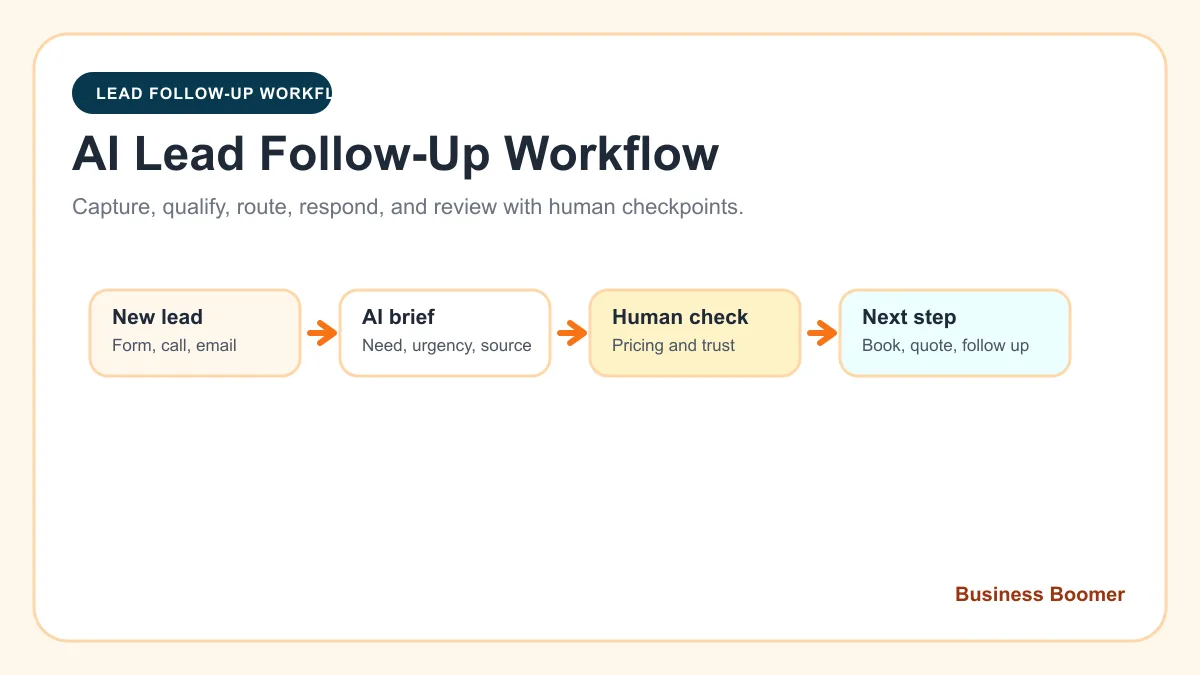
AI follow-up automation for contractors helps turn calls, forms, estimate requests, and open quotes into clear next steps. The point is not to replace the owner. The point is to stop good project leads from getting lost while the owner is on the next job.
Quick answer: Contractors should use AI follow-up automation to summarize inquiries, draft first replies, create estimate tasks, remind the team about open quotes, and show the owner which leads need attention.
For contractors, slow follow-up is expensive. A homeowner asking about a repair, remodel, installation, or inspection is often comparing several companies. If the next step is unclear, the job moves to whoever replies with the least friction.
Contractor follow-up workflow
| Lead source | What AI prepares | What automation creates | Human review |
|---|---|---|---|
| Missed call | Service type and urgency summary | Callback task and text-back draft | Availability and priority |
| Quote form | Project summary and missing questions | Estimate task and reply draft | Fit, scope, and price |
| Site visit | Notes cleaned into next steps | Follow-up reminder | Final recommendation |
| Open quote | Customer-specific nudge | Scheduled task or draft | Discounts and timing |
| Completed job | Thank-you and review draft | Review request reminder | Tone and job sensitivity |
This is a contractor-focused version of lead follow-up automation.
Example first workflow
Start with estimate requests. When a form, call, or email asks for a quote, the system should:
- Capture the customer name, service type, location, and preferred timing.
- Summarize the request for the owner or office.
- Draft a short first reply.
- Create an estimate task.
- Schedule a follow-up reminder if no appointment or quote is confirmed.
That workflow is narrow enough to test and close enough to revenue to matter.
What to keep human
Contractors should keep control of price, scope, schedule promises, warranty language, and any message about safety or liability. AI can make the follow-up easier to prepare. It should not make the business promise things it cannot deliver.
Where this connects
If the contractor website is not creating enough estimate requests, use website redesign for contractors. If the business needs a broader system for leads, scheduling, reviews, and invoices, use AI automation for local service businesses.
Bottom line
AI follow-up automation gives contractors a simple way to protect the leads they already earned. Start with missed calls or estimates, keep owner approval where judgment matters, and build from the workflow that produces jobs.
Lead follow-up next step
Stop letting leads sit without a next action.
Business Boomer can install lead capture, first-response drafts, quote follow-up reminders, and a simple owner handoff.
Keep building the system
Recommended next Business Boomer guides
These links are selected by topic and search intent so this guide connects to the most relevant service pages, industry pages, and supporting blog posts.
Service and setup pages
Use these when you are ready to turn the idea into an implementation path.
Industry-specific pages
See how the same workflow changes for specific business types.
Related blog posts
Read the connected guides that support this topic cluster.
Recommended next steps
These pages connect this guide to the Business Boomer offer, related workflow, and next implementation path.
Lead follow-up automation setup
Install a follow-up path for calls, forms, estimates, and stale contractor leads.
Website redesign for contractors
Fix the contractor website path that creates estimate requests.
Quote follow-up automation for contractors
Use a focused quote workflow when estimates are going cold.
Related AI automation guides
Keep going with the connected Business Boomer guides in this automation cluster.
Lead follow-up automation for small business
Turn form fills, missed calls, quote requests, emails, and voice notes into reply drafts, CRM updates, reminders, and next steps.
Website redesign for contractors
A contractor website guide focused on estimate requests, service pages, project examples, FAQs, and quote follow-up.
AI sales team and lead follow-up setup
Turn sales calls, form fills, quote requests, and owner notes into follow-up emails, calendar invites, CRM updates, and next-step reminders.
Invoice automation for contractors
Connect completed jobs, estimates, QuickBooks, payment links, and overdue follow-up for contractor workflows.
FAQ
Quick answers about this guide and how to put the idea into practice.
What is AI follow-up automation for contractors?
It is a workflow that uses AI to summarize leads, draft replies, create owner tasks, remind the team about estimates, and keep contractor prospects from going cold.
What contractor follow-up should be automated first?
Start with the highest-value leak: missed calls, estimate requests, quote follow-up, site-visit reminders, or invoice follow-up.
Does AI replace contractor sales follow-up?
No. AI can prepare drafts and reminders, but the contractor or office should approve scope, pricing, timing, and customer-facing promises.
Stop letting leads sit without a next action.
Business Boomer can install lead capture, first-response drafts, quote follow-up reminders, and a simple owner handoff.
See Lead Follow-Up Automation