
Can You Ask a Customer to Change a Negative Google Review?
A resolution-first process for asking a customer to reconsider a negative Google review without incentives, pressure, or scripted language.


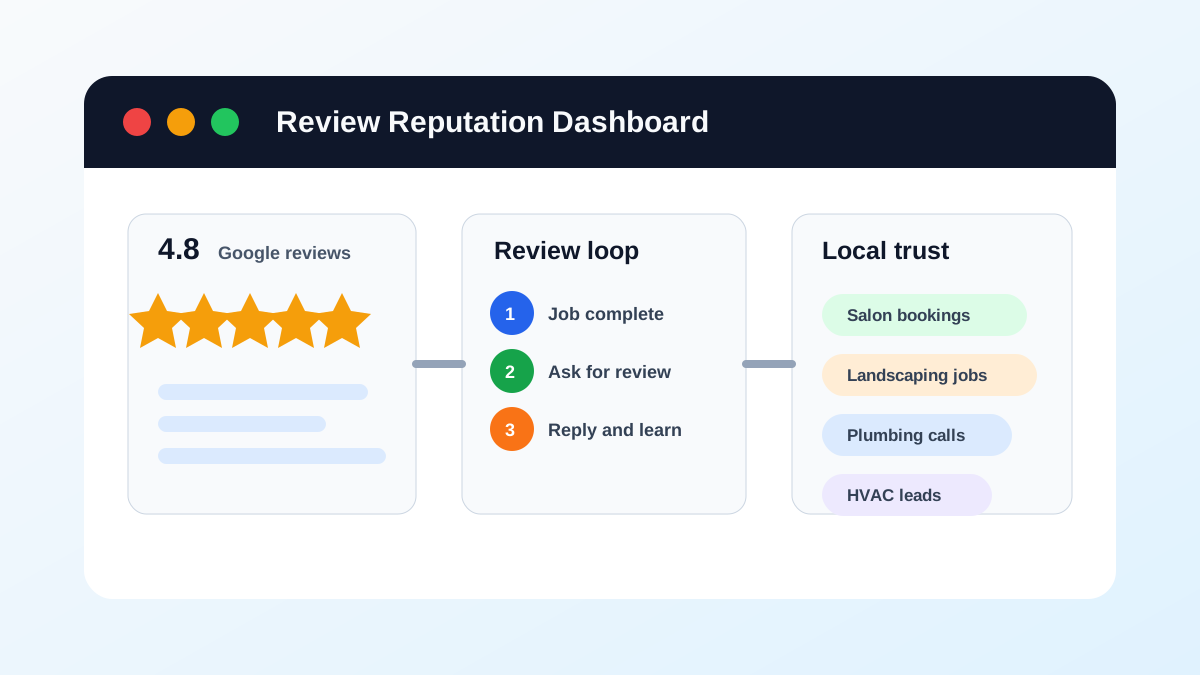
Yes. After you resolve the customer’s problem, you may ask whether they would consider updating their Google review. Keep the request optional. Do not offer a refund, discount, gift, or other benefit in exchange for changing or removing the review.
Google says customers can change a review after a business replies. Google also prohibits incentives offered in exchange for posting, changing, or removing reviews. That leaves a clean path for a small business: fix the problem, confirm the outcome, and give the customer control over whether the review still reflects their experience.
Resolve the complaint before mentioning the review
Treat the service problem and the public review as separate issues.
If an appliance repair company missed an appointment, the first job is to reschedule, complete the repair, and address the customer’s lost time. If a salon produced the wrong result, the first job is to discuss a correction that the business can deliver. Asking about the review before fixing the problem makes the customer feel that the rating matters more than their experience.
Use this order:
- Acknowledge the complaint.
- Move account, payment, health, or other private details out of the public reply.
- Assign one person to resolve the issue.
- Complete the agreed fix.
- Confirm that the customer considers the matter resolved.
- Ask once, without an incentive or scripted rating.
Use a no-pressure follow-up
Your message should identify the resolved issue and leave the decision with the customer.
Hi Maria, thanks for giving us the chance to correct the scheduling problem. I’m glad the service was completed today. If you feel your Google review no longer reflects the full experience, you’re welcome to update it. There’s no obligation, and we appreciate the feedback either way.
That message does not ask for five stars. It does not tell Maria what to write. It does not make the repair, refund, or future service conditional on a review change.
Keep the request short. One follow-up is enough. Repeated reminders can turn a reasonable request into pressure.
Do not trade compensation for a review change
You may decide that a refund, rework, credit, or discount is the right remedy for a service failure. Make that decision based on the customer problem.
Do not say:
- “We’ll refund you if you remove the review.”
- “Change the review to five stars and we’ll give you 20% off.”
- “We can send a gift card after you update the rating.”
- “Delete the review and we’ll honor the warranty.”
Google classifies incentives offered for posting, changing, or removing reviews as fake and misleading content. Separate the remedy from any later review request in your notes, timing, and customer message.
Source: Google Business Profile tips for getting more reviews.
Reply publicly without arguing the case
A public reply serves future customers as much as the reviewer. Show that someone took ownership without publishing the customer’s private details.
Use four parts:
- Thank the customer for the feedback.
- Acknowledge the specific concern in neutral language.
- State the next step and owner.
- Move the conversation to a private channel.
Example:
Thanks for raising the missed appointment, Jordan. Our office manager is reviewing the scheduling record and will contact you today. Please call or email us if your preferred contact information has changed.
Avoid posting invoice details, appointment notes, phone numbers, medical information, employee discipline, or a point-by-point rebuttal. Google advises businesses to protect reviewer privacy and avoid personal attacks.
Source: Google Business Profile guidance for managing customer reviews.
Ask for an update only when the facts changed
A follow-up makes sense when the customer experienced a meaningful second chapter:
- The crew returned and completed the work.
- The company corrected a billing mistake.
- A manager replaced a damaged item.
- The customer received the promised refund.
- The business explained a misunderstanding and the customer accepted the explanation.
Do not ask for an update because the review feels unfair. Google says businesses should report reviews only when they violate policy, not because the business dislikes or disputes them.
If nothing changed, write a measured public reply and use the feedback to improve the operation.
Source: Google Business Profile guidance for reporting inappropriate reviews.
Flag policy violations through the right channel
Some reviews involve spam, impersonation, harassment, prohibited personal information, or content unrelated to a real experience. Use Google’s reporting process for those cases.
Do not combine a policy report with pressure on the reviewer. Save the review URL, record the policy category you believe applies, submit the report, and track the status in Google’s Reviews Management Tool. Google may leave a review in place when it does not find a policy violation.
When review management is a fit
Ongoing review management is a fit when the business needs a repeatable way to invite all eligible customers neutrally, monitor new feedback, assign replies, and keep an owner in control of service recovery. It can support a response process; it cannot promise review removal, a rating increase, or a changed customer opinion. If the only request is “make this review disappear,” that is not a fit.
The current Google Reputation Management service is the relevant path for ongoing requests and owner-reviewed replies. Bring the unresolved issue, current request process, and approval owner to a setup conversation.
Give your team a decision card
Create a short rule so employees do not improvise.
| Situation | Action | Review request |
|---|---|---|
| Problem is still open | Assign an owner and response time | Do not ask |
| Remedy offered but not completed | Finish the agreed action | Do not ask |
| Customer confirms resolution | Close the service case | One optional update request |
| Review may violate Google policy | Save evidence and report it | Do not pressure the reviewer |
| Customer declines to update | Record the decision | Stop asking |
The person who handled the resolution should approve the follow-up. An automated workflow can create the task and prepare a draft, but it should not send repeated requests or invent facts about the case.
Track recovery without manipulating ratings
Measure the work your team controls:
- Time from review to first response
- Time from complaint to assigned owner
- Time from assignment to resolution
- Percentage of resolved cases with customer confirmation
- Repeated complaint categories
Do not grade employees on how many negative reviews they persuade customers to remove. That incentive can encourage pressure, hidden compensation, or selective treatment.
Use the Google review reputation management guide to build the broader weekly process. Connect completed jobs to review request automation, and keep customer-specific recovery notes inside your approved system rather than a public reply.
If you want help with a consistent review process after the complaint is resolved, see Google Reputation Management or book a setup conversation. This service supports a process; it cannot secure a removal or rating change.
A safe follow-up checklist
Before asking a customer to reconsider a review, confirm:
- The promised remedy is complete.
- The customer confirmed the outcome.
- Compensation was not conditioned on a review change.
- The message does not request a star rating or scripted language.
- The request is optional and will be sent once.
- The public reply contains no private customer details.
- An employee can stop the workflow if the customer objects.
Your goal is an accurate account of the full customer experience. The customer decides whether to update it.
Business Boomer’s current Google Reputation Management service supports ongoing review requests and owner-reviewed replies. Ask whether your specific recovery needs fit the written scope; no review removal or rating change is promised.
FAQ
Quick answers about this guide and how to put the idea into practice.
Can a business ask a customer to change a negative Google review?
Yes. After resolving the customer’s problem, a business may ask whether the customer would consider updating the review. The request should be optional and should not offer a refund, discount, gift, or other benefit in exchange.
Can you offer a discount to remove a negative Google review?
No. Google prohibits incentives offered in exchange for posting, changing, or removing reviews. Decide on any refund, rework, credit, or discount based on the service problem, not on whether the customer changes a review.
When should a business report a negative Google review?
Report a review when you believe it violates Google’s content policies, such as spam, impersonation, harassment, prohibited personal information, or content unrelated to a genuine experience. Do not report a review only because you dislike or dispute it.