
What Customer Data Should You Keep Out of an AI Automation?
Use the Minimum Useful Data test to decide what customer information an AI workflow needs and what should stay out.


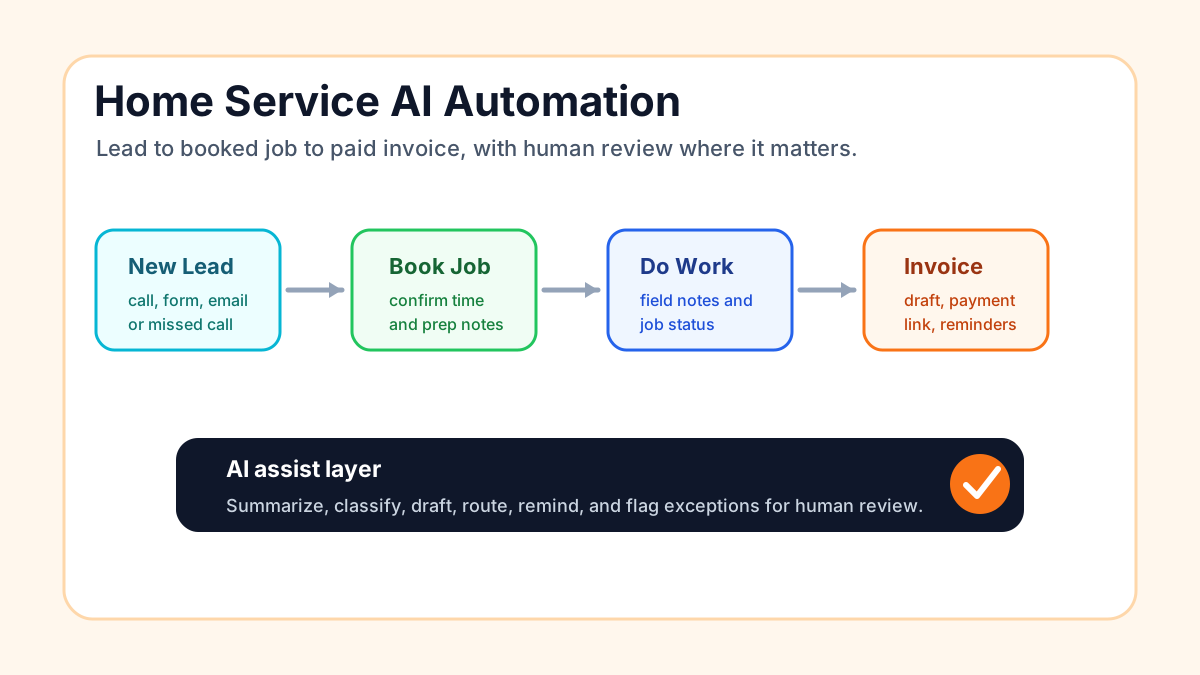
An AI automation should receive only the customer data it needs to complete a clearly defined task. For most small businesses, that means keeping passwords, payment-card details, government identification numbers, health information, legal documents, employee records, and unrelated private notes out of general-purpose AI tools unless a vetted system, contract, access policy, and genuine business requirement support their use.
The safest rule is simple: if the automation can do its job with less data, give it less data.
Start with the task, not the tool
Before connecting an inbox, CRM, call transcript, spreadsheet, or form to an AI service, write down the exact job the automation must perform.
For example, a lead-routing workflow may need a customer's name, contact method, service requested, ZIP code, and preferred appointment window. It probably does not need the customer's full CRM history, payment record, private complaint notes, or copies of identification.
This task-first approach prevents a common mistake: granting an AI tool access to an entire data source because connecting everything is easier than deciding what is necessary.
Data to exclude by default
Treat the following categories as "do not include" unless a qualified person has approved a specific use case and the system has appropriate safeguards:
- Passwords, authentication codes, API keys, and security answers
- Full payment-card or bank-account information
- Social Security numbers, driver's-license numbers, passport details, and other government identifiers
- Medical histories, diagnoses, insurance records, and other health information
- Attorney-client communications, legal documents, or sensitive dispute records
- Employee personnel files, payroll details, and disciplinary notes
- Children's personal information
- Customer secrets or private narratives that are not required for the task
- Large exports from an inbox, CRM, drive, or database when only a few fields are needed
This is a risk-management baseline, not a complete statement of legal requirements. Businesses handling regulated or highly sensitive information should get advice appropriate to their industry and location.
Use the Minimum Useful Data test
For each field, ask four questions:
- Need: Does the automation require this field to complete its assigned task?
- Precision: Can the field be shortened, categorized, masked, or replaced with a reference number?
- Destination: Which vendors, models, logs, and connected applications will receive it?
- Lifetime: How long will each system retain it, and can it be deleted when it is no longer needed?
If the answer to the first question is no, remove the field. If the other answers are unknown, pause the connection until they are documented.
Replace raw details with safer inputs
Many automations can work with categories instead of complete records.
Instead of sending a full service transcript to route a lead, pass a short structured summary:
- Service category: HVAC repair
- Urgency: no heat
- Area: ZIP code 70115
- Contact preference: text
- Customer record: internal ID 4832
The internal ID lets an authorized employee retrieve the full record inside the system that already protects it. The AI workflow gets enough context to route the request without receiving unrelated history.
Other useful reductions include showing only the last four digits of an account number, replacing a birth date with an age range when exact age is unnecessary, and removing names from examples used for testing.
Check what the AI provider does with submitted data
Do not rely on a salesperson's summary or a generic "enterprise-grade" claim. Review the service terms, privacy documentation, and contract for the specific product and plan you will use.
Ask:
- Is submitted data used to train or improve models?
- Can that use be disabled, and is the setting enforced for every user?
- How long are prompts, files, outputs, and logs retained?
- Can your business delete its data?
- Who can access it, including subprocessors?
- Where is it stored and processed?
- What happens after an account is closed?
- How will the provider notify you about a security incident or material policy change?
The Federal Trade Commission has warned AI providers to honor their privacy and confidentiality commitments. That makes vendor promises important, but a small business still needs to understand what it is sending and why.
Source: FTC guidance on AI privacy and confidentiality commitments.
Limit access around the automation
Data minimization helps, but it does not replace access control.
Use separate employee accounts, enable multi-factor authentication, grant the automation access only to the folders and records it needs, and avoid shared administrator credentials. Review connected applications regularly and remove integrations that are no longer used.
For higher-risk actions, keep a human approval step. An automation can prepare a response or classify a request without being allowed to expose a private record, change an account, issue a refund, or make a consequential decision on its own.
Test with synthetic or redacted examples
Do not use real customer records just because they are convenient test data. Build test cases with fictional names, invented contact information, and altered details. When a realistic edge case is necessary, redact identifiers and unnecessary context first.
Then test for accidental exposure:
- Does private input appear in logs or notifications?
- Can one customer's information appear in another customer's output?
- Does an error message include the original record?
- Can an employee without permission open the workflow history?
- Does the workflow copy data into spreadsheets, chat tools, or email archives?
Repeat these checks after changing the model, prompt, connector, or vendor configuration.
Keep a one-page data map
You do not need a complicated governance program to gain control. Create a one-page record for each automation with:
- The business task and owner
- Input fields and their source
- Every system that receives data
- People and service accounts with access
- Retention and deletion rules
- The human-review point
- The shutdown procedure
- The date of the next review
NIST's voluntary AI Risk Management Framework organizes AI risk work around Govern, Map, Measure, and Manage. A compact data map gives a small business a practical starting point for those activities and makes later monitoring easier.
Sources:
A five-minute review before launch
Before switching on an AI workflow, confirm:
- The job is narrowly defined.
- Every data field is necessary.
- Sensitive information is excluded or specifically approved.
- The vendor's use and retention terms are understood.
- Access is limited and multi-factor authentication is enabled.
- Tests use synthetic or redacted records.
- A human reviews higher-risk actions.
- An owner can pause the workflow and delete stored data.
- The automation is included in an ongoing monitoring routine.
Good automation design is not about sending more context everywhere. It is about giving each step enough information to help the customer while keeping everything else where it belongs.
Use the post-launch monitoring guide to review data exposure after launch. For calls that need judgment or sensitive handling, use the AI receptionist human-handoff framework. See AI automation for local service businesses for practical workflow examples.
Start with one workflow
Choose one automation and list every customer field it receives. Remove anything that does not help it complete its assigned task. Then document the destination, retention rule, owner, and human-review point before adding more access.
Business Boomer can map the task, data, safeguards, and approval points around a useful small-business workflow.
Keep building the system
Recommended next Business Boomer guides
These links are selected by topic and search intent so this guide connects to the most relevant service pages, industry pages, and supporting blog posts.
Service and setup pages
Use these when you are ready to turn the idea into an implementation path.
Industry-specific pages
See how the same workflow changes for specific business types.
Related blog posts
Read the connected guides that support this topic cluster.
Related AI automation guides
Keep going with the connected Business Boomer guides in this automation cluster.
AI automation services for local small business
Planning examples for broader automation. Compare current managed calls and reviews on the Services page; confirm other work in a separate scope.
How to automate invoice reminders
A customer-friendly reminder workflow for due dates, overdue invoices, payment links, and human follow-up tasks.
AI automation for local service businesses
Practical lead, scheduling, review, CRM, invoice, and admin automation for plumbers, HVAC companies, roofers, landscapers, cleaners, contractors, and other local operators.
Lead follow-up automation for small business
Turn form fills, missed calls, quote requests, emails, and voice notes into reply drafts, CRM updates, reminders, and next steps.
FAQ
Quick answers about this guide and how to put the idea into practice.
What customer data should stay out of an AI automation?
Keep passwords, security codes, full payment details, government identification numbers, health information, legal documents, employee records, and unrelated private notes out of general-purpose AI workflows unless a vetted system, approved use case, and appropriate safeguards require them.
How much customer data should an AI workflow receive?
Give the workflow only the fields it needs for its assigned task. Remove unnecessary fields and use categories, masked values, or internal reference numbers when they can replace raw details.
Can a small business test an AI automation with real customer records?
Use fictional or redacted records by default. If a realistic edge case requires customer data, remove identifiers and unrelated details, restrict access, and document why the data is necessary.
Find the workflow worth fixing first.
Use the Free 30-Minute AI Consultation to map where leads, invoices, notes, or follow-ups are slipping and choose the smallest useful system.
Book a Free 30-Minute AI Consultation