
What Should You Do If a Google Review Includes Personal Information?
Author
Business Boomer StaffEditorial Team
The Business Boomer Staff profile is used for general guides, announcements, and educational resources created or maintained by the Business Boomer editorial workflow.
If a Google review includes personal information, do not repeat it publicly. Preserve the minimum internal record, assess the policy concern, and move account-specific help to a private channel.
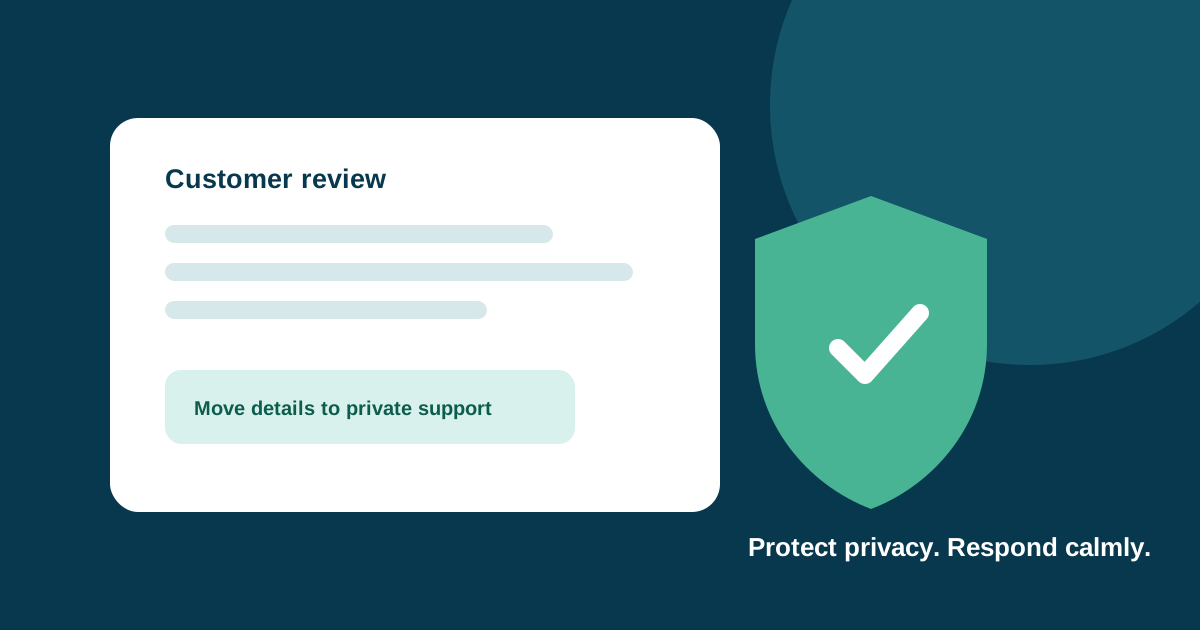
If a Google review includes personal information, do not repeat the detail in your public reply. First preserve only the minimum internal record you need, decide whether the content may violate Google’s policy, report it through the normal process if appropriate, and keep any direct customer communication private.
The urge to “set the record straight” can make a privacy problem worse. A public reply that names the customer, repeats an address, account detail, health information, or phone number can expose the information more widely—even if the business is trying to help.
Quick answer: Do not quote or confirm private details in public. Record the issue minimally, report it only when there is a policy basis, and offer a safe private contact route.
Identify what should not be repeated
Google’s personal-information policy defines personal information as information about a living, identifiable person where disclosure could create a risk of harm if compromised or misused. The details in a review can vary, but a business should be careful with contact information, account or booking details, addresses, identification numbers, health information, and other information that could identify or expose someone.
Do not assume a review is safe to quote simply because it is already public. A business reply is another publication of the same detail, and it can add context that makes a person easier to identify. The safer public approach is to speak generally about the concern and move any account-specific conversation to a private channel.
For example, instead of replying with details about a job, appointment, or invoice, a business could say:
“We take privacy seriously and would like to look into this. Please contact our team directly so we can help.”
That is a starting point, not a script for every situation. Keep the response short, calm, and free of private facts.
Preserve a minimal internal record
Before you report or reply, record the review URL, date, reviewer display name as shown publicly, the relevant policy concern, and the action your team took. Do not copy the entire review into unrelated systems or share screenshots widely inside the company.
Limit access to the record to people who need to handle the issue. If you have an established privacy, legal, or customer-support process, follow it. This article is operational guidance, not legal advice or a determination that a particular review violates a law or Google policy.
The internal record should help the team answer simple questions later: What did we observe? What did we report? Did we send a public reply? What private follow-up, if any, was offered? It should not become a file of unnecessary customer information.
Report content only when there is a policy basis
Google’s review-reporting guidance says businesses can flag reviews that violate its content policies. Reporting is not a way to remove a review simply because it is negative, inconvenient, or factually disputed. Use it when there is a specific policy concern, such as prohibited personal information, fake engagement, harassment, or another documented rule.
Be precise in your internal note about why you reported the review. “We disagree with it” is different from “it includes contact information about an identifiable person.” A specific reason also makes it easier for a team to respond consistently if Google does not remove the content.
Do not promise a customer or employee that Google will remove the review. Google controls its own review process and may reach a different conclusion. Keep your public response focused on a safe next step you can actually offer.
Keep a public reply focused on help, not rebuttal
If a reply would help future readers, acknowledge the experience without arguing over private details. Google’s review tips recommend professional, relevant replies and specifically advise businesses to protect privacy and avoid personal attacks when responding to negative reviews.
A useful public reply usually does three things:
- Acknowledges the concern without confirming or repeating sensitive details.
- States a clear, supported way to contact the business privately.
- Avoids a promise, offer, or accusation that the business cannot support.
For example: “We’re sorry you had a frustrating experience. We want to understand what happened and see whether we can help. Please contact our team directly.”
Do not add an address, appointment date, order information, medical detail, or the identity of another customer or staff member. Do not try to persuade the reviewer to change or remove the review in exchange for a discount, refund, or free service. Any resolution should stand on its own, separate from what the customer chooses to post publicly.
Give staff a simple escalation path
Front-line employees should not have to decide alone whether a review creates a privacy issue. Assign an owner for review escalation and give the team a short checklist:
- Do not reply with private information.
- Save the minimum needed internal reference.
- Identify the potential policy concern.
- Route the issue to the designated owner.
- Report the review only through the supported Google process when warranted.
- Use an approved, general reply only if it is helpful and safe.
This keeps a fast public response from becoming an improvised privacy decision. It also prevents multiple employees from posting competing replies to the same review.
Treat negative feedback and privacy as separate questions
A review can be critical without violating Google’s policy. Separate the service-recovery question from the privacy question. If the review describes a genuine problem, learn from it and offer a private route for support. If the content also exposes sensitive details, assess and report that policy concern independently.
For help drafting a measured reply to a one-star review with little context, see how to respond to a one-star Google review with no comment. For a broader review-management process, see AIBB’s small-business reputation-management guide.
Use a review-response checklist before posting
Before a reply goes live, ask:
- Does it repeat, confirm, or add personal information?
- Does it identify another customer, employee, or account?
- Does it make a promise the team cannot keep?
- Does it ask the reviewer for a specific rating, revision, or removal?
- Does it provide a safe private contact route?
If the answer to the first four questions is yes, pause and rewrite. A short response that protects privacy is usually more useful than a detailed public argument.
If you need help designing a review-monitoring and customer-follow-up workflow that protects privacy while keeping responses consistent, contact AIBB.
Keep building the system
Recommended next Business Boomer guides
These links are selected by topic and search intent so this guide connects to the most relevant service pages, industry pages, and supporting blog posts.
Service and setup pages
Use these when you are ready to turn the idea into an implementation path.
Industry-specific pages
See how the same workflow changes for specific business types.
Related blog posts
Read the connected guides that support this topic cluster.
Related AI automation guides
Keep going with the connected Business Boomer guides in this automation cluster.
AI automation services for local small business
The main Business Boomer service page for lead response, missed-call follow-up, invoice reminders, reviews, CRM updates, scheduling, and OpenClaw setup.
AI automation for local service businesses
Practical lead, scheduling, review, CRM, invoice, and admin automation for plumbers, HVAC companies, roofers, landscapers, cleaners, contractors, and other local operators.
AI assistant for local business
Owner-controlled AI assistants that help local businesses handle missed leads, scheduling handoffs, FAQs, reviews, CRM updates, and follow-up.
AI website for service businesses
Clearer service pages, lead paths, FAQs, reviews, and AI-assisted follow-up for service businesses.
Frequently Asked Questions
FAQ
Quick answers about this guide and how to put the idea into practice.
Should a business repeat personal information in a Google review reply?
No. Keep the public response general and move account-specific help to a private channel. Repeating the detail can create a wider privacy problem.
Can a business report a Google review with personal information?
A business can flag a review that it believes violates Google's content policies. Reporting is not a way to remove a review simply because it is negative or disputed.
What should a business say publicly when a review includes private details?
A short, calm response can acknowledge the concern and invite the reviewer to contact the business privately without confirming or repeating sensitive information.
Find the workflow worth fixing first.
Use the Free 30-Minute AI Consultation to map where leads, invoices, notes, or follow-ups are slipping and choose the smallest useful system.
Book a Free 30-Minute AI Consultation