
How I use my dot to move business work forward
Sam shares how voice requests become drafts, client tasks and review decisions, including the corrections that make an AI assistant useful.

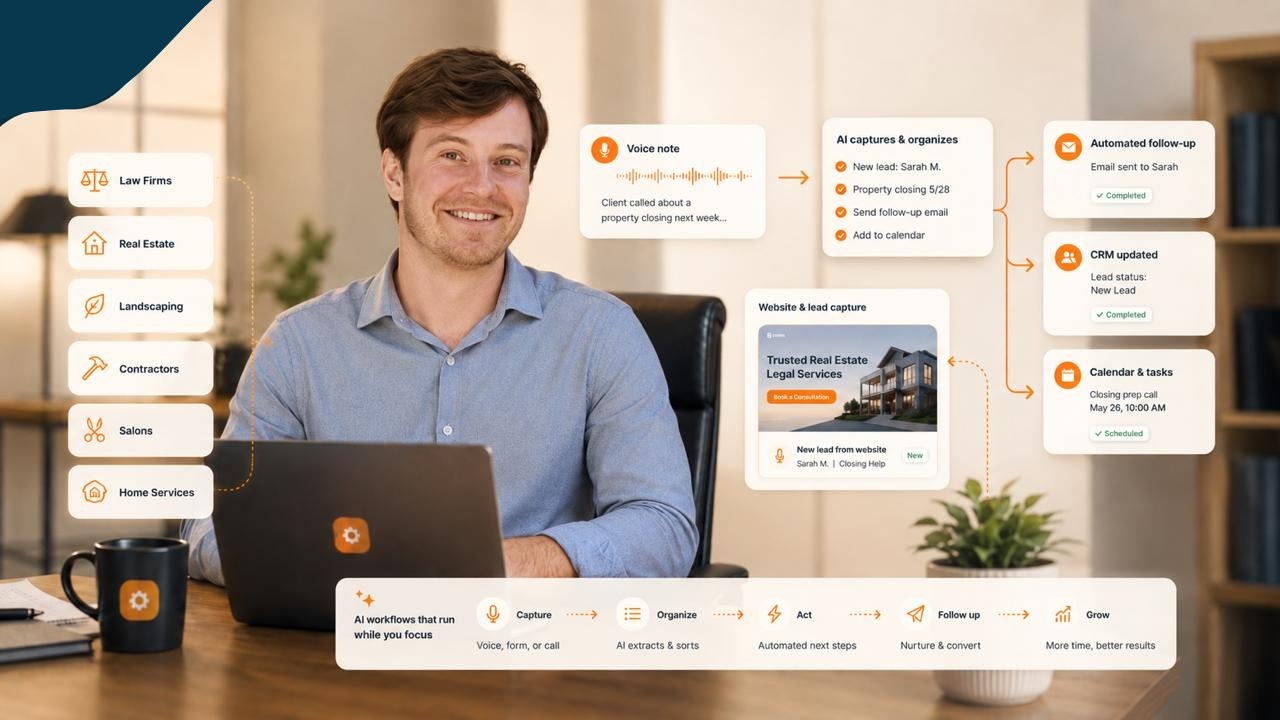
I use my dot, Nancy, to help turn conversations into work I can review. That includes preparing client instructions, organizing follow-up, improving presentations and helping move website projects along.
The interesting part is what happens after the first answer. Can I find the work? Does it reflect what I asked for? Can I tell what needs my attention? If the result misses the point, can we correct it without losing the original goal?
Recent client calls and my own app reviews have made those questions very practical. There is useful work happening, and there are still plenty of moments where I have to redirect it.
I often start by talking
During an October client session, I asked Nancy to help turn the next website-launch steps into instructions the client could use with his own AI. Later in the same session, the work moved to search tracking and inbox organization.
That is a normal reason for me to use voice. I already know what problem we are looking at. Talking lets me give the context while it is fresh, rather than leave the meeting and reconstruct everything in a separate brief.
The request still needs a clear destination. Website instructions belong with the website work. An inbox setup needs to reflect how that owner actually handles email. A presentation needs to help the person in the meeting understand the next decision.
Voice makes it easier to start. It does not remove the need to check the handoff.
OpenAI describes dots as ongoing agents that can work with connected apps and bring work back for review. Available access and capabilities depend on the account and setup. The official getting-started guide is the place to check current details.
I want a result I can review
One of my recurring requests has been to make the review step clearer. If something is ready for me, tell me where it is and what I need to do with it.
That sounds obvious until several projects are moving at once. A message saying a task is complete creates another job if I have to hunt for the output, work out what changed and guess which decision is mine.
For a useful review, I want the actual thing: the draft, the slide, the working screen or the page. Then I want a short explanation of what needs checking.
The review questions change with the work. For a client email, I need the right recipient, accurate context and appropriate wording. For an app, I need to try the interaction. For a presentation, I need to see whether the slides tell the story.
This is also why I have asked for work and personal reviews to be easier to distinguish. The organization should help me make decisions.
The corrections are part of the story
I have had app drafts that were nowhere near what I had in mind. I have also found an input experience where a value was blocked and the process asked me for more information than I wanted to provide.
Those are concrete failures. A feature can exist while the experience remains frustrating.
The useful response is to return to the screen, reproduce the problem and review the revised interaction. Another description of the intended feature is not enough evidence that it works.
I have given similar feedback on presentations. I want slides that communicate visually, with words where they help. In the October client session, I stopped to say the presentation was not valuable enough for the person in front of me.
That was an audience problem. We needed a clearer, more useful conversation about his business. Generating slides had not, by itself, achieved that.
Client work still needs the owner
In that same session, the client explained that he was testing AI-written emails but keeping them as drafts so he could double-check them.
That is a sensible starting point. The assistant can prepare language and help organize the inbox while the owner checks the message before it leaves.
We also discussed tailoring the inbox setup to his business. Copying my categories is only a starting point. His important senders, urgent requests and follow-up habits may be different.
Website work has the same need for judgment. There is a difference between preparing a launch checklist, applying changes and confirming that customers can use the finished site. Those stages should stay visible.
What I pay attention to now
I want to know whether the work became useful.
Did the instruction help the client get through the next step? Did the revised slide explain the decision? Did the app become easier to use? Did the email draft need small edits or a complete rewrite?
I am not presenting a measured time-saving or revenue claim here. This is an account of how I am using Nancy and what I am learning from the results.
For another owner, I would start with a task you already understand well enough to judge. Give your dot the relevant context, ask for a specific output and inspect it. When something is wrong, point to the exact problem. Keep the work open until the correction is visible.
That is how the assistant earns a place in the working week.
Want to talk through one task in your business? Book a 30-minute consultation with me.
Keep building the system
Recommended next Business Boomer guides
These links are selected by topic and search intent so this guide connects to the most relevant service pages, industry pages, and supporting blog posts.
Service and setup pages
Use these when you are ready to turn the idea into an implementation path.
Industry-specific pages
See how the same workflow changes for specific business types.
Related blog posts
Read the connected guides that support this topic cluster.
Related AI automation guides
Keep going with the connected Business Boomer guides in this automation cluster.
AI automation services for local small business
Planning examples for broader automation. Compare current managed calls and reviews on the Services page; confirm other work in a separate scope.
OpenClaw operator setup sprint
A setup page for private owner-controlled OpenClaw operators with messaging access, business context, approval rules, and one proven workflow.
QuickBooks invoice automation for small business
How to use QuickBooks for recurring invoices, reminders, payment tracking, and workflow-connected billing.
How to follow up with leads for small business
A practical workflow for CRM stages, reminders, email, text, and human follow-up tasks.
FAQ
Quick answers about this guide and how to put the idea into practice.
What is the main takeaway from How I use my dot to move business work forward?
Sam shares how voice requests become drafts, client tasks and review decisions, including the corrections that make an AI assistant useful.
How does How I use my dot to move business work forward help a small business?
How I use my dot to move business work forward can help a small business reduce manual work, improve follow-up, organize repetitive tasks, and create a clearer operating process when it is tied to a real bottleneck.
Can Business Boomer help implement How I use my dot to move business work forward?
Yes. Business Boomer can help turn the idea into a practical workflow, page, checklist, or automation system depending on what the business needs first.
Find the workflow worth fixing first.
Use the Free 30-Minute AI Consultation to map where leads, invoices, notes, or follow-ups are slipping and choose the smallest useful system.
Book a Free 30-Minute AI Consultation