
How I Use an AI Assistant to Turn Client Meetings Into Follow-Through
A transcript is the starting point. I use Nancy to help turn the conversation into decisions, action items, recaps and the next agenda.

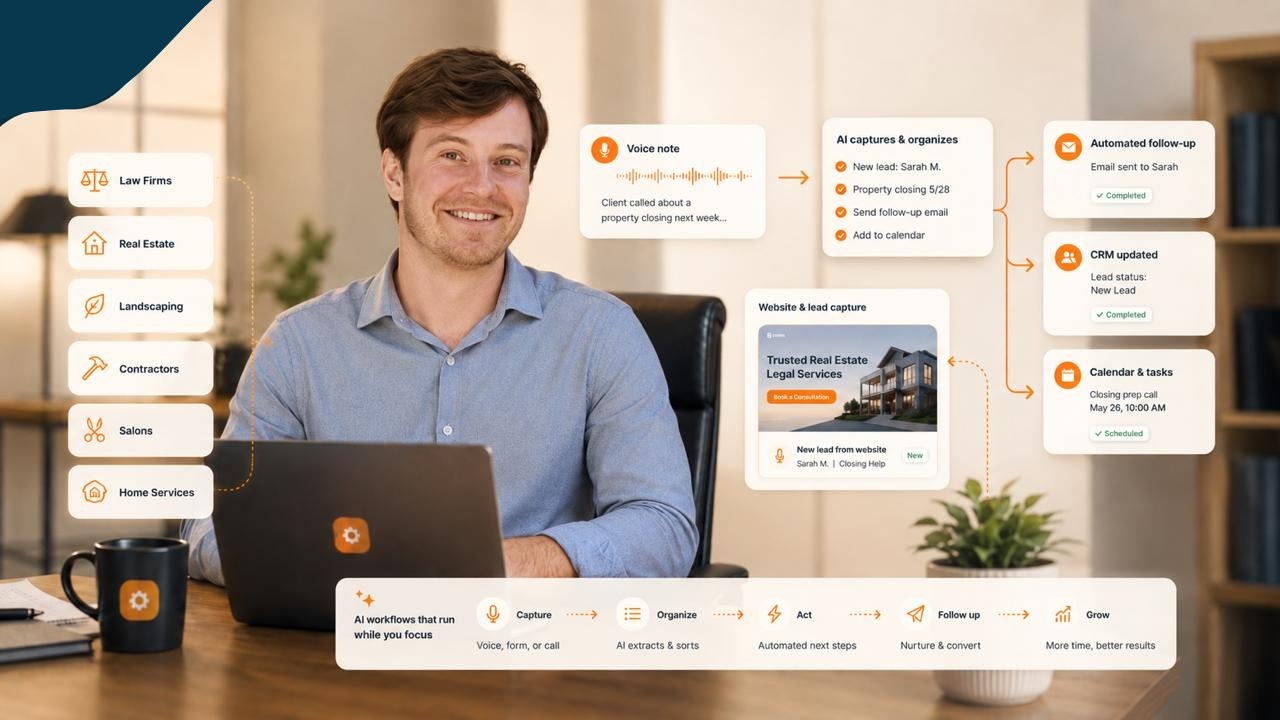
A client meeting can produce a transcript, a set of ideas, a few decisions, and several things that still need an answer. The next job is to work out which is which.
Nancy, my AI assistant, helps me turn the call into a recap email, an action list, and the next agenda. We have used that process for real client follow-ups.
The important detail is how information moves from a conversation into the work that follows. Every step needs to preserve what was actually agreed.
Use the transcript as source material
A transcript gives an assistant something concrete to work from. It also contains unfinished thoughts, suggestions, repetition, and ideas people may decide against later in the conversation.
That means a summary needs more judgment than simply shortening the text.
When reviewing the output, I want to see the decisions, the open questions, and the possible next steps clearly distinguished. A suggestion should not turn into a commitment just because it sounds sensible. If the owner or timing of an action is unclear, that gap should remain visible.
For anyone trying this, a useful starting request is to separate agreed actions from proposed actions and flag anything that needs confirmation. Then check the result against the source before you use it elsewhere.
Make action items usable
An action item needs enough detail to guide the next piece of work. Otherwise, it becomes another note that somebody has to interpret later.
The questions I would use are simple: What needs to happen? Who is responsible? What information is missing? Is there an agreed date, or does timing still need to be discussed?
Those questions also expose where the meeting did not settle something. The assistant can help identify the gap. It should not fill it by inventing a deadline or assigning a commitment to a client.
This is where meeting follow-through connects with task organization. The discussion supplies context. The task needs to describe the work that can actually proceed.
Write the recap for the recipient
Nancy helped prepare recap emails from client discussions. A useful recap should make it easy for the recipient to recognize what was agreed and see what happens next.
I would keep it focused on the points that matter to that person. A transcript may contain more detail than they need in their inbox. It may also contain material that does not belong in the email at all.
Before sending, the key checks are the recipient, the decisions, the responsibilities, and any dates or promises. The wording should reflect the conversation accurately. A confident sentence can still be wrong.
I also check that the email actually went out. On September 5, 2026, our records did not establish output or email delivery for the separate morning-brief workflow. A manual recovery delivered it on September 8, and the next scheduled run was verified on September 9. A finished draft still needs a delivery check.
Build the next agenda from what remains open
The recap is also useful input for the next meeting. Decisions already made provide context. Unanswered questions and work awaiting review help shape the agenda.
I have used Nancy to prepare agendas as part of this broader meeting work. The practical goal is to make the next conversation purposeful: identify what needs discussion, what needs a decision, and what material should be reviewed beforehand.
The agenda still needs to reflect the latest position. If something has changed since the recap, the old summary should not quietly become the source of truth for the next meeting.
That is a good reason to ask for a final check against newer messages or updates when they are available.
Keep the calendar in the picture
I have also used Nancy to resolve overlapping calendar commitments, with the resolution checked afterward.
The plan needs to fit the calendar people are actually using. When there is an overlap, I want it resolved and checked so we can get on with the work.
Start with one real meeting
If you want to try this, choose one meeting with source material you are allowed to use. Ask your assistant for a decision summary, a list of agreed actions, and a short recap draft. Keep unresolved points visible.
Review that output before turning it into messages or assignments. After any authorized send or calendar change, check what actually happened. Use the remaining questions to prepare the next conversation.
That is a manageable way to explore the workflow. In my experience, the useful work is in carrying the conversation forward accurately, through several small steps that each have a clear purpose.
If you would like help identifying one meeting workflow to try in your business, get in touch with AI Business Boomer for a free, no-obligation conversation.
Keep building the system
Recommended next Business Boomer guides
These links are selected by topic and search intent so this guide connects to the most relevant service pages, industry pages, and supporting blog posts.
Service and setup pages
Use these when you are ready to turn the idea into an implementation path.
Industry-specific pages
See how the same workflow changes for specific business types.
Related blog posts
Read the connected guides that support this topic cluster.
Related AI automation guides
Keep going with the connected Business Boomer guides in this automation cluster.
AI assistant for local business
Owner-controlled AI assistants that help local businesses handle missed leads, scheduling handoffs, FAQs, reviews, CRM updates, and follow-up.
Lead follow-up automation for small business
Turn form fills, missed calls, quote requests, emails, and voice notes into reply drafts, CRM updates, reminders, and next steps.
AI sales team and lead follow-up setup
Turn sales calls, form fills, quote requests, and owner notes into follow-up emails, calendar invites, CRM updates, and next-step reminders.
How to use AI in a law firm
Intake, client follow-up, document workflow support, and admin cleanup for small firms.
FAQ
Quick answers about this guide and how to put the idea into practice.
What is the main takeaway from How I Use an AI Assistant to Turn Client Meetings Into Follow-Through?
A transcript is the starting point. I use Nancy to help turn the conversation into decisions, action items, recaps and the next agenda.
How does How I Use an AI Assistant to Turn Client Meetings Into Follow-Through help a small business?
How I Use an AI Assistant to Turn Client Meetings Into Follow-Through can help a small business reduce manual work, improve follow-up, organize repetitive tasks, and create a clearer operating process when it is tied to a real bottleneck.
Can Business Boomer help implement How I Use an AI Assistant to Turn Client Meetings Into Follow-Through?
Yes. Business Boomer can help turn the idea into a practical workflow, page, checklist, or automation system depending on what the business needs first.
Find the workflow worth fixing first.
Use the Free 30-Minute AI Consultation to map where leads, invoices, notes, or follow-ups are slipping and choose the smallest useful system.
Book a Free 30-Minute AI Consultation