
Sandcastles AI Short-Form Playbook
Use Sandcastles AI as the research layer, then turn outlier videos into original scripts, three-image visual plans, editor timelines, and Google Docs your team can record from.



Most short-form content systems fail because they start with a blank page. The creator asks, “What should I post today?” and then guesses.
Quick answer: Use Sandcastles AI as the research layer, then turn outlier videos into original scripts, three-image visual plans, editor timelines, and Google Docs your team can record from.
That is backwards.
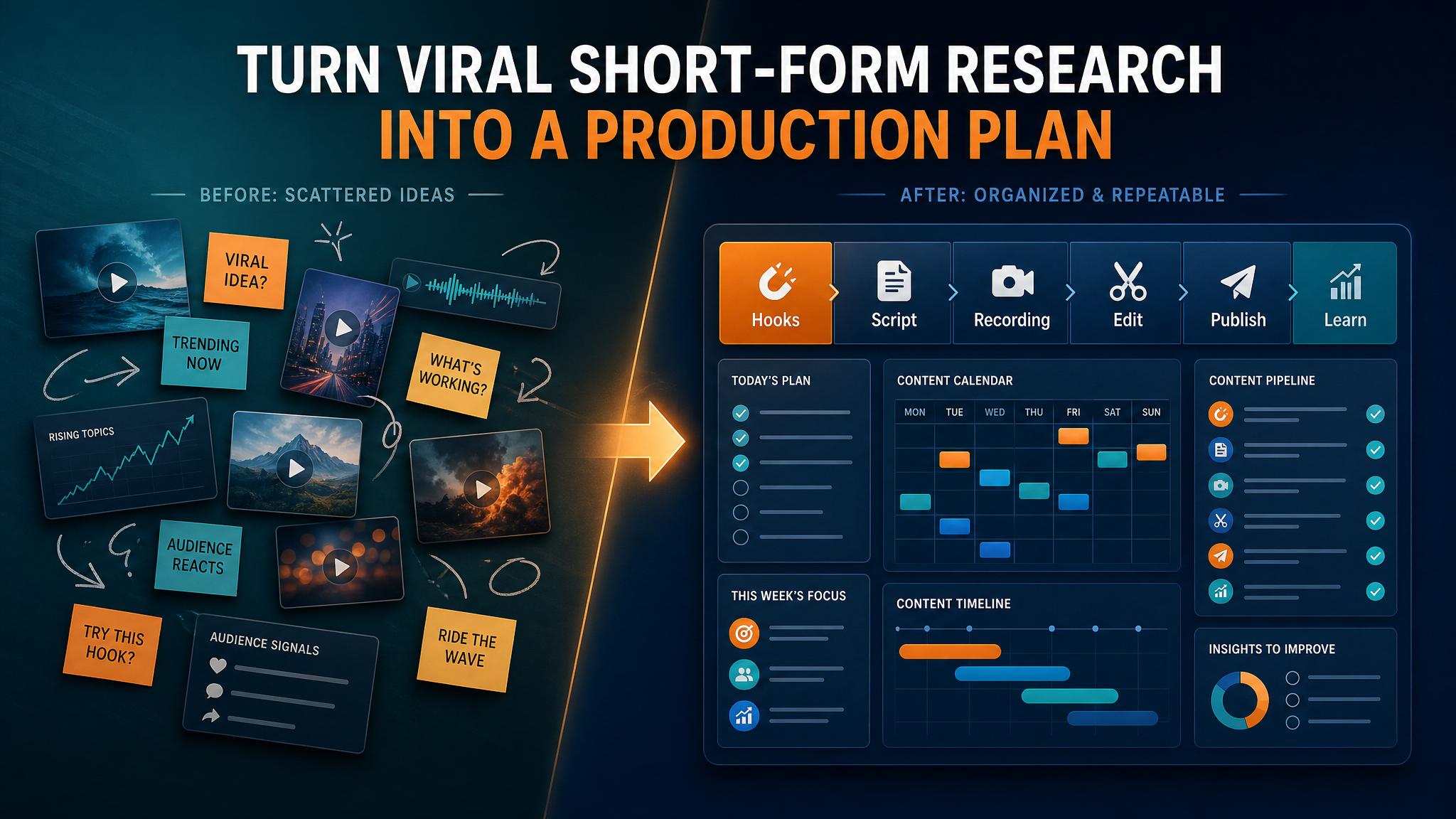
The better workflow is to study what already earned attention, extract the structure behind it, translate that structure into your niche, and hand your team a production doc that is easy to record and edit.
That is where Sandcastles AI fits. Sandcastles helps creators find outlier videos, study viral patterns, and understand which hooks, topics, and structures are working across short-form platforms. Business Boomer uses it as the market-data layer, then turns the research into original scripts and Google Docs using our AI production playbook.
Related next step: use the AI automation services page if you want to turn this idea into a practical Business Boomer workflow.
The simple version
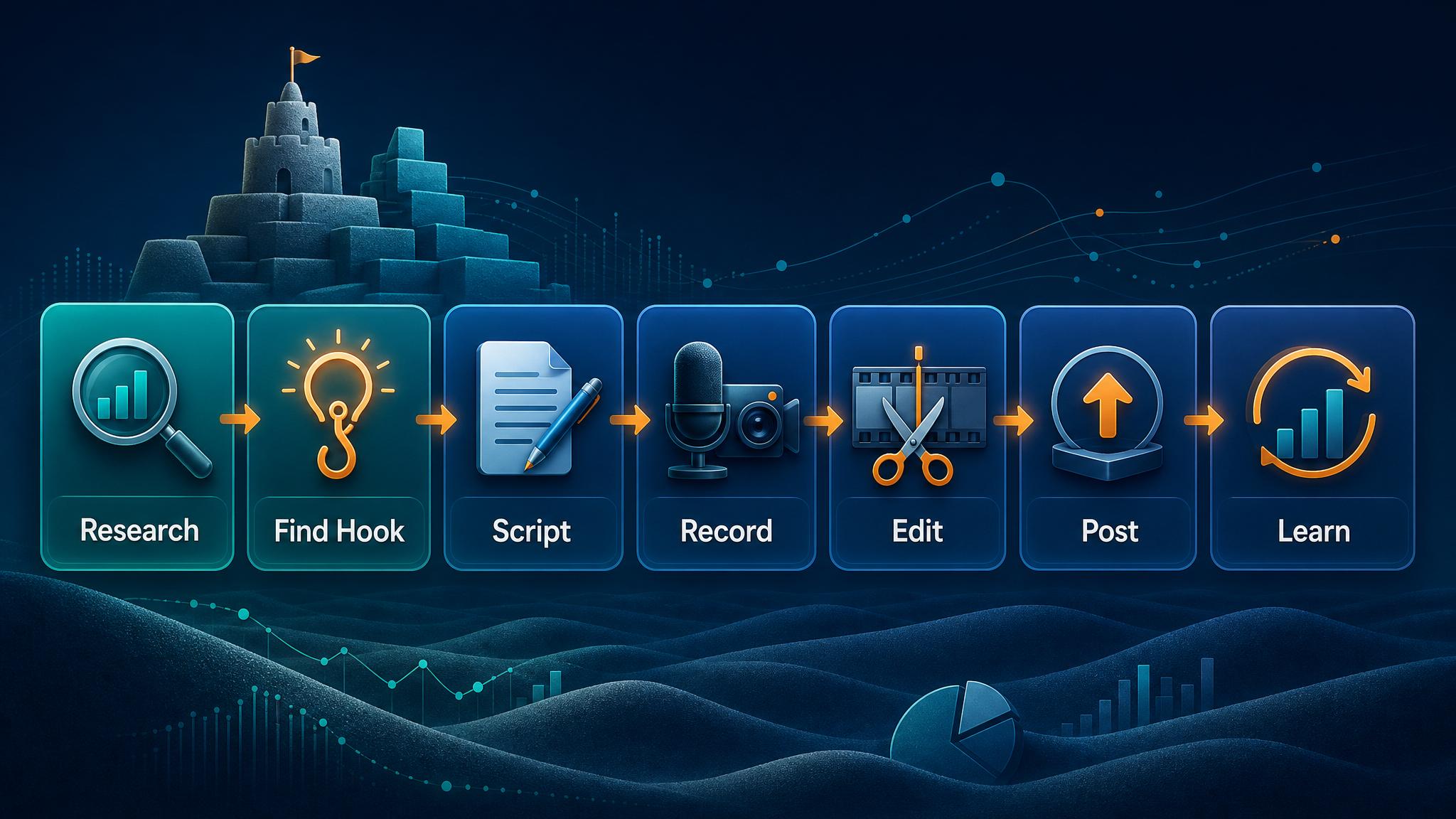
The workflow is:
- Build a Sandcastles watchlist of creators in your niche.
- Filter recent videos by outlier score.
- Pull the best examples into a research sheet.
- Identify the repeatable viral format.
- Translate the format into your buyer’s pain.
- Write a short script with a proof-first hook.
- Create three visuals or image prompts.
- Build a Google recording doc.
- Give the editor an exact timeline.
- Use a comment CTA that creates leads or future content ideas.
The important point: you are not copying videos. You are borrowing the structure that made people care.
Step 1: Use Sandcastles as the evidence layer
Start in Sandcastles with a clear niche. For AI Business Boomer, the watchlist includes AI, automation, work, creator, and business-system accounts.
Related next step: use the AI automation consulting page if you want to turn this idea into a practical Business Boomer workflow.
A practical filter is:
- recent posts from the last three to six months
- outlier score of 6x or higher when enough data exists
- creators close enough to your audience that the pattern can transfer
- titles or hooks that point to a business problem, not just entertainment
Capture the basics:
- creator
- platform
- title or visible hook
- outlier score
- views
- engagement rate if available
- post age
- source URL when available
- why the post worked
If Sandcastles export is available, use it. If export is blocked by plan level, manually extract the visible rows into a sheet. The research still works as long as you preserve the evidence and do not pretend a native export happened.
Step 2: Classify the viral format
Outlier videos usually win because they fit a recognizable structure.
For Business Boomer, the most useful formats are:
Related next step: use the automation guides page if you want to turn this idea into a practical Business Boomer workflow.
Proof-first breakthrough
Open with proof that something changed.
Example pattern: “This AI agent can now do work that used to require a specialist.”
Use this when you have a chart, demo, benchmark, surprising result, or before/after.
Contrarian snapback
State the common belief, then correct it.
Example pattern: “Most businesses do not need an AI agent first. They need one boring automation that works every day.”
Use this when the market is chasing hype and you want to sound practical.
One-person company / AI org chart
Show how one person can now run more of a company with lightweight AI systems.
Use this for admin, sales follow-up, support, finance reminders, hiring screens, content operations, and research workflows.
Killed expensive service
Show how AI compresses a job that used to be slow or expensive.
Related next step: use the Business Boomer services page if you want to turn this idea into a practical Business Boomer workflow.
Use this for websites, lead systems, reporting, CRM cleanup, content engines, and customer support.
Data-not-feelings case study
Show how the creator stopped guessing and used real data.
Use this for marketing audits, review mining, sales-call analysis, social analytics, and customer research.
Comment-keyword guide
Promise a real asset in exchange for a keyword comment.
Use this only when you actually have the checklist, template, or audit workflow ready.
Cowboy playbook
This is our practical field format: no theory, no perfect studio, no fake guru energy. It shows the messy reality, the job to be done, the simple tool stack, the exact moves, and the handoff doc.
Use it when you want people to say, “I could actually do this.”
Step 3: Translate the outlier into your market
This is the part most creators skip.
Related next step: use the talk to Sam page if you want to turn this idea into a practical Business Boomer workflow.
A viral AI video about Claude Code is not automatically useful to a local business owner. You have to translate it.
Ask:
- What belief does this video correct?
- What proof makes the claim feel real?
- What business pain does this map to?
- Where does this save time, create leads, reduce admin, or prevent missed revenue?
- What should the viewer comment or do next?
For AI Business Boomer, a technical AI breakthrough becomes something like:
“AI is moving from answering questions to doing chunks of business work: follow-ups, lead qualification, customer replies, research, scheduling, and admin.”
That is the bridge from viral trend to buyer relevance.
Step 4: Build the first five seconds before writing the whole script
The first five seconds should not be an intro. They should create tension.
A strong default timeline:
- 0:00–0:02 — visual proof or pattern interrupt
- 0:02–0:04 — face-to-camera core claim
- 0:04–0:12 — return to the proof visual and explain it
- 0:12–0:25 — face-to-camera belief correction
- 0:25–0:40 — business translation visual
- 0:40–0:55 — face-to-camera CTA
The rule is simple: talk to the image only while the image is on screen. Put opinions, stakes, and the CTA on the creator’s face.
Step 5: Create three visuals
Do not ask an editor to “make it engaging.” Give them the pieces.
For most short videos, three visuals are enough:
- proof visual: chart, screenshot, demo, headline, outlier example, before/after
- translation visual: business workflow, AI org chart, lead system, customer journey
- action visual: checklist, template, prompt stack, decision tree, next step
If you do not have the images yet, write image prompts in the Google Doc so the designer or AI image tool can generate them.
Step 6: Turn it into a Google recording doc
The Google Doc is the production handoff. It should be short enough to use, but complete enough that a low-skill editor can follow it.
Use this structure:
- title
- viral format
- Sandcastles evidence
- business translation
- why the hook works
- first five seconds
- script
- three visuals or image prompts
- editor timeline
- caption
- pinned comment
- low-skill editor checklist
The editor should know exactly when to show the creator’s face, when to show each image, where captions matter, and what the final export should be.
Step 7: Use a CTA that creates a loop
“Follow for more” is fine, but it is weak by itself.
Better CTAs create useful comments:
- “Comment WORKFLOW and I’ll send the checklist.”
- “Comment your business type and I’ll tell you one workflow to automate.”
- “Comment MISSED if you want the missed-lead audit.”
- “Comment CRM if you want the follow-up template.”
The best short-form system does not just get views. It creates the next piece of content, the next lead, or the next conversation.
Download the skill
We turned this workflow into a reusable agent skill so AI operators can run the same playbook from research through production handoff.
Get it here: Sandcastles Shortform Playbook Skill
Use it when you want an AI agent to:
- research outlier content in Sandcastles
- extract viral formats
- build short-form scripts
- create three-image visual plans
- produce editor-ready Google Docs
- turn comments into repeatable lead magnets
The bottom line
Sandcastles gives you the signal. The playbook turns that signal into a production system.
If you want to use the exact research layer, start with Sandcastles AI. Then use the workflow above to move from outlier discovery to original scripts, visuals, editor timelines, and Google Docs your team can actually record from.
Business Boomer’s view is simple: content should not be random. It should be a repeatable system for finding attention, translating it into your market, and turning that attention into useful business conversations.
What this should look like in practice
A good setup should make the next action obvious. The owner or team should be able to open one place and see what needs attention, what is waiting, and what can be automated.
Simple implementation checklist
| Step | What to check |
|---|---|
| 1 | Find the repetitive task or lead leak |
| 2 | Decide what information must be captured |
| 3 | Create a simple owner, stage, and next-step rule |
| 4 | Automate the reminder, handoff, or record creation |
| 5 | Review the workflow weekly and tighten what breaks |
Business Boomer rule: If the workflow does not create a clearer owner, next step, or follow-up path, it is not automation yet. It is just another tool.
AI automation next step
Find the workflow worth fixing first.
Use the Free 30-Minute AI Consultation to map where leads, reviews, content, or follow-ups are slipping and choose the smallest useful next step.
Keep building the system
Recommended next Business Boomer guides
These links are selected by topic and search intent so this guide connects to the most relevant service pages, industry pages, and supporting blog posts.
Service and setup pages
Use these when you are ready to turn the idea into an implementation path.
Industry-specific pages
See how the same workflow changes for specific business types.
Related blog posts
Read the connected guides that support this topic cluster.
Related AI automation guides
Keep going with the connected Business Boomer guides in this automation cluster.
AI automation services for local small business
Planning examples for broader automation. Compare current managed calls and reviews on the Services page; confirm other work in a separate scope.
AI automation for local service businesses
Practical lead, scheduling, review, CRM, invoice, and admin automation for plumbers, HVAC companies, roofers, landscapers, cleaners, contractors, and other local operators.
AI assistant for local business
Owner-controlled AI assistants that help local businesses handle missed leads, scheduling handoffs, FAQs, reviews, CRM updates, and follow-up.
AI website for service businesses
Clearer service pages, lead paths, FAQs, reviews, and AI-assisted follow-up for service businesses.
FAQ
Quick answers about this guide and how to put the idea into practice.
What is the main takeaway from Sandcastles AI Short-Form Playbook?
Use Sandcastles AI as the research layer, then turn outlier videos into original scripts, three-image visual plans, editor timelines, and Google Docs your team can record from.
How does Sandcastles AI short-form content playbook help a small business?
Sandcastles AI short-form content playbook can help a small business reduce manual work, improve follow-up, organize repetitive tasks, and create a clearer operating process when it is tied to a real bottleneck.
Can Business Boomer help implement Sandcastles AI short-form content playbook?
Yes. Business Boomer can help turn the idea into a practical workflow, page, checklist, or automation system depending on what the business needs first.
Find the workflow worth fixing first.
Use the Free 30-Minute AI Consultation to map where leads, reviews, content, or follow-ups are slipping and choose the smallest useful next step.
Book a Free 30-Minute AI Consultation