
Translating Customer Instructions? Keep a Source-to-Translation Review Sheet
Keep the approved original and translated customer information aligned through a practical meaning-review sheet.

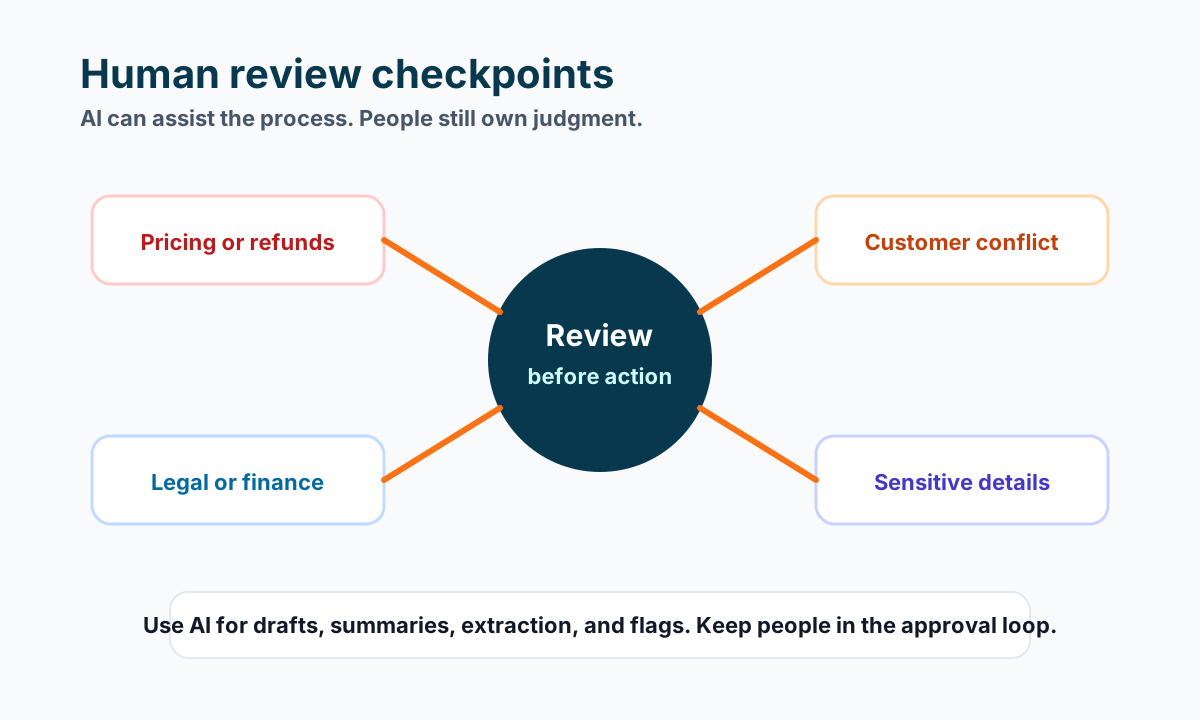
Before handing customers a translated information sheet, check whether it still tells them to do the same things as the approved original. A translated document is a working output, not evidence that its meaning has been reviewed.
For a small business, a useful starting point is a source-to-translation review sheet: one row for each customer action, with the approved original, its translated counterpart, and any question for a language reviewer. Keep both documents identifiable so a later change does not leave you comparing different versions.
This workflow is for ordinary customer information, such as where to collect an order or whom to contact about a booking. It is not a substitute for qualified review of contracts, medical information, safety instructions, or other consequential material.
Start with a settled original
Resolve unclear wording before translating it. If your original says “collect it later,” specify what “it” means and what pickup window the business has actually approved. Translation should not become an opportunity to invent missing details.
For a fictional example, consider a party-supply shop preparing collection information. Its approved original says customers should collect their reserved table decorations at the front counter during the agreed collection window and quote their booking reference. A separate note says to contact the shop if that window no longer works.
The review should preserve those actions. It should not turn “contact us if the window no longer works” into a promise that any collection time is available. No real shop or translation test is being described here.
Give the original a recognizable version name and retain it. If you need help recovering an earlier source, use the document version-history checklist before starting a translation comparison.
Generate a separate working document
On a computer, Google Docs documents a Tools → Translate document command. You choose a document name and language, then generate a translated copy that opens in a new window and is also available in Drive. Google Docs Help: Translate documents.
Name your working translation so it can be matched to the source version and intended language. Keep its review status in your internal record. This is a practical recommendation, not a claim that the tool manages your approval process.
Use only material your business permits in the selected service. Do not upload a customer history just to translate a general collection sheet. This article does not establish that any particular account or document is approved for that use.
Map the customer’s actions across both versions
Build the comparison around meaning, not how polished the paragraphs look. A simple working table can be enough:
| Source element | Question for the reviewer |
|---|---|
| Collection location | Does the translation identify the same counter or entrance? |
| Agreed collection window | Is the timing preserved without adding flexibility? |
| Booking reference | Is the customer asked for the same identifier? |
| Contact instruction | Does it preserve when and why the customer should contact the shop? |
Include the actual source and translated passages in your private working sheet. The table above is a structure, not a completed language review.
Mark names, reference codes, phone numbers and web addresses separately. Check them directly against the approved business record rather than asking a translation model to reconstruct them. If an element should remain unchanged, state that in the review brief.
Ask a language reviewer to resolve meaning questions
Use a person competent in the target language and the context. Give them both versions, the intended audience and the questions you need answered. “Does this preserve the collection instructions?” is more useful than asking whether it merely sounds professional.
Where the reviewer flags ambiguity, decide what the business intends in the source first. Then update the translation and record the resolution. Do not ask the reviewer to approve a business promise that the owner has not settled.
If nobody can verify the target-language meaning, keep the translation as unapproved working material. Translating it back into the original language may raise useful questions, but this workflow does not treat that as a replacement for target-language review.
Reconcile changes before distributing the sheet
Once the original changes, identify the corresponding translated sections that need another review. For example, moving collection from the front counter to a side entrance requires reconciling both versions, even if most paragraphs remain unchanged.
Before distribution, confirm the source version, translated version, language review record and owner approval refer to the same content. Inspect the actual file customers will receive for missing sections, readable layout and the intended contact details. A review of a working document does not automatically cover a later export.
Keep an internal pointer to the approved pair and retire outdated distribution copies through your normal process. Do not overwrite the only source or erase the review history to make the folder look tidy.
If translated customer information keeps falling out of step with the original, bring the workflow to Business Boomer. Start with one information sheet, one intended language and a named reviewer. The useful automation opportunity is tracking which version needs attention—not declaring a translation approved without that review.
Keep building the system
Recommended next Business Boomer guides
These links are selected by topic and search intent so this guide connects to the most relevant service pages, industry pages, and supporting blog posts.
Service and setup pages
Use these when you are ready to turn the idea into an implementation path.
Industry-specific pages
See how the same workflow changes for specific business types.
Related blog posts
Read the connected guides that support this topic cluster.
Related AI automation guides
Keep going with the connected Business Boomer guides in this automation cluster.
AI automation services for local small business
Planning examples for broader automation. Compare current managed calls and reviews on the Services page; confirm other work in a separate scope.
AI automation for local service businesses
Practical lead, scheduling, review, CRM, invoice, and admin automation for plumbers, HVAC companies, roofers, landscapers, cleaners, contractors, and other local operators.
AI assistant for local business
Owner-controlled AI assistants that help local businesses handle missed leads, scheduling handoffs, FAQs, reviews, CRM updates, and follow-up.
AI website for service businesses
Clearer service pages, lead paths, FAQs, reviews, and AI-assisted follow-up for service businesses.
FAQ
Quick answers about this guide and how to put the idea into practice.
What is the main takeaway from Translating Customer Instructions? Keep a Source-to-Translation Review Sheet?
Keep the approved original and translated customer information aligned through a practical meaning-review sheet.
How does review translated customer instructions help a small business?
review translated customer instructions can help a small business reduce manual work, improve follow-up, organize repetitive tasks, and create a clearer operating process when it is tied to a real bottleneck.
Can Business Boomer help implement review translated customer instructions?
Yes. Business Boomer can help turn the idea into a practical workflow, page, checklist, or automation system depending on what the business needs first.
Find the workflow worth fixing first.
Use the Free 30-Minute AI Consultation to map where leads, invoices, notes, or follow-ups are slipping and choose the smallest useful system.
Book a Free 30-Minute AI Consultation