
How clients are starting to use dots in their businesses
Real examples of early dot use for email drafts, calendars and website work, with an honest look at setup gaps and unmeasured adoption.

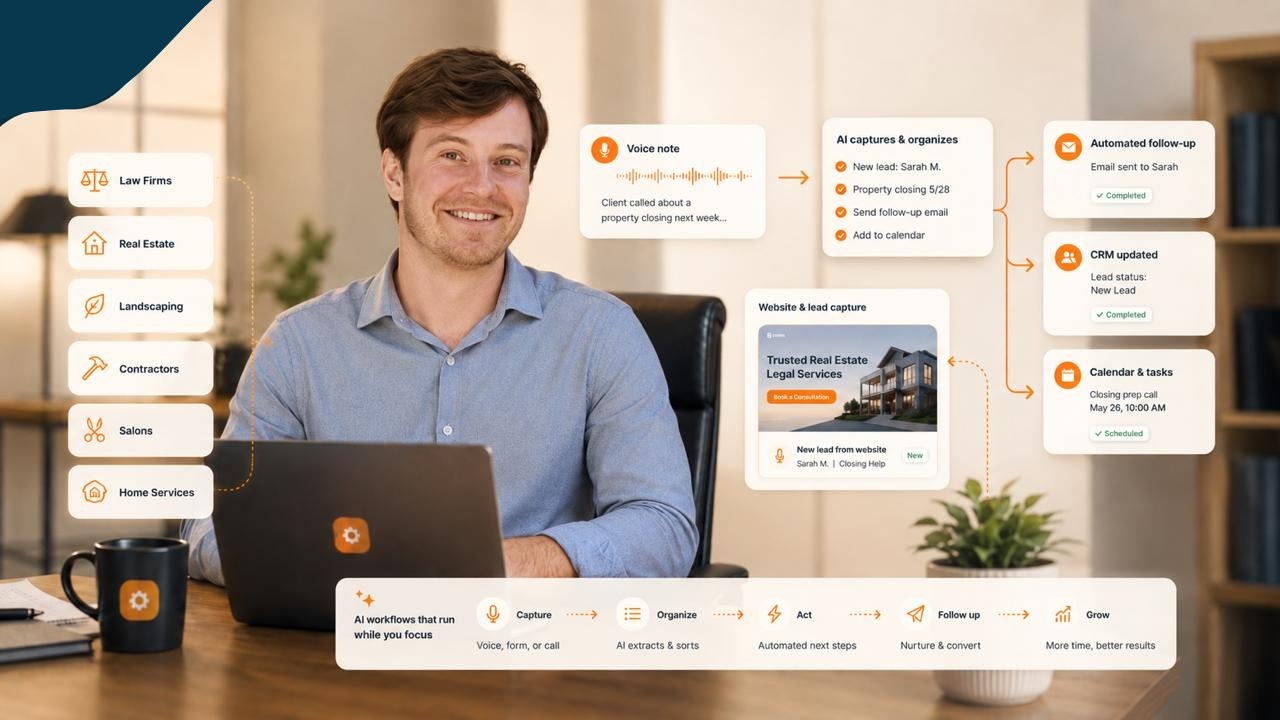
When someone asks how much my clients are using AI assistants, the useful answer depends on the client and the task.
One owner has been trying email drafts and calendar help. Website work is moving alongside that. Another engagement involves regular hands-on AI enablement with a team. Across those situations, some activities are in use, some are being configured and some remain plans.
That distinction matters. A conversation about automation does not mean the automation is running. A business with many customers does not mean those customers are using dots.
Here is what recent work actually shows. Client identities are kept private, and the examples below are not claims of measured savings or business growth.
A fitness business starts with email and scheduling
In an October 13 session, a fitness-business owner described testing his assistant for writing emails. He was having it save the replies as drafts so he could check them.
He also reported using it to develop his calendar. His own description of the broader usage was modest: he generally used the assistant when he called it.
That is a useful picture of early adoption. The assistant had a place in recognizable tasks, but it had not become a continuously used operating system for the business.
The surrounding work included an inbox-triage setup. We discussed categories for messages that required action, needed review, provided an update or were waiting on someone else.
The category names were only the beginning. The important questions were how the owner handled his email, which messages mattered and how frequently he wanted the sorting to happen.
We were still asking those questions during setup. It would be premature to describe the resulting process as a fully established daily workflow.
Website work creates a different kind of use
The same engagement included website-launch work and instructions for setting up search and analytics tools.
An assistant can help make the next steps easier to understand. During the session, I used Nancy to prepare instructions around the remaining launch tasks and tracking setup.
Several tools were involved. The work included a website, hosting, domain administration, search tools and existing business software. It would be misleading to attribute every piece of that work to one dot or imply that all the connections happened automatically.
The owner still needed to review the site and resolve setup questions. We also discussed keeping the existing booking and membership system in place while changing other parts of the web presence.
For a small business, that is often where implementation gets real. You need to improve one part of the experience without breaking the parts customers already use.
A useful review follows the customer's path: can they understand the offer, reach the intended booking step and submit an inquiry? Tracking should then be tested against the actions it is supposed to record.
Team enablement has a different rhythm
A separate engagement with a financial-services platform shows another pattern: frequent guided work with a team.
In an October 9 conversation, I described meeting with that team every morning and helping prompt its AI. Earlier working sessions covered shared company context, workflow design, CRM setup and communication processes.
Those records support a claim about a regular enablement rhythm. They do not establish how many team members independently use a dot, how often each person uses it or whether dots are deployed throughout the organization.
Some of that engagement also predates the public introduction of dots. It belongs in the broader story of learning to use AI at work, rather than being relabeled as a dot rollout.
The practical lesson is about the work surrounding the assistant. People need a shared understanding of the process, the information it relies on and the next decision. Connections, account access and ownership can take as much attention as prompting.
How much use can we honestly claim?
For the fitness business, the evidence is specific: the owner reported email-draft testing and calendar use, and we worked together on additional setup across October sessions.
For the team engagement, the evidence supports regular AI-enablement calls and workflow work. It does not provide dot usage analytics.
We have not established a measured adoption rate, task volume, time saving or revenue impact from these examples.
I would rather say that plainly than turn a promising setup session into a success statistic. It also gives us a better way to decide what to measure next.
What I would measure next
For email drafting, I would look at how often the owner uses the draft, how much revision it needs and whether the workflow preserves the intended review step.
For calendar work, I would check the accuracy of the events and how well changes are handled.
For website work, I would test the customer journey and verify that an inquiry reaches the right destination.
For a team, I would ask whether people can repeat the task without me guiding every step. That would tell us more about adoption than the number of tools connected.
These are proposed measures, not results we have already recorded.
Start with the work you already have
The early examples are ordinary business tasks: preparing a reply, organizing a schedule and moving a website forward. That is a good place to begin because the owner can recognize a useful result.
Choose one task. Decide what the assistant should prepare, what the person should review and what evidence will show that it worked. Then try it on real work with appropriate permissions.
If you want help choosing that starting point, book a 30-minute consultation with me.
Keep building the system
Recommended next Business Boomer guides
These links are selected by topic and search intent so this guide connects to the most relevant service pages, industry pages, and supporting blog posts.
Service and setup pages
Use these when you are ready to turn the idea into an implementation path.
Industry-specific pages
See how the same workflow changes for specific business types.
Related blog posts
Read the connected guides that support this topic cluster.
Related AI automation guides
Keep going with the connected Business Boomer guides in this automation cluster.
AI automation services for local small business
Planning examples for broader automation. Compare current managed calls and reviews on the Services page; confirm other work in a separate scope.
Lead follow-up automation for small business
Turn form fills, missed calls, quote requests, emails, and voice notes into reply drafts, CRM updates, reminders, and next steps.
How to automate invoices for small business
A practical guide to invoice creation, reminders, payment tracking, and cash-flow follow-up.
Best invoicing automation tools for small business
A comparison of QuickBooks, FreshBooks, Stripe Billing, Wave, Jobber, Housecall Pro, Zapier, and Make.
FAQ
Quick answers about this guide and how to put the idea into practice.
What is the main takeaway from How clients are starting to use dots in their businesses?
Real examples of early dot use for email drafts, calendars and website work, with an honest look at setup gaps and unmeasured adoption.
How does How clients are starting to use dots in their businesses help a small business?
How clients are starting to use dots in their businesses can help a small business reduce manual work, improve follow-up, organize repetitive tasks, and create a clearer operating process when it is tied to a real bottleneck.
Can Business Boomer help implement How clients are starting to use dots in their businesses?
Yes. Business Boomer can help turn the idea into a practical workflow, page, checklist, or automation system depending on what the business needs first.
Find the workflow worth fixing first.
Use the Free 30-Minute AI Consultation to map where leads, invoices, notes, or follow-ups are slipping and choose the smallest useful system.
Book a Free 30-Minute AI Consultation