
How Does Invoice Automation Work for a Small Business?
Invoice automation works by turning billing, reminders, and payment follow-up into a repeatable workflow instead of a manual chore.


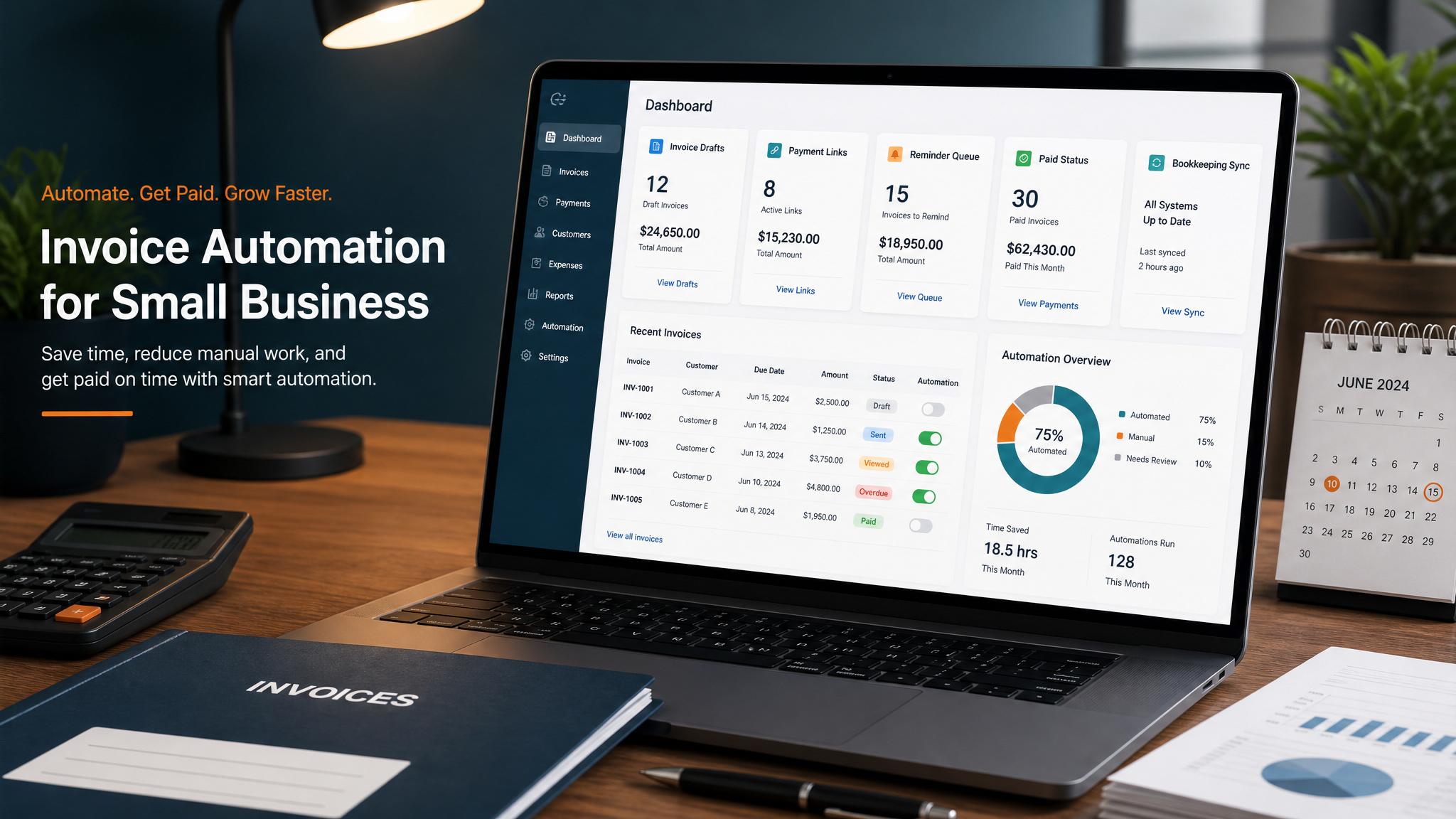
Invoice automation works for a small business by triggering invoices, reminders, and payment follow-up automatically after a job, milestone, or recurring billing date. In plain English, it helps owners stop relying on memory so invoices go out faster and payments come in more consistently.
What is invoice automation?
Invoice automation is a repeatable billing workflow. Instead of manually creating every invoice, sending each reminder, checking payment status, and following up one by one, the business sets rules so the system handles the routine parts.
This article covers customer invoicing and accounts receivable. If you need to capture and approve supplier bills, that is accounts-payable invoice processing; see invoice processing versus customer invoicing before comparing tools.
That does not mean every invoice must be sent with no human review. For many small businesses, automation starts with invoice drafts, reminder emails, overdue nudges, and task creation for unpaid balances.
A simple version looks like this:
- a service job is marked complete
- an invoice draft is created automatically
- the customer gets a clear invoice with a payment link
- reminders go out before or after the due date
- unpaid invoices create a follow-up task for a real person
For a home-service company, consultant, agency, or local professional firm, that kind of system can be enough to improve cash flow without adding a lot of complexity.
Related next step: use the QuickBooks invoice automation page if you want to turn this idea into a practical Business Boomer workflow.
Why it matters
It matters because many small businesses do good work and still get paid too slowly. The problem is often not sales. It is late billing, inconsistent reminders, and too much owner attention wasted on basic collections.
When invoices are delayed by even a few days, the whole cash cycle slows down. The job is done, but the money is still stuck in limbo. Then reminders feel awkward because they were supposed to go out earlier, so the owner waits longer. That is how finished work turns into delayed cash.
Automation helps fix that by reducing admin time, speeding up billing, and making the process more professional for customers.
If a business sends 50 invoices per month and each one takes 6 to 10 minutes across drafting, sending, checking, and reminding, that can quietly eat 5 to 8 hours monthly.
Related next step: use the invoice automation checklist page if you want to turn this idea into a practical Business Boomer workflow.
It also matters because customers usually pay faster when the process is clearer. A clean invoice with a due date, payment link, and timely reminder performs better than a late manual email that sounds improvised.
For businesses trying to stabilize revenue, Invoice Automation Setup in 7 Days is often a more direct win than chasing another software dashboard.
How to
Start by identifying the event that should trigger billing. That could be a completed appointment, delivered milestone, signed project phase, or recurring monthly date. If the trigger is fuzzy, the billing process will stay fuzzy.
Next, map the minimum workflow:
- create the invoice draft or send the invoice
- include the correct customer, price, and terms
- add a simple payment method such as ACH or card
- send a reminder before or on the due date
- escalate unpaid invoices to a human follow-up step
Then choose tools that fit the current stack. QuickBooks, FreshBooks, Stripe, Jobber, Housecall Pro, or a lightweight automation layer can all work if they connect to the source of truth where the billing event happens.
Here is a practical example. A landscaping company finishes a spring cleanup. The crew lead marks the job complete in the job system. That update creates an invoice draft in QuickBooks. Admin reviews it that afternoon and sends it with a payment link. If the invoice is still unpaid two days before the due date, the customer gets a polite reminder. If it is still unpaid three days after the due date, the office manager gets a task to call or email personally.
That is what automation looks like in real life: not futuristic, just organized.
If your business already invoices manually, the best first move is usually one narrow workflow. Automate reminder emails first if reminders are the pain point, or start with trigger-based draft generation if invoice creation is the bottleneck.
Related guides like How to Automate Invoice Reminders can help you pick the first step.
QuickBooks Invoice Automation for Small Business is useful when QuickBooks owns the billing workflow.
Best practices
Keep a human review step when pricing varies. If your invoices are custom, automate the draft and reminders first instead of forcing full auto-send too early.
Use clear triggers. “Send invoices when we get around to it” is not a system. “Create draft when job status changes to complete” is a system.
Make payment friction low. Every invoice should include an obvious way to pay. If customers need to ask for instructions, the workflow is still broken.
Separate normal reminders from escalation. Automation should handle polite routine follow-up. A person should step in once an invoice becomes meaningfully overdue.
Review results monthly. Check how quickly invoices are sent, how long they stay unpaid, and where the process still depends on memory.
Keep building the system
Recommended next Business Boomer guides
These links are selected by topic and search intent so this guide connects to the most relevant service pages, industry pages, and supporting blog posts.
Service and setup pages
Use these when you are ready to turn the idea into an implementation path.
Industry-specific pages
See how the same workflow changes for specific business types.
Related blog posts
Read the connected guides that support this topic cluster.
Related AI automation guides
Keep going with the connected Business Boomer guides in this automation cluster.
Invoice automation setup in 7 days
A practical guide to one billing trigger, payment link, reminder sequence, overdue task, and owner handoff.
QuickBooks invoice automation setup
Connect QuickBooks invoice drafts, payment links, reminders, and overdue follow-up to real workflow triggers.
Invoice automation for contractors
Connect completed jobs, estimates, QuickBooks, payment links, and overdue follow-up for contractor workflows.
Automatic invoicing setup for business
Map the trigger, template, payment link, reminders, overdue task, and testing for a focused invoicing setup.
FAQ
Quick answers about this guide and how to put the idea into practice.
What is the main takeaway from How Does Invoice Automation Work for a Small Business??
Invoice automation works by turning billing, reminders, and payment follow-up into a repeatable workflow instead of a manual chore.
How does how does invoice automation work for a small business help a small business?
how does invoice automation work for a small business can help a small business reduce manual work, improve follow-up, organize repetitive tasks, and create a clearer operating process when it is tied to a real bottleneck.
Can Business Boomer help implement how does invoice automation work for a small business?
Yes. Business Boomer can help turn the idea into a practical workflow, page, checklist, or automation system depending on what the business needs first.
Turn invoice follow-up into a working setup.
Business Boomer can map the billing trigger, payment link, reminder timing, and overdue handoff for one focused invoice workflow.
See Invoice Automation Setup