
Invoice Automation ROI for Small Businesses
Invoice automation ROI comes from faster billing, fewer forgotten reminders, easier payments, and cleaner visibility into overdue balances.


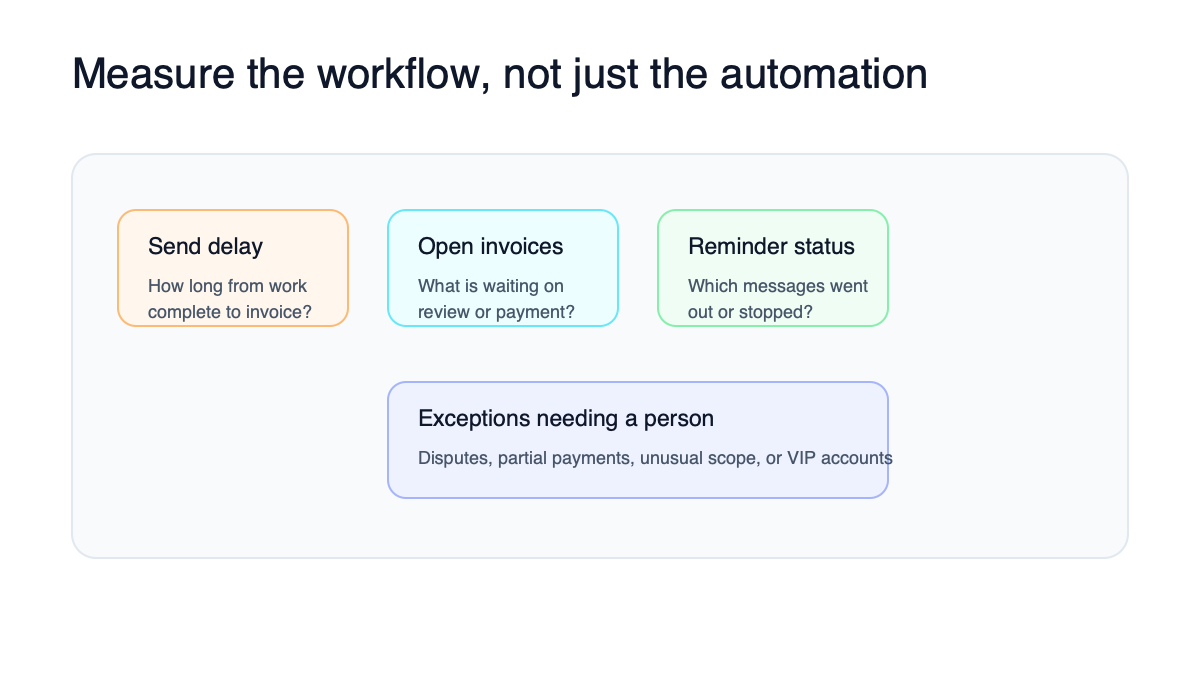
Invoice automation ROI comes from reducing manual billing work and improving payment follow-up. The business gets paid faster when invoices go out on time, reminders happen consistently, and overdue balances do not hide in someone’s inbox.
For many small businesses, the ROI is not only software savings. It is owner time, admin time, cash-flow visibility, and fewer awkward late-payment conversations.
Use the invoice automation ROI calculator if you want to model the numbers.
The simple ROI formula
Start with this:
| Input | What to estimate |
|---|---|
| Invoices per month | How many invoices the business sends |
| Minutes per invoice | Drafting, checking, sending, and logging |
| Reminder time | Time spent chasing unpaid invoices |
| Late payment impact | Cash delayed or forgotten |
| Tool/setup cost | Software plus implementation |
| Saved time | Hours removed from manual work |
The basic formula:
Monthly value = saved admin time + recovered follow-up value + faster payment benefit - monthly tool cost
Do not overcomplicate the first pass. A directional estimate is enough to decide whether the workflow deserves attention.
Where ROI usually comes from
Invoice automation creates value in four places.
First, invoices go out faster. If work is complete but billing waits three days, the business is financing the delay.
Second, reminders happen without relying on memory. The owner should not have to scan unpaid invoices every Friday and decide who to nudge.
Third, payment links reduce friction. Customers pay faster when the invoice includes a simple card, ACH, or online payment option.
Fourth, overdue balances become visible. Someone should know which accounts need a call, a pause, a payment plan, or a closeout.
Example ROI estimate
Imagine a small service business sends 80 invoices per month.
| Item | Estimate |
|---|---|
| Manual time per invoice | 8 minutes |
| Monthly invoice admin | 10.7 hours |
| Reminder work | 4 hours |
| Owner/admin blended value | $55/hour |
| Manual time value | $808/month |
| Tool/setup monthly equivalent | $200/month |
| Estimated monthly ROI | $608/month before cash-flow lift |
This estimate excludes faster collections. If the automation also helps recover one overdue invoice that would have been forgotten, the real value can be much higher.
Which businesses see the fastest payback
Invoice automation tends to pay back fastest for contractors, agencies, consultants, clinics, landscapers, cleaners, repair businesses, and any company that sends repeat invoices or follows up on open balances.
It also helps businesses where the owner still touches every invoice. Owner time is expensive, even when it does not show up as payroll.
What to automate first
Start with the smallest workflow that touches cash flow:
- Job marked complete.
- Invoice draft created.
- Payment link included.
- Reminder schedule starts.
- Overdue exception creates a human task.
Do not automate price approvals, scope changes, discounts, disputes, or sensitive customer conversations without human review.
Tools that can support the workflow
QuickBooks, FreshBooks, Stripe Billing, Wave, Jobber, Housecall Pro, Xero, Zapier, Make, and custom CRM workflows can all support invoice automation. The best tool depends on where job, customer, and payment data already live.
Use invoice automation if the business needs the workflow mapped before choosing a tool.
Bottom line
Invoice automation ROI is easiest to see when the business bills often, follows up manually, and lacks a clear overdue-payment process. Start with the workflow closest to cash collection.
Invoice workflow next step
Turn invoice follow-up into a working setup.
Business Boomer can map the billing trigger, payment link, reminder timing, and overdue handoff for one focused invoice workflow.
Keep building the system
Recommended next Business Boomer guides
These links are selected by topic and search intent so this guide connects to the most relevant service pages, industry pages, and supporting blog posts.
Service and setup pages
Use these when you are ready to turn the idea into an implementation path.
Industry-specific pages
See how the same workflow changes for specific business types.
Related blog posts
Read the connected guides that support this topic cluster.
Related AI automation guides
Keep going with the connected Business Boomer guides in this automation cluster.
Invoice automation setup in 7 days
A practical guide to one billing trigger, payment link, reminder sequence, overdue task, and owner handoff.
QuickBooks invoice automation setup
Connect QuickBooks invoice drafts, payment links, reminders, and overdue follow-up to real workflow triggers.
Automatic invoicing setup for business
Map the trigger, template, payment link, reminders, overdue task, and testing for a focused invoicing setup.
Invoice automation ROI calculator
A conversion helper that estimates admin time saved, faster payment collection, and the value of reducing manual invoice chasing.
FAQ
Quick answers about this guide and how to put the idea into practice.
How do you calculate invoice automation ROI?
Estimate the time spent creating invoices, sending reminders, checking payment status, and following up on overdue balances. Then compare that cost with the time saved, faster collections, and fewer missed follow-ups after automation.
What creates the biggest ROI in invoice automation?
The biggest ROI usually comes from sending invoices faster, adding payment links, automating reminders, and making overdue balances visible to the right person.
Does invoice automation require AI?
Not always. Many invoice workflows need payment links, reminders, accounting sync, and task creation. AI helps when the workflow needs summaries, exception handling, or custom follow-up drafts.
Turn invoice follow-up into a working setup.
Business Boomer can map the billing trigger, payment link, reminder timing, and overdue handoff for one focused invoice workflow.
See Invoice Automation Setup