
Automating Accounts Receivable With AI
Automating accounts receivable with AI works best when a small business connects invoice status, payment links, reminder timing, customer replies, exception tasks, and weekly owner review into one controlled workflow.


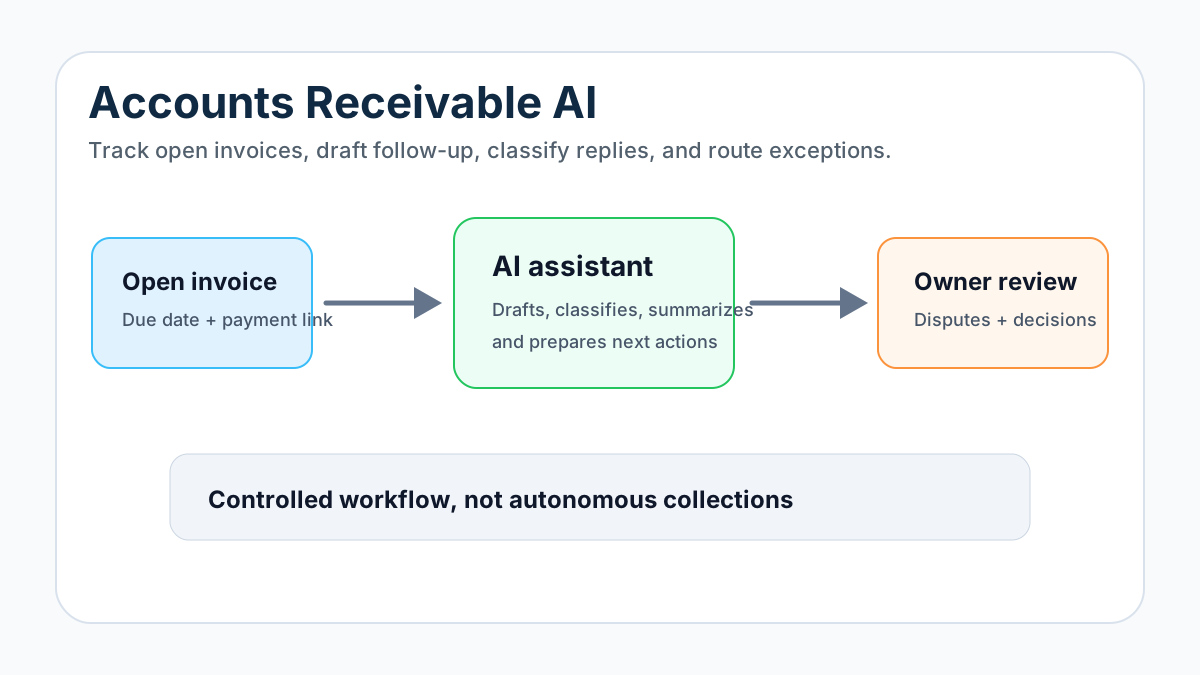
Automating accounts receivable with AI means using software and AI-assisted workflows to track open invoices, send or draft payment follow-ups, classify customer replies, flag exceptions, and show the owner what money still needs attention. For a small business, the practical goal is not autonomous collections. The goal is a reliable invoice-to-cash workflow with clear human review around disputes, payment terms, credits, refunds, and relationship-sensitive accounts.
The best first setup is usually narrow: one billing source of truth, one reminder cadence, one inbox or reply path, one overdue task rule, and one weekly owner review. AI can help summarize, draft, classify, and prioritize. It should not invent amounts, change terms, threaten customers, or write off balances without a person approving the decision.
Search Intent and Top-Result Pattern
Current U.S. search results for accounts receivable AI are dominated by vendor pages, finance-software guides, accounts receivable platforms, and AI-agent product pages. The recurring topics are invoice delivery, payment reminders, collections prioritization, cash application, dispute routing, customer reply handling, forecasting, days sales outstanding, and dashboards.
The content gap for small service businesses is practical setup advice. Most results assume a finance team, ERP, or dedicated AR platform. A local contractor, agency, clinic, property manager, or home service company usually needs a smaller system that connects the tools it already uses and keeps the owner in control.
What AI Should Actually Do in Accounts Receivable
AI is useful in accounts receivable when it helps a business see and act on information that is already there. It can read invoice status, summarize customer replies, draft polite follow-ups, categorize payment questions, prepare a weekly open-invoice brief, and create tasks when something needs human attention.
For many service businesses, the foundation is still a clear invoice automation setup. The AI layer should sit on top of a stable billing workflow, not compensate for missing invoice numbers, vague terms, stale customer records, or payment status that nobody trusts.
Think of AI as an assistant for five jobs:
| AI job | Useful output | Human review needed when |
|---|---|---|
| Summarize | Plain-language invoice or account note | Job scope, warranty, or complaint is involved |
| Draft | Friendly reminder or reply draft | The message is overdue, firm, or relationship-sensitive |
| Classify | Paid, disputed, wrong contact, promise to pay, needs owner | The classification affects future outreach |
| Prioritize | Which invoices need attention first | The customer is strategic or unhappy |
| Report | Weekly owner summary of open cash | The report drives a money decision |
If the current pain is only reminder timing, start with how to automate invoice reminders before expanding into a broader AR system.
The Small-Business AR Workflow
A practical accounts receivable automation workflow starts after the invoice exists. That is the difference between invoicing automation and AR automation. Invoicing asks, “How do we create and send the invoice?” Accounts receivable asks, “How do we know what is unpaid, what needs follow-up, and what should stop?”
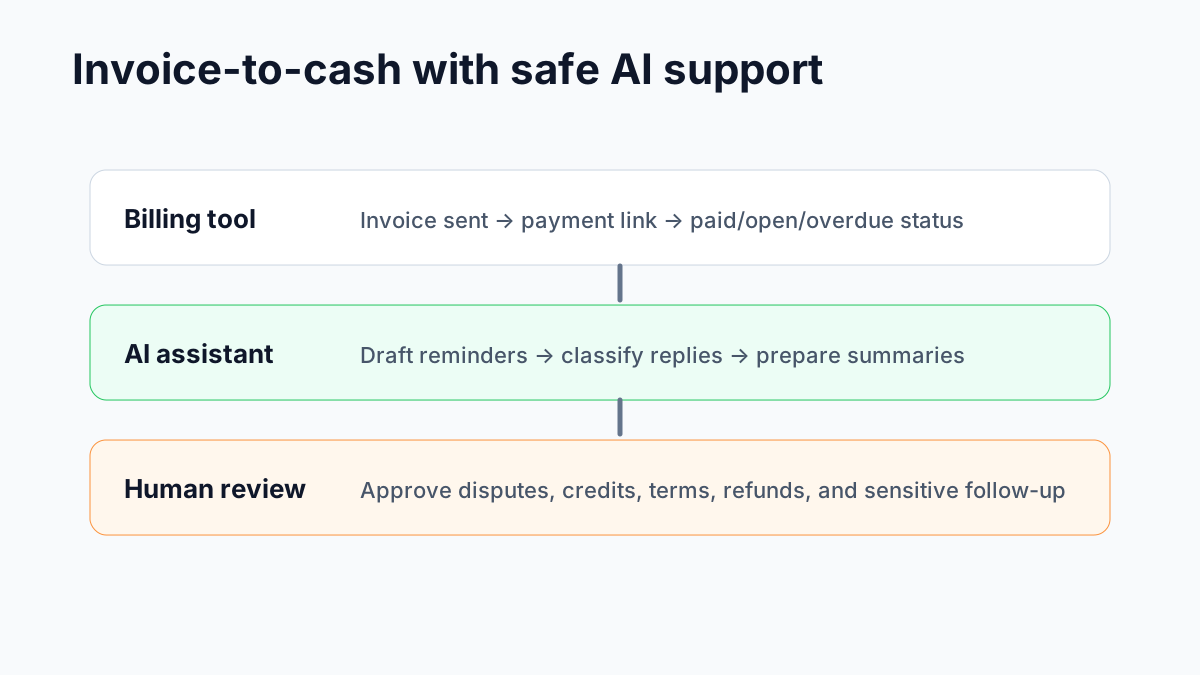
Use this basic workflow:
- Invoice is sent from the accounting or billing tool.
- Payment link and due date are visible.
- The system checks invoice status on a schedule.
- Reminders run only while the invoice is open and undisputed.
- AI classifies customer replies.
- Paid, disputed, corrected, or wrong-contact invoices pause automation.
- Overdue invoices create owner or admin tasks.
- The owner reviews open accounts every week.
This is close to a disciplined best invoice automation workflow for service businesses, but with more emphasis on payment status, customer replies, and exception handling after the invoice is sent.
Where Accounts Receivable Breaks
Small businesses rarely have one clean AR system. A customer might receive an invoice from QuickBooks, pay through Stripe, ask a billing question by email, text the owner, and then show as unpaid in a spreadsheet because no one reconciled the status.
That is how unnecessary follow-ups happen. The customer pays, but the reminder still sends. A customer disputes a charge, but the automation keeps chasing payment. An invoice is overdue, but the owner does not see it until the month feels tight.
The U.S. Small Business Administration’s guidance on managing business finances emphasizes tracking revenue, expenses, and cash flow clearly. That makes AR follow-up a basic operating discipline, not just an accounting detail.
If the business still has messy invoice creation, compare the AR workflow with how to automate invoicing for small business. The payment follow-up system will only be as trustworthy as the invoice data underneath it.
The AR AI Agent Map
An AR AI agent does not need to be a flashy autonomous bot. For a small business, it can be a controlled workflow that checks invoice status, reads approved sources, drafts messages, and routes exceptions.
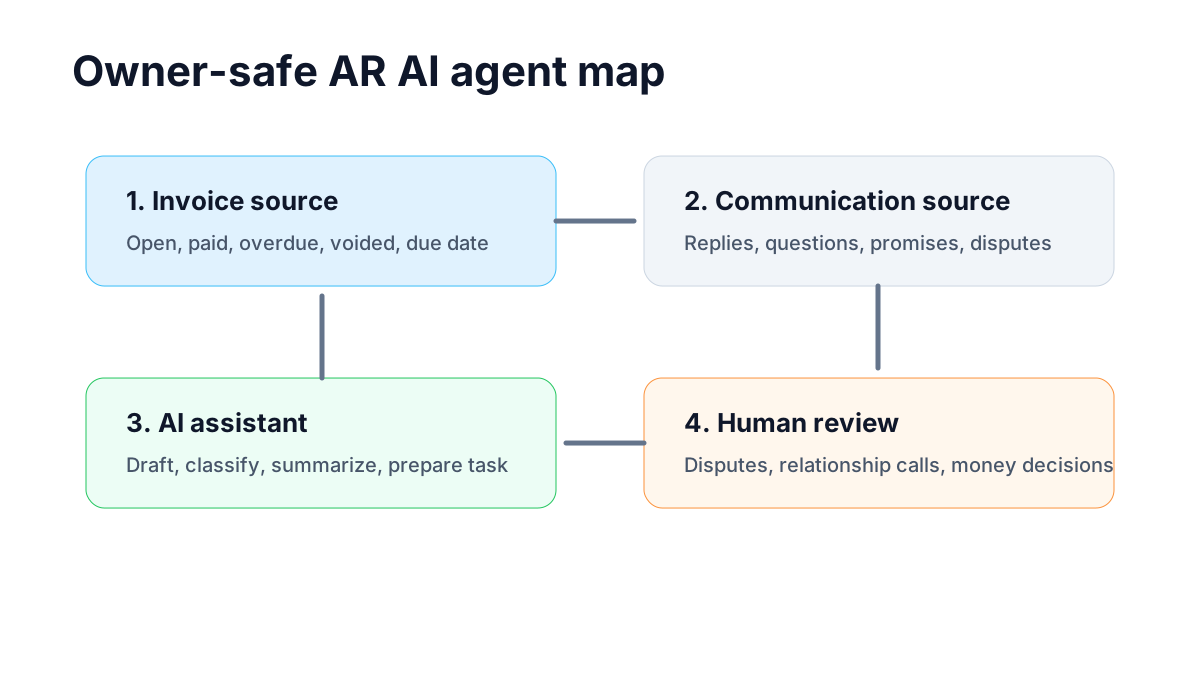
The safest map has four layers:
| Layer | Purpose | Example tools or data |
|---|---|---|
| Invoice source | Owns open, paid, overdue, and voided status | QuickBooks, FreshBooks, Stripe, Square, Wave, Jobber |
| Communication source | Captures customer replies and payment questions | Gmail, Outlook, CRM notes, support inbox |
| AI assistant | Drafts, summarizes, classifies, and prepares tasks | AI model inside a workflow tool or business operator |
| Human review | Approves exceptions and relationship-sensitive decisions | Owner, office manager, bookkeeper, account lead |
If QuickBooks owns invoice status, keep the system close to QuickBooks invoice automation. If a field-service tool owns the job record, the workflow may need to listen there first and update accounting second.
What to Automate First
Start with the lowest-risk AR task that still affects cash flow. For many businesses, that is not AI-written collections. It is simply making sure every open invoice has a status, next action, and owner.
Good first automations include:
- a before-due reminder with a payment link
- a due-date reminder for open invoices
- an overdue task after a set number of days
- a weekly open-invoice summary
- reply classification for paid, disputed, promise to pay, wrong contact, or needs owner
- a stop rule when payment status changes
The invoice automation checklist is useful before building this because it forces the business to name the trigger, owner, terms, payment path, reminder timing, and exception rules.
Reminder Timing Without Damaging Trust
Payment follow-up should be professional, specific, and easy to act on. AI can draft variations, but the business should approve the voice and timing before anything goes live.
A simple reminder sequence might include:
| Timing | Message purpose | AI role |
|---|---|---|
| 3 days before due | Friendly reminder with invoice number and payment link | Draft a concise note |
| Due date | Clear payment reminder | Personalize approved template |
| 7 days overdue | Firm but polite follow-up | Summarize status and prepare send |
| 14 days overdue | Human task | Prepare context for owner or admin |
Use invoice reminder templates to keep the wording clear and non-robotic. AI should not escalate tone automatically just because a rule says the invoice is late.
Reply Handling Is the Real Difference
The strongest AR automation is not the reminder. It is what happens when the customer replies.
A useful system can classify replies into practical buckets:
- paid already
- payment coming on a specific date
- invoice copy requested
- wrong contact
- dispute or correction needed
- partial payment
- needs owner call
Each bucket needs a different next action. A promise-to-pay might create a follow-up task for the promised date. A dispute should stop reminders and route the account to a person. A wrong-contact reply should update the billing contact before the next reminder sends.
For the overdue handoff, compare this with the overdue invoice follow-up workflow. The point is not to chase forever. The point is to create the right human task at the right time.
Cash Application and Payment Matching
Cash application means matching a payment to the correct invoice or account. Large companies may need advanced AR platforms for this. Small businesses often need a simpler rule: payment status must come from the tool that actually receives or records payment.
AI can help spot mismatches or summarize payment confirmations, but it should not mark invoices paid based only on a vague email. The source of truth should be the accounting tool, payment processor, bank feed, or bookkeeper-approved record.
The IRS recordkeeping guidance for businesses is a useful external baseline: businesses need records that support income, expenses, and tax reporting. In AR terms, that means payment status, invoice history, and customer communications should be organized enough to review later.
If the business is deciding whether automation is worth it, the invoice automation ROI calculator can estimate admin time and follow-up drag. Treat the output as a planning estimate, not a guaranteed financial result.
Example: Contractor or Home Service Company
A contractor or home service company may send invoices after completed jobs, accepted estimates, deposits, or change orders. The AR workflow should check which invoices are open, send reminders with payment links, stop on payment, and route disputed or changed-scope jobs to a person.
AI can summarize job notes into billing context for the owner. It should not decide whether warranty work is billable or whether a change order should be forgiven.
If the business bills from field work, connect this AR setup to invoice automation for contractors so the job-complete trigger, deposits, and exceptions are handled before follow-up starts.
Example: Agency, Consultant, or Professional Service Firm
Agencies, consultants, bookkeepers, and professional service firms often bill from retainers, milestones, hours, or approved deliverables. In this setting, reminders can be automated, but invoice changes and client-sensitive follow-up usually need an account owner.
AI can prepare a weekly AR summary that shows unpaid retainers, overdue project invoices, promised payment dates, and replies that need attention. It can also draft a polite follow-up for review.
For businesses with retainers or project milestones, invoice automation for consultants is a better companion workflow than a generic collections tool.
What the Owner Should See Weekly
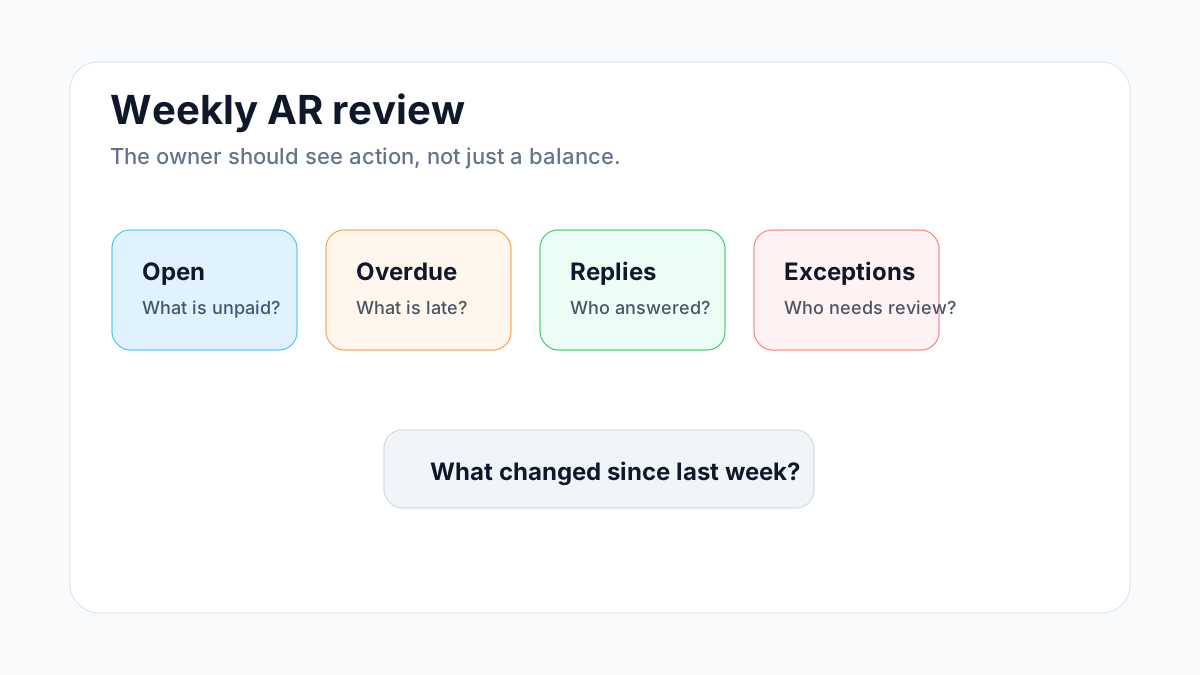
The owner does not need an enterprise receivables dashboard. A small business needs a short weekly view that answers five questions:
| Question | Why it matters |
|---|---|
| What invoices are open? | Shows total unpaid work |
| Which invoices are overdue? | Reveals follow-up priority |
| Which customers replied? | Prevents tone-deaf reminders |
| Which accounts need human judgment? | Keeps disputes and relationships safe |
| What changed since last week? | Shows movement, not just balance |
For a wider finance workflow, compare this with AI billing systems for small business. That article covers the full billing loop, while this one focuses on AR follow-up after invoices are out.
Common Mistakes
The first mistake is letting AI decide money details. Prices, discounts, tax treatment, refunds, credits, collections escalation, and write-offs need approved rules and human review.
The second mistake is automating reminders before payment status is reliable. If the system cannot see that an invoice was paid, it should not keep sending customer messages.
The third mistake is ignoring replies. Reply handling is where AR automation becomes useful or annoying. Every customer reply should either stop, route, update, or schedule the next action.
The fourth mistake is overbuying. A small business may not need an enterprise AR platform. It may need clean invoice status, better reminders, one shared inbox rule, and a weekly owner summary.
If the business is still deciding between manual control and automation, manual invoicing vs AI automation can help choose the first safe lane.
Implementation Checklist
Before turning on AI-assisted accounts receivable automation, confirm these basics:
- One tool owns invoice status.
- Every invoice has a due date and payment path.
- Reminder timing and tone are approved.
- Payment status can stop reminders.
- Customer replies are monitored.
- Disputes, corrections, partial payments, and wrong contacts route to a person.
- The owner reviews open invoices weekly.
- The team knows who handles each exception.
If those basics are missing, start smaller. Build a payment-link workflow, a reminder sequence, or a weekly open-invoice report before adding AI reply handling.
Bottom Line
Automating accounts receivable with AI is most useful when it makes open invoices visible, follow-up consistent, replies easier to handle, and exceptions safer to review. The winning small-business version is controlled and practical: AI drafts, summarizes, classifies, and reports while people keep authority over money decisions and customer relationships.
Business Boomer helps small service businesses turn billing and admin bottlenecks into working systems. If AR follow-up is where money gets stuck, start with a focused AI automation services conversation.
You can also bring one messy invoice workflow to the contact page.
Turn the guide into a working setup
Business Boomer sets up one invoice workflow in 7 days.
We map the billing trigger, build the invoice template, add the payment link, create the reminder sequence, test overdue follow-up, and hand you a simple owner/admin SOP.
Invoice workflow next step
Turn invoice follow-up into a working setup.
Business Boomer can map the billing trigger, payment link, reminder timing, and overdue handoff for one focused invoice workflow.
Keep building the system
Recommended next Business Boomer guides
These links are selected by topic and search intent so this guide connects to the most relevant service pages, industry pages, and supporting blog posts.
Service and setup pages
Use these when you are ready to turn the idea into an implementation path.
Industry-specific pages
See how the same workflow changes for specific business types.
Related blog posts
Read the connected guides that support this topic cluster.
Related AI automation guides
Keep going with the connected Business Boomer guides in this automation cluster.
How to automate invoices for small business
A practical guide to invoice creation, reminders, payment tracking, and cash-flow follow-up.
How to follow up with leads for small business
A practical workflow for CRM stages, reminders, email, text, and human follow-up tasks.
AI automation services for local small business
Planning examples for broader automation. Compare current managed calls and reviews on the Services page; confirm other work in a separate scope.
Lead follow-up automation for small business
Turn form fills, missed calls, quote requests, emails, and voice notes into reply drafts, CRM updates, reminders, and next steps.
FAQ
Quick answers about this guide and how to put the idea into practice.
What is the main takeaway from Automating Accounts Receivable With AI?
Automating accounts receivable with AI works best when a small business connects invoice status, payment links, reminder timing, customer replies, exception tasks, and weekly owner review into one controlled workflow.
How does automating accounts receivable with AI help a small business?
automating accounts receivable with AI can help a small business reduce manual work, improve follow-up, organize repetitive tasks, and create a clearer operating process when it is tied to a real bottleneck.
Can Business Boomer help implement automating accounts receivable with AI?
Yes. Business Boomer can help turn the idea into a practical workflow, page, checklist, or automation system depending on what the business needs first.
Turn invoice follow-up into a working setup.
Business Boomer can map the billing trigger, payment link, reminder timing, and overdue handoff for one focused invoice workflow.
See Invoice Automation Setup