
Best AI Automation Platforms for Small Businesses
The best AI automation platform for a small business depends on the workflow: Zapier for simple app connections, Make for visual logic, HubSpot for CRM follow-up, and n8n or Pipedream for technical control.


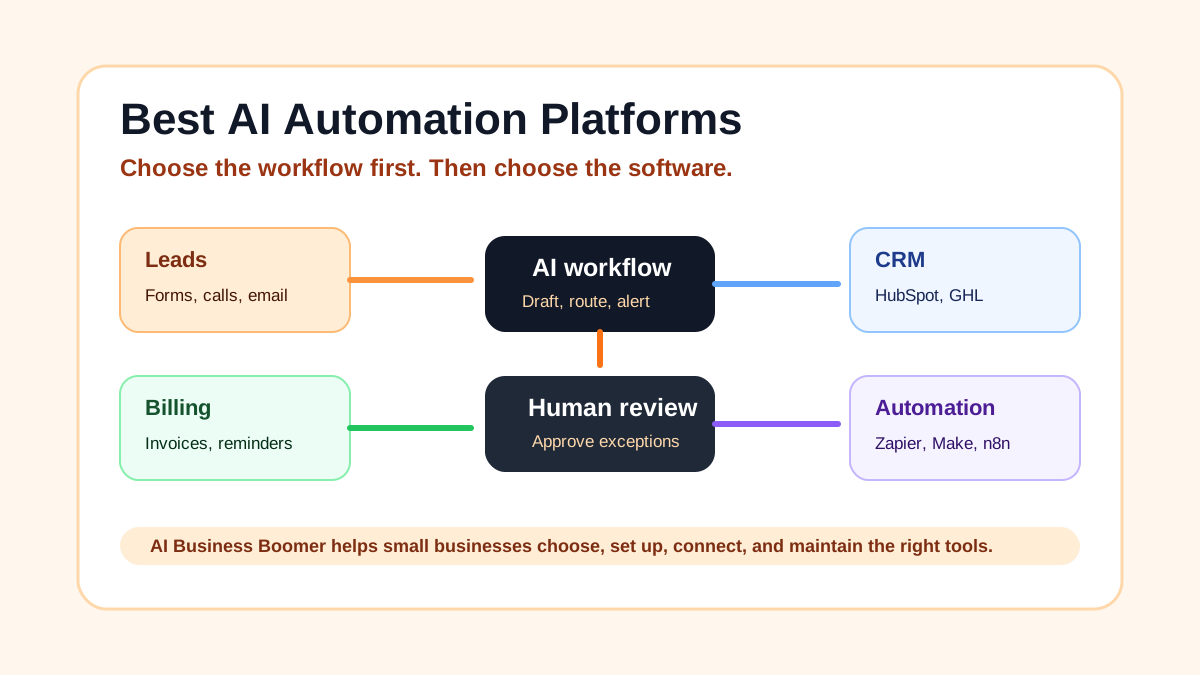
Small business owners do not need another giant software list. They need to know which AI automation platform will help with the work that actually costs time or revenue: missed leads, slow follow-up, messy intake, appointment reminders, invoice follow-up, customer updates, reporting, and repetitive admin.
Quick answer: For most small businesses, Zapier is the easiest first automation platform, Make is better for visual multi-step workflows, HubSpot is strongest when CRM and sales follow-up are the center, and n8n or Pipedream fit technical teams that want more control. AI Business Boomer helps small businesses choose, set up, connect, and maintain the right AI tools so they get practical business results without having to figure out the software themselves.
The best platform is not the one with the longest feature list. It is the one your business can use every week without creating a second job for the owner.
If you want help choosing the first workflow, start with AI automation services or the invoice automation setup page when billing follow-up is the clearest bottleneck.
Quick recommendation
Use this shortlist first:
| Business need | Best first platform |
|---|---|
| Simple app-to-app automations | Zapier |
| Visual multi-step workflows | Make |
| CRM-centered lead follow-up | HubSpot |
| Local service funnels, SMS, and pipelines | GoHighLevel |
| Technical or self-hosted workflows | n8n |
| API-heavy developer workflows | Pipedream |
| Lightweight operating database | Airtable |
| AI assistant-style tasks | Lindy |
| Marketing and nurture automation | ActiveCampaign |
| Team work management with automation | Monday.com |
If you are a non-technical owner, start with Zapier, HubSpot, or GoHighLevel depending on the workflow. If you have a technical person, Make, n8n, and Pipedream give more room to design custom logic.
Comparison table
| Platform | Core use | Best fit | Pricing and fit note |
|---|---|---|---|
| Zapier | Simple app connections and AI-assisted automations | Non-technical owners who need a first workflow live fast | Check current Zapier pricing before buying; task limits matter |
| Make | Visual workflow automation | Multi-step workflows with filters, branches, and data formatting | Strong value when someone can maintain the scenarios |
| n8n | Flexible workflow automation | Technical teams that want self-hosting, APIs, and custom logic | Cloud and self-hosting options vary |
| HubSpot | CRM-centered automation | Businesses where lead capture, pipeline, and follow-up matter most | Free CRM exists; deeper automation usually needs paid hubs |
| ActiveCampaign | Email and sales automation | Email-heavy businesses with lead nurturing and customer journeys | Pricing varies by contacts and tier |
| Lindy | AI assistant and agent workflows | Owners who want help with inbox, scheduling, research, and operations | Check current usage limits and plan details |
| GoHighLevel | Local business CRM, funnels, SMS, and pipelines | Local service businesses and agencies that want one marketing hub | Setup quality and SMS compliance matter |
| Airtable | Database plus workflow apps | Businesses that need a lightweight operating database | Automation and record limits vary by plan |
| Pipedream | Developer-friendly app automation | API-heavy workflows and technical operators | Best when someone is comfortable with code and APIs |
| Monday.com | Work management with automation | Teams already running work from boards, owners, and statuses | Automation limits vary by plan |
1. Zapier
Zapier is usually the safest first automation platform for a small business because it connects a huge number of common apps and keeps the first workflow understandable. A simple Zap can take a website form, create a CRM record, send a notification, draft a follow-up, or update a spreadsheet.
Zapier fits businesses that need to connect tools like Gmail, Google Sheets, HubSpot, Calendly, Slack, Airtable, Shopify, QuickBooks, or a website form without hiring a developer.
Use Zapier first when the workflow is clear and linear:
| Trigger | Action |
|---|---|
| New website form | Create CRM contact and alert the owner |
| New booked appointment | Add reminder task and prep note |
| New invoice | Create payment follow-up reminder |
| New lead email | Draft a reply and log the lead |
Zapier is less ideal when the workflow needs heavy branching, complex data cleanup, or deep custom API logic. That is where Make, n8n, or Pipedream may fit better.
2. Make
Make is a strong choice for small businesses that need visual workflow design. The interface helps you see how data moves between steps, filters, routers, and apps. That matters when the workflow has more than one path.
Make fits businesses that need automations like:
- Lead comes in from a form
- The workflow checks location or service type
- Qualified leads go to the CRM
- Urgent leads trigger an owner alert
- Poor-fit leads receive a polite alternate message
- Every lead goes into a weekly report
That is harder to inspect in a simple linear builder. Make gives you a better map.
The tradeoff: someone still needs to understand and maintain the scenarios. If nobody owns the workflow, a visual builder can still become a mess.
3. n8n
n8n is best for technical teams that want control. It can support self-hosted workflows, custom logic, API calls, and more flexible automation patterns than many beginner tools.
For most local businesses, n8n is not the easiest first platform. It becomes interesting when the business has a technical operator, privacy requirements, internal tools, or custom integrations that do not fit neatly inside Zapier or Make.
Good n8n use cases include:
- Custom lead enrichment
- Internal reporting workflows
- API-heavy CRM updates
- Private workflow automation
- Owner dashboards
- Complex routing logic
If you are an owner without technical help, do not choose n8n just because it is powerful. Choose it because someone will maintain it.
4. HubSpot
HubSpot is a strong pick when automation needs to center around leads, contacts, deals, and follow-up. Many small businesses do not really need a generic automation platform first. They need a CRM that tells them who to call, who replied, who booked, and who needs another touch.
HubSpot fits:
- B2B service businesses
- Agencies
- Consultants
- Local service companies with inquiry forms
- Sales teams that need pipeline visibility
- Businesses that want marketing, sales, and contact records in one place
HubSpot can connect to automation platforms like Zapier or Make, but its main value is the CRM record. If every automation creates customer data in a different place, the owner still loses visibility.
Use HubSpot when the question is not just "Can we automate this?" but "Where should this lead live after the automation runs?"
5. ActiveCampaign
ActiveCampaign works well when email nurturing matters. It combines email marketing, automation, customer journeys, and sales follow-up features.
It fits businesses that have:
- Lead magnets
- Newsletter subscribers
- Repeat customer nurture
- Quote follow-up sequences
- Abandoned inquiry follow-up
- Education-heavy sales cycles
For a local service business, ActiveCampaign may be more than you need if the only goal is missed-call text-back or simple appointment reminders. But if the business has a list, recurring campaigns, and lead stages, it can be useful.
The key is to avoid generic email blasts. Use automation to send useful follow-up tied to what the lead actually asked for.
6. Lindy
Lindy belongs on this list because it points toward a newer category: AI assistants that complete tasks across inbox, calendar, research, notes, and operations.
For a small business, this can be useful when the owner wants support with repeated internal work:
- Summarizing emails
- Preparing meeting notes
- Drafting replies
- Scheduling
- Researching companies
- Creating task lists
Lindy is not a replacement for a clean business process. It works best when you can describe the job clearly and keep a human review step.
Think of it as an assistant layer, not the whole operating system.
7. GoHighLevel
GoHighLevel is popular with local marketing agencies and local service businesses because it combines funnels, forms, CRM, SMS, pipeline stages, appointment booking, and automation.
It can be a good fit for:
- Contractors
- Med spas
- Cleaning companies
- Roofers
- Landscapers
- Local agencies
- Businesses that want text follow-up and pipeline visibility
The risk is overbuilding. GoHighLevel can do a lot, but a small business should start with one workflow: new lead response, missed-call follow-up, quote follow-up, appointment reminders, or review requests.
SMS compliance also matters. Do not blast people without proper consent.
8. Airtable
Airtable is not just a spreadsheet. It can become a lightweight operating database for a business that needs structured records but is not ready for a heavy CRM or custom app.
It fits workflows like:
- Lead intake table
- Job tracker
- Content calendar
- Vendor list
- Estimate pipeline
- Client onboarding tracker
- Weekly reporting dashboard
Airtable works well with Zapier, Make, forms, and other tools. It is useful when the business needs one clean table that everyone trusts.
The mistake is turning Airtable into a second CRM without rules. Define what each table tracks and who owns updates.
9. Pipedream
Pipedream is a developer-friendly automation platform. It fits businesses with API-heavy workflows, custom webhooks, and technical operators who want more control than a no-code builder gives.
Use Pipedream when you need:
- Custom API requests
- Webhooks
- Data transformation
- Internal developer workflows
- More control over code steps
Most small businesses should not start here unless they already have technical support. But for the right team, Pipedream can solve problems that no-code tools struggle with.
10. Monday.com
Monday.com makes sense when the business already manages work through boards, owners, statuses, and deadlines. Its automations can move tasks, notify owners, update statuses, and create repeatable work management rules.
It fits:
- Small teams with project workflows
- Agencies
- Operations teams
- Service businesses with internal task tracking
- Teams that need visibility more than complex AI
Monday.com is not always the best CRM, phone system, or AI agent platform. It is strongest when the work needs to stay visible to a team.
How to choose the right automation platform
Start with the workflow, then choose the software.
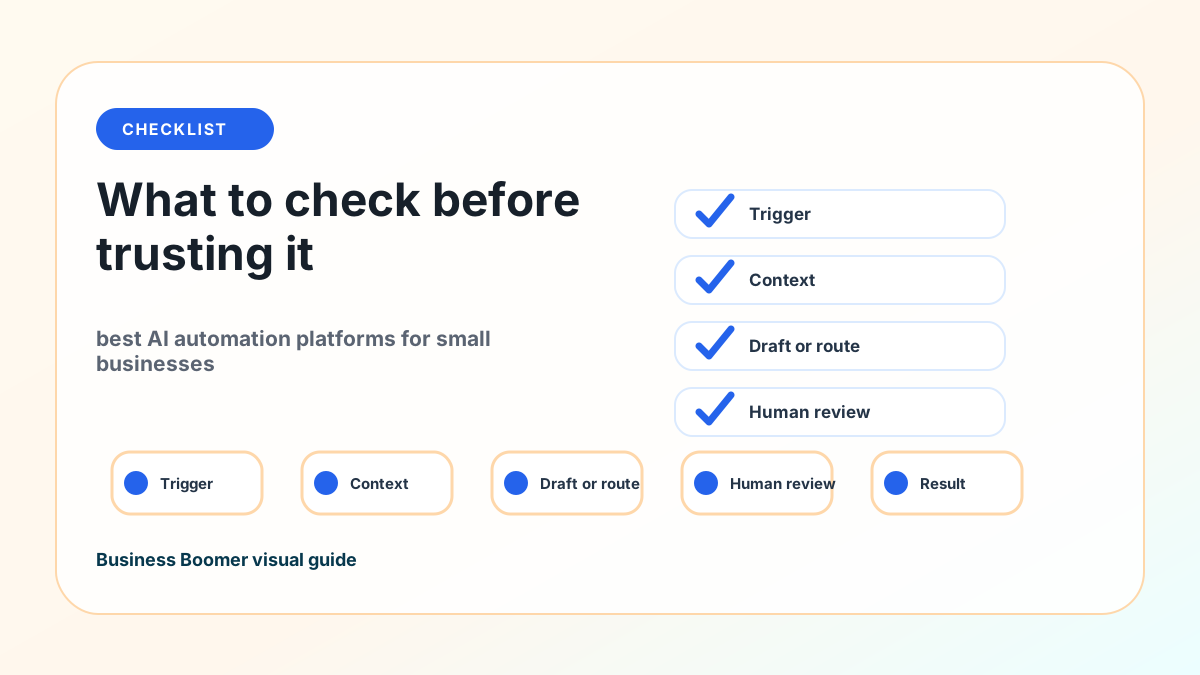
Write down six things:
| Question | Example |
|---|---|
| What starts the workflow? | Website form, missed call, email, invoice, booked appointment |
| Where does the data live? | CRM, spreadsheet, inbox, calendar, job tool, accounting system |
| What should AI help with? | Draft, summarize, route, classify, remind, report |
| What needs human review? | Pricing, promises, sensitive replies, exceptions |
| What output should happen? | Message, task, CRM update, booking, report, invoice reminder |
| How will you know it worked? | Faster response time, booked calls, fewer missed invoices, fewer dropped tasks |
This step prevents expensive software mistakes. A business with no CRM may need HubSpot before it needs ten Zaps. A business with too many manual quote reminders may need a sales follow-up workflow before it needs an AI chatbot. A business with scattered job notes may need Airtable or Monday.com before it needs a custom agent.
If the first bottleneck is billing, use invoice automation setup. If the bottleneck is general lead response, use lead follow-up automation.
Mistakes small businesses make with AI automation
The first mistake is buying the platform before naming the workflow. Software cannot fix unclear ownership.
The second mistake is removing the human review step too early. AI can draft a reply, summarize a call, or prepare a quote follow-up. A person should still approve anything that affects price, trust, legal language, customer expectations, or sensitive data.
The third mistake is automating around bad data. If the CRM fields are messy, the calendar rules are unclear, or the intake form asks the wrong questions, automation only moves bad information faster.
The fourth mistake is ignoring maintenance. Every automation needs an owner, a test record, a failure path, and a simple way to check whether it still works.
DIY vs done-for-you setup
DIY works when the workflow is simple and low-risk:
- Send a Slack alert from a form
- Add a row to a spreadsheet
- Create a calendar reminder
- Draft a simple internal summary
- Save a content idea to a tracker
Done-for-you setup makes more sense when the workflow touches revenue, customers, private data, multiple apps, or a team handoff.
Examples:
| Workflow | Why done-for-you helps |
|---|---|
| Missed lead follow-up | Phone, SMS, consent, CRM, booking, and owner alerts need to connect |
| Invoice reminders | Accounting, payment links, timing, tone, and exception rules matter |
| Website inquiry to CRM | Forms, fields, source tracking, notifications, and response templates need testing |
| AI blog workflow | Research, editing, internal links, schema, publishing, and QA need a system |
| AI agent workflow | Prompts, tools, data access, approval gates, and logs need guardrails |
AI Business Boomer helps small businesses choose, set up, connect, and maintain the right AI tools so they get practical business results without having to figure out the software themselves.
AI Business Boomer recommendation
Do not build a full AI stack first. Pick one workflow close to revenue or owner time.
Good first workflows:
- New lead response
- Missed-call text-back
- Quote follow-up
- Appointment reminders
- Invoice and payment follow-up
- Call notes to CRM
- Blog brief to published article
- Weekly owner report
Then choose the platform around that workflow.
For many small businesses, the first stack looks like this:
| Layer | Practical pick |
|---|---|
| CRM or lead record | HubSpot, GoHighLevel, Airtable, or the existing job system |
| Automation builder | Zapier or Make |
| AI drafting/summarizing | ChatGPT, Claude, Lindy, or platform AI features |
| Calendar and email | Google Workspace or Microsoft 365 |
| Reporting | Sheet, CRM dashboard, or owner email summary |
That stack is not glamorous. It is useful. The owner gets fewer dropped leads, faster follow-up, clearer tasks, and a system that can improve over time.
CTA: Book an AI Automation Audit
If you are comparing AI automation platforms and still do not know which one fits, do not buy another tool yet.
Book an AI Automation Audit with AI Business Boomer. We will map one workflow, choose the right platform, connect the first system, and show you what to maintain.
You can also start with invoice automation setup if the clearest pain is billing follow-up, or lead follow-up automation if leads are going cold.
Next step
Find the workflow worth fixing first.
Use the Free 30-Minute AI Consultation to map where leads, invoices, notes, or follow-ups are slipping and choose the smallest useful system.
What is the best AI automation platform for a small business?
For most small businesses, Zapier is the easiest first pick, Make is better for visual multi-step workflows, HubSpot is strongest when CRM and sales follow-up matter, and n8n or Pipedream fit technical teams that need deeper control.
The right answer depends on the workflow. A roofer missing estimate requests has a different need than a consultant trying to publish SEO content or a med spa trying to reduce no-shows.
Is Zapier or Make better for small business automation?
Zapier is usually easier for a first automation because it connects many apps with simple triggers and actions. Make is better when the workflow needs branching, data formatting, visual mapping, or several steps that are easier to inspect.
If you want the fastest first win, start with Zapier. If the workflow has several paths, test Make.
Do I need a CRM before I automate my business?
You do not always need a full CRM first, but you do need one clear source of truth for leads, customers, jobs, invoices, or tasks.
If lead follow-up matters, a CRM-first setup usually works better than disconnected automations. HubSpot, GoHighLevel, Pipedrive, Jobber, Housecall Pro, Airtable, or another existing system can be the source of truth.
Can AI automation replace an employee?
AI automation works best as support for repeated work: drafts, reminders, summaries, routing, CRM updates, and reporting. A person should still approve sensitive messages, pricing, promises, customer issues, and exceptions.
The goal is not to remove judgment. The goal is to stop making people do the same first draft, reminder, or update all day.
How should a small business choose an automation platform?
Start with the workflow, not the software. Write down the trigger, data source, AI task, human review step, output, and success metric. Then choose the platform that fits that workflow with the least maintenance.
If that map is hard to write, start with an audit before you buy software.
FAQ
Quick answers about this guide and how to put the idea into practice.
What is the best AI automation platform for a small business?
For most small businesses, Zapier is the easiest first pick, Make is better for visual multi-step workflows, HubSpot is strongest when CRM and sales follow-up matter, and n8n or Pipedream fit technical teams that need deeper control.
Is Zapier or Make better for small business automation?
Zapier is usually easier for a first automation because it connects many apps with simple triggers and actions. Make is better when the workflow needs branching, data formatting, visual mapping, or several steps that are easier to inspect.
Do I need a CRM before I automate my business?
You do not always need a full CRM first, but you do need one clear source of truth for leads, customers, jobs, invoices, or tasks. If lead follow-up matters, a CRM-first setup usually works better than disconnected automations.
Can AI automation replace an employee?
AI automation works best as support for repeated work: drafts, reminders, summaries, routing, CRM updates, and reporting. A person should still approve sensitive messages, pricing, promises, customer issues, and exceptions.
How should a small business choose an automation platform?
Start with the workflow, not the software. Write down the trigger, data source, AI task, human review step, output, and success metric. Then choose the platform that fits that workflow with the least maintenance.