Business Boomer
← Back to Blog
March 30, 2026

How to Grow a Small Business With AI Tools (A Practical Guide)

Sam Monac profile image

Author

Sam Monac

Founder, Business Boomer | AI Operator & Growth Strategist

Sam Monac is a product and AI operator who helped scale Token Metrics to $7M+ ARR and supported more than $6M in capital raises. Through Business Boomer and his portfolio of AI-enabled businesses, Sam writes from hands-on experience building automation systems, growth workflows, and practical AI tools for real operators.

S. Vishwa profile image

Fact Checked By

S. Vishwa

SEO Specialist & Blog Writer, Business Boomer

S. Vishwa is an experienced SEO specialist and blog writer with 10+ years of experience across digital marketing and fintech. He is passionate about crafting high-quality content that informs and engages readers in the finance and marketing sectors.

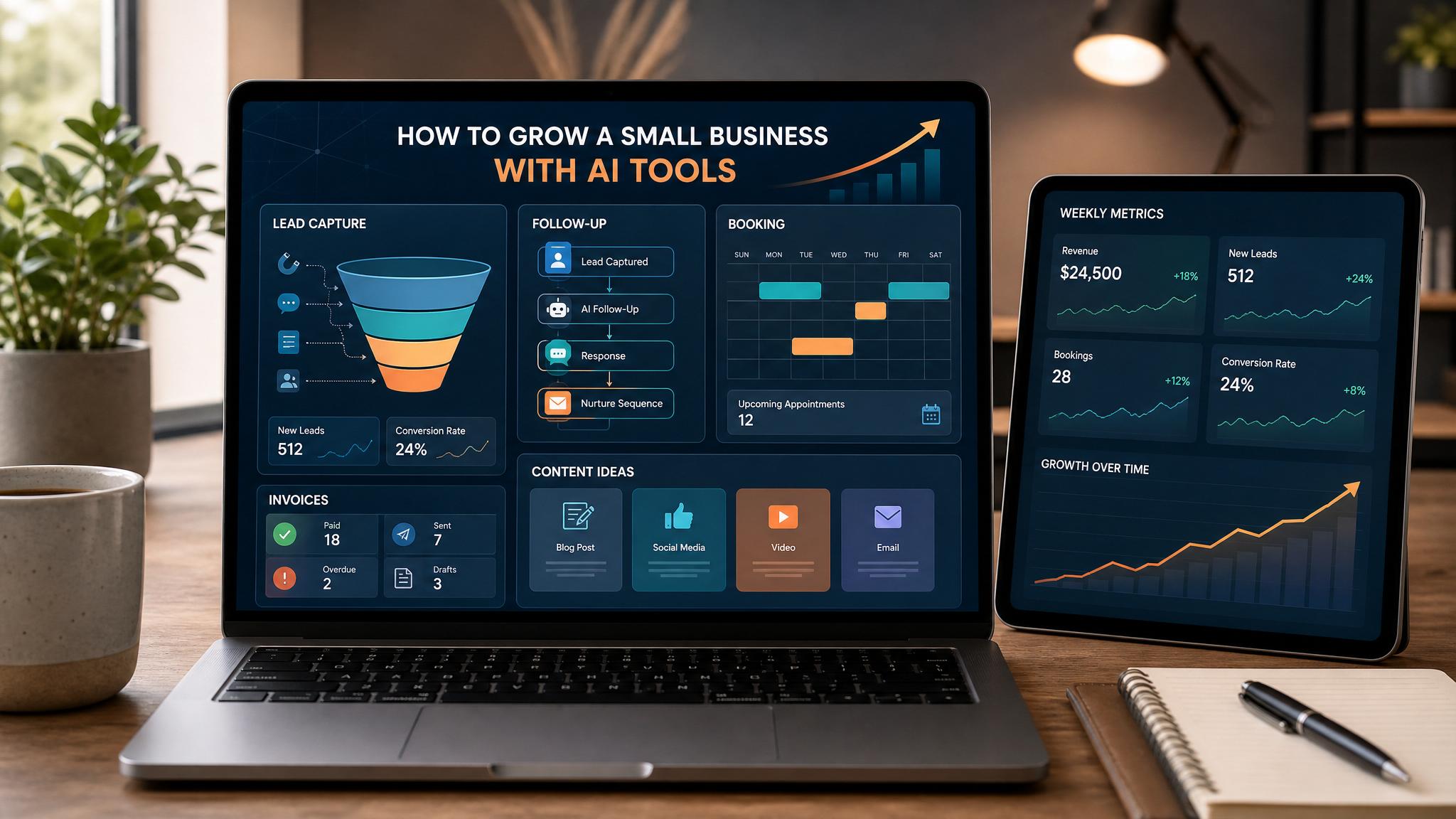
Small business AI growth dashboard showing lead capture, booking, invoicing, follow-up, reviews, and weekly owner metrics

Growing a small business with AI tools means using affordable software to automate repetitive work, respond to customers faster, and make better decisions—without hiring more people. The businesses adding $2,000–$10,000/month in new revenue right now are almost all doing it with AI in some part of their operation.

Quick answer: Growing a small business with AI tools means using affordable software to automate repetitive work, respond to customers faster, and make better decisions—without hiring more people. The businesses adding $2,000–$10,000/month in new revenue right now are almost all doing it with AI in some part of their operation.

What Are AI Tools for Small Business?

AI tools for small business are software applications that use artificial intelligence to handle tasks that previously required human time and attention. This includes writing emails, answering customer questions, analyzing sales data, scheduling appointments, generating marketing content, and even building basic automations between your existing apps.

Related next step: use the AI automation services page if you want to turn this idea into a practical Business Boomer workflow.

Unlike enterprise software that costs thousands per month, most small-business AI tools fall between $20–$200/month and require no technical background to use. The biggest categories are:

  • AI writing assistants (ChatGPT, Claude, Jasper) — Write marketing copy, emails, proposals, and blog posts in minutes
  • AI customer service (Intercom, Tidio, Freshdesk AI) — Answer customer questions automatically around the clock
  • AI scheduling (Calendly AI, Motion) — Optimize your calendar and meeting scheduling without back-and-forth
  • AI analytics (Rows, Julius AI) — Turn your spreadsheet data into clear business insights without knowing SQL
  • AI automation (Zapier AI, Make) — Connect your apps and trigger workflows based on rules or natural language

Why AI Growth Matters for Small Businesses

The core problem for most small businesses is the time-to-capacity gap: you hit a revenue ceiling not because there's no demand, but because you physically run out of hours. Hiring helps, but comes with payroll risk, training time, and management overhead.

Related next step: use the AI automation consulting page if you want to turn this idea into a practical Business Boomer workflow.

AI breaks the ceiling a different way. It lets one person do the output of two or three without adding headcount. A solo consultant who uses AI to write proposals can respond to twice as many leads. A retail shop that automates customer service emails stops losing sales to slow response times. A service business that uses AI to analyze client data can identify upsell opportunities that were always there but invisible.

The math is simple: if AI saves you 10 hours per week and your effective hourly rate is $75, that's $3,000/month in recovered capacity you can redirect to revenue-generating work.

Beyond time savings, AI levels the playing field. Small businesses now have access to marketing, analytics, and customer experience capabilities that were once only affordable at the enterprise level.

Related next step: use the automation guides page if you want to turn this idea into a practical Business Boomer workflow.

How to Grow Your Small Business With AI Tools

Step 1: Audit where your time actually goes

Before choosing any tools, spend one week logging how your time breaks down. Most business owners are surprised: 40–60% of their week goes to tasks that are repetitive, templated, or data-entry driven. These are your AI candidates.

Common high-value targets: answering the same customer questions, writing proposals from scratch each time, manually scheduling and rescheduling appointments, compiling weekly reports, and creating social media content.

Step 2: Start with one workflow, not five tools

The biggest mistake small businesses make with AI is trying to automate everything at once. Pick your single highest-volume repetitive task and solve that first. Get comfortable with one tool, see the time savings, then expand.

If you answer 30 customer emails a day, start with AI email drafts. If you spend 5 hours a week on proposals, start with an AI writing assistant. Single-workflow wins build the confidence and habit of using AI before you scale it.

Related next step: use the Business Boomer services page if you want to turn this idea into a practical Business Boomer workflow.

Step 3: Use AI to scale your marketing output

Marketing is the growth lever most directly unlocked by AI. A business that can publish 4 blog posts per month, post daily to social media, and send a weekly email newsletter has a massive reach advantage over one that publishes once a month.

AI writing tools can draft all of this in a fraction of the time:

  • Blog posts: Give Claude or ChatGPT your topic and target keyword; get a draft in 2 minutes that you edit in 10
  • Social content: Tools like Buffer AI or Publer AI can generate a week of posts from a single topic input
  • Email sequences: Write your offer once and let AI write the 5-email welcome sequence

The output still needs your voice and judgment—but the blank-page problem disappears.

Related next step: use the talk to Sam page if you want to turn this idea into a practical Business Boomer workflow.

Step 4: Implement AI customer service

Response time is one of the strongest predictors of conversion. Studies show leads contacted within 5 minutes are 9x more likely to convert than those contacted after 30 minutes. Most small businesses respond in hours, not minutes.

An AI chat widget on your website (Tidio or Intercom Fin) can answer 60–80% of common questions instantly—pricing, availability, service details, booking instructions—without a human. The leads that need a human get flagged immediately. The rest get answered around the clock.

Setup takes a few hours. The ROI often shows up in the first week.

Step 5: Use AI for smarter business decisions

Growth stalls when you're making decisions with incomplete information. AI analytics tools can help even non-technical owners understand what's working. Connect your sales data or spreadsheets to a tool like Julius AI or Rows and ask it in plain English: "Which service generates the most profit per hour?" or "What's my average client lifetime value by acquisition channel?"

These questions used to require a consultant or a data analyst. Now they take five minutes.

Best Practices for Using AI to Grow a Small Business

Keep humans in the loop for high-stakes decisions. AI handles volume; humans handle judgment. Use AI to generate options, draft content, and process information—but review before anything goes to a client or affects a major decision.

Train your AI on your voice. Tools like ChatGPT allow custom instructions. Spend 30 minutes writing out your brand tone, common scenarios, and how you want things communicated. This dramatically improves output quality.

Track time saved, not just features used. Every month, calculate how many hours AI saved you. This keeps you focused on tools that actually move the needle versus tools that feel impressive but don't change your daily workflow.

Budget realistically. A solid AI stack for a small business typically runs $100–$300/month. That's the equivalent of one hour of professional services. If the stack saves you 10+ hours/month, the ROI is obvious.

Protect customer data. Be cautious about pasting client information into public AI tools. Use business tiers of AI platforms that include data processing agreements, or keep sensitive data out of AI prompts entirely.

Business Boomer works with small business owners to build practical AI stacks that fit their specific operation—not generic tech advice. We audit your workflow, identify the highest-ROI automation opportunities, and implement tools that are running and generating results within weeks, not months.

What this should look like in practice

A good setup should make the next action obvious. The owner or team should be able to open one place and see what needs attention, what is waiting, and what can be automated.

Small business AI growth dashboard showing lead capture, booking, invoicing, follow-up, reviews, and weekly owner metrics workflow visual

Simple implementation checklist

StepWhat to check
1Find the repetitive task or lead leak
2Decide what information must be captured
3Create a simple owner, stage, and next-step rule
4Automate the reminder, handoff, or record creation
5Review the workflow weekly and tighten what breaks

Small business AI growth dashboard showing lead capture, booking, invoicing, follow-up, reviews, and weekly owner metrics practical implementation visual

Business Boomer rule: If the workflow does not create a clearer owner, next step, or follow-up path, it is not automation yet. It is just another tool.

Next step

Ready to turn this into a working system?

Get a practical review of where AI automation, lead follow-up, CRM cleanup, or invoice workflows can create the fastest win in your business.

Book a Free AI Assessment Call

Keep building the system

Recommended next Business Boomer guides

These links are selected by topic and search intent so this guide connects to the most relevant service pages, industry pages, and supporting blog posts.

Related blog posts

Read the connected guides that support this topic cluster.

AI Automation Near Me: Local Setup Help for Small BusinessesThe best AI automation help near you is not just the closest provider. It is the person or team that can map one real workflow, connect your current tools, keep review in the right places, and support the setup after it goes live.Benefits of AI Automation for Small Business: What Actually ImprovesThe real benefits of AI automation for small business show up when a repeated workflow gets faster, cleaner, and easier to manage: leads are answered sooner, admin gets summarized, invoices move without chasing, and owners see the next action before work slips.AI Workflow Automation for Small Business: Practical Setup GuideAI workflow automation helps small businesses turn repeatable lead, intake, follow-up, scheduling, invoicing, and admin work into clearer systems with human review where it matters.Best AI Automation Tools for Small Business: What to Use FirstThe best AI automation tools for small business are the ones that fix one repeated workflow first: lead follow-up, scheduling, CRM cleanup, invoicing, admin notes, customer support, or reporting. Start with the bottleneck, then choose the tool category.AI Automation for Recruitment: Hiring Workflows for Small TeamsAI automation for recruitment works best when it helps a small team move candidates through a clear hiring workflow: capture applications, summarize fit, schedule interviews, draft follow-up, update records, and keep final decisions with people.Best AI Agents for Business Automation: What Small Teams NeedThe best AI agents for business automation are not the flashiest autonomous tools. For a small team, the best choice is the agent setup that improves one real workflow, connects to the tools already running the business, and keeps human review where mistakes would be expensive.

Related AI automation guides

Keep going with the connected Business Boomer guides in this automation cluster.

Frequently Asked Questions

FAQ

Quick answers about this guide and how to put the idea into practice.

What is the main takeaway from How to Grow a Small Business With AI Tools (A Practical Guide)?

The main takeaway is that how to grow a small business with AI tools should be evaluated as a practical business workflow, not just a generic AI idea.

How does how to grow a small business with AI tools help a small business?

how to grow a small business with AI tools can help a small business reduce manual work, improve follow-up, organize repetitive tasks, and create a clearer operating process when it is tied to a real bottleneck.

Can Business Boomer help implement how to grow a small business with AI tools?

Yes. Business Boomer can help turn the idea into a practical workflow, page, checklist, or automation system depending on what the business needs first.

Want help putting this into practice?

Business Boomer helps real businesses install better systems, not just read about them.

Talk to Sam →