Business Boomer
← Back to Blog
AI Automation ServicesMay 26, 202610 min read

How to Choose an AI Automation Company: Small Business Checklist

Sam Monac profile image

Author

Sam Monac

Founder, Business Boomer | AI Operator & Growth Strategist

Sam Monac is a product and AI operator who helped scale Token Metrics to $7M+ ARR and supported more than $6M in capital raises. Through Business Boomer and his portfolio of AI-enabled businesses, Sam writes from hands-on experience building automation systems, growth workflows, and practical AI tools for real operators.

S. Vishwa profile image

Fact Checked By

S. Vishwa

SEO Specialist & Blog Writer, Business Boomer

S. Vishwa is an experienced SEO specialist and blog writer with 10+ years of experience across digital marketing and fintech. He is passionate about crafting high-quality content that informs and engages readers in the finance and marketing sectors.

Choose an AI automation company by starting with one real workflow, checking whether they can connect your current tools, asking how human review and data safety work, and requiring a simple launch plan before you buy.

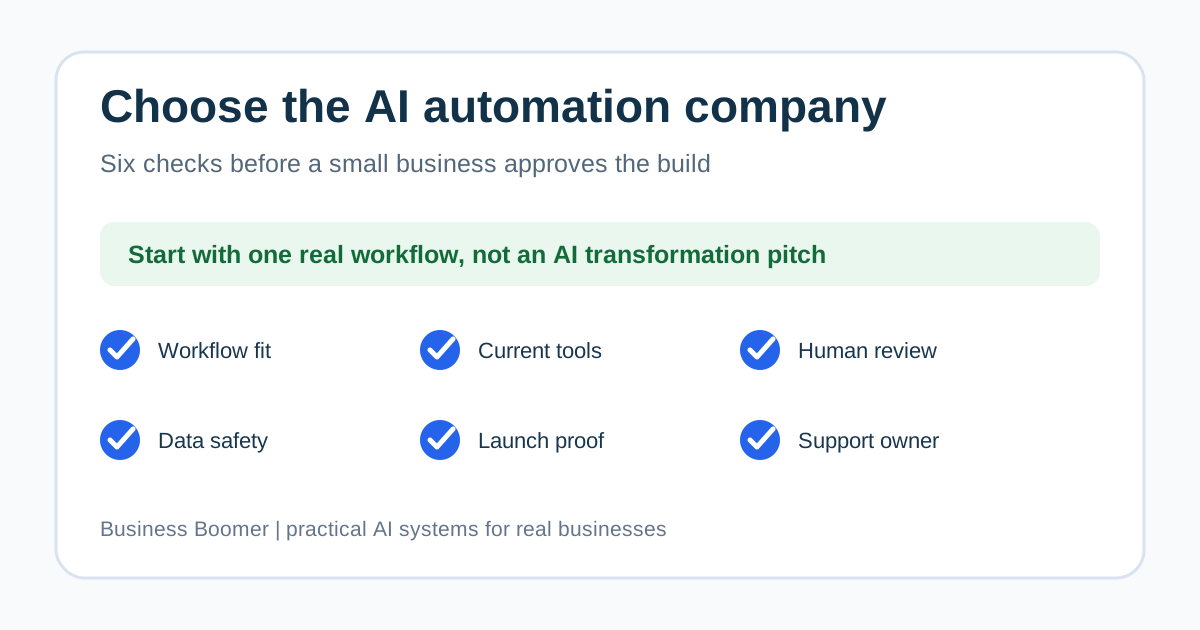
Small business checklist for choosing an AI automation company with workflow, tools, data, support, and proof checkpoints

Choose an AI automation company by asking whether they can improve one real business workflow, connect the tools you already use, explain where human review stays in the process, protect customer data, and support the system after launch. The right provider should turn a messy lead, invoice, intake, scheduling, or admin process into a working setup your team can actually run.

For most U.S. small businesses, the safest first project is not a giant AI transformation plan. It is one narrow workflow with a clear owner, a test plan, and a practical handoff.

Search intent and top-result pattern

People searching how to choose an AI automation company are usually comparing vendors, agencies, consultants, and AI tools before booking a call. Current U.S. results lean toward company roundups, best-agency lists, AI tool guides, and broad small-business automation checklists.

The recurring themes are integrations, cost, ease of use, security, support, ROI, and tool recommendations. The gap is a buyer checklist for owner-led service businesses that need implementation help, not another generic list of software logos. This guide focuses on how to judge fit before you approve a proposal.

The quick checklist

Use this checklist before you sign with an AI automation company. A good provider should be able to answer each item in plain English.

Small business AI automation company evaluation checklist

CheckpointWhat a good answer sounds likeRed flag
Workflow fit"We will start with this specific lead, invoice, intake, or admin workflow.""AI can transform everything."
Current tools"We can work with your CRM, calendar, accounting tool, forms, email, or spreadsheet.""You need to replace everything first."
Human review"These steps stay human until tested.""The AI handles it all automatically."
Data safety"Here is what data is used, stored, and excluded."No clear answer on customer or financial data.
Launch proof"We test normal, edge, and failure cases."Only a polished demo.
Support"Here is who fixes issues after launch."No ownership after delivery.

If you are still comparing service types, start with best AI automation services for small business. That guide explains what to buy first before you compare companies.

Step 1: define the workflow before choosing the provider

The provider should help you name the workflow before they talk about tools. A useful first workflow has a trigger, a source of truth, an automation step, a human review point, and a success measure.

For example, a contractor might start when a new estimate request hits the website. A law firm might start when an intake form is submitted. A property manager might start when a tenant issue arrives by email. A consultant might start when a call transcript needs to become tasks and follow-up.

If the company cannot map that sequence clearly, it may be selling a tool instead of a working business system. Use AI workflow automation for small business if you need the workflow structure first.

Step 2: ask what they will implement, not just advise

There is a major difference between an AI strategy call and an implementation partner. A small business usually needs the second one. The company should be able to show what gets built, what gets connected, what your team receives, and what happens if the workflow breaks.

A practical scope might include form routing, CRM updates, email summaries, calendar handoffs, lead follow-up reminders, invoice drafts, payment reminders, review requests, or owner dashboards. The deliverable should not be only a slide deck.

If you want a done-for-you setup rather than general consulting, compare the checklist with the Business Boomer services page. The offer should be concrete enough that you can picture the first week after launch.

Step 3: check whether they understand your existing tools

Most small businesses do not need a provider that forces a brand-new stack on day one. They need someone who can connect the tools already running the business: Google Workspace, Microsoft 365, QuickBooks, Stripe, Jobber, Housecall Pro, HubSpot, GoHighLevel, Airtable, Notion, Calendly, forms, email, sheets, or a lightweight CRM.

The right question is not "What is the best AI tool?" The right question is "Where does the workflow start, where does the record live, and where should the next action happen?"

For lead-heavy businesses, how to build an AI automation workflow for lead follow-up shows what this looks like in practice. The same logic applies to intake, scheduling, billing, and customer follow-up.

Step 4: require a human-review plan

AI automation should not remove judgment from sensitive steps too early. A good company will separate safe automation from judgment calls. It may automate summaries, routing, reminders, drafts, and status updates while keeping approvals, pricing, unusual customer issues, refunds, legal decisions, and sensitive financial actions with a person.

Decision map for deciding what AI can automate and what still needs human review

Ask these questions:

  • What decisions stay human?
  • What happens when the AI is uncertain?
  • How does a customer reply pause the workflow?
  • Who reviews exceptions?
  • How are mistakes corrected?

The U.S. Small Business Administration notes that AI can support small businesses across customer service, project planning, and other operations, but it should be used with business judgment and practical oversight. That is the right posture for a first automation project.

Step 5: ask how data, access, and accounts are handled

An AI automation company may need access to customer records, emails, calendars, invoices, forms, call notes, or payment-related systems. That does not mean every tool should get every permission.

Ask what accounts they need, whether they use your business-owned accounts, how credentials are shared, what data is sent to AI services, what is excluded, and how access is removed if the engagement ends. For sensitive industries, ask whether the provider understands the data rules that apply to your business before any workflow goes live.

NIST's AI Risk Management Framework is built for broader AI risk work, but the small-business takeaway is simple: define the system, understand the risks, measure whether it behaves as expected, and manage it over time. You do not need enterprise bureaucracy, but you do need clear ownership.

If your first use case involves billing or payment follow-up, start with a smaller scope such as invoice automation setup before connecting broader customer data.

Step 6: look for proof that matches your business size

Proof does not have to mean a famous client logo. For a local service business, better proof may be a clear workflow diagram, a sample SOP, a before-and-after process map, a short demo using realistic records, or a support plan that explains what happens after launch.

Be careful with providers that only show flashy demos. Demos often skip the hard parts: bad data, duplicate contacts, customer replies, changed scope, missed fields, angry customers, disconnected tools, and team adoption.

If you want examples of practical use cases before choosing a provider, review AI automation examples for small businesses. Your provider should be able to translate examples like those into one narrow build plan.

Step 7: compare proposals by scope, not buzzwords

Two AI automation companies can use the same words and mean very different things. One may be selling a chatbot. Another may be connecting your forms, CRM, email, calendar, and task system. Another may only advise your team.

Proposal comparison matrix for choosing an AI automation company

Use a simple comparison table:

Proposal itemProvider AProvider BProvider C
First workflowNamed clearly?Named clearly?Named clearly?
Tools connectedSpecific systems listed?Specific systems listed?Specific systems listed?
Human reviewDefined?Defined?Defined?
Testing planNormal and edge cases?Normal and edge cases?Normal and edge cases?
TrainingOwner/team handoff included?Owner/team handoff included?Owner/team handoff included?
SupportPost-launch owner named?Post-launch owner named?Post-launch owner named?

The company with the clearest scope is usually safer than the company with the biggest promise. If the proposal does not describe what happens in week one, ask for a narrower first phase.

Step 8: watch for red flags

Avoid a provider that promises guaranteed revenue, refuses to explain integrations, ignores data access, skips testing, wants to automate customer-facing decisions immediately, or cannot describe support after launch.

Also be careful when a company leads with complex custom AI before fixing the workflow. If your intake form, CRM fields, calendar process, or invoice status is messy, custom AI will not solve the underlying handoff.

If you need a service-business lens, AI automation for service businesses covers common operational use cases like lead response, scheduling, intake, billing, and follow-up.

A practical first-project scope

The best first project is usually small enough to finish, test, and understand. A good starter scope might look like this:

  1. Pick one workflow: new lead intake, estimate follow-up, invoice reminders, appointment prep, review requests, or owner voice-note capture.
  2. Map the current process in plain English.
  3. Choose the system of record.
  4. Connect only the tools required for that workflow.
  5. Add AI where it helps: summarize, classify, draft, route, or prepare.
  6. Keep approvals human for sensitive steps.
  7. Test normal cases, missing data, customer replies, and failure paths.
  8. Train the team and write a short SOP.
  9. Review results after the first week.

For owner-led teams that want a business operator style setup, OpenClaw onboarding for businesses is another path when the goal is a practical AI operator inside daily work.

Questions to ask on the sales call

Bring these questions to the first call:

  • What workflow would you start with for a business like ours?
  • Which existing tools would you connect?
  • What would you refuse to automate at first?
  • What data do you need access to?
  • How do you test the workflow before customers see it?
  • What does our team receive at handoff?
  • Who supports the workflow after launch?
  • What would make this project a bad fit?

Strong answers should be specific to your business. Weak answers drift back to generic AI benefits.

If you still need the plain-English foundation, read what business automation means for small business before evaluating proposals.

Bottom line

The best AI automation company for a small business is the one that can turn one real workflow into a reliable system. Choose the provider that asks about your current process, explains integrations, keeps review in the right places, documents the handoff, and supports the workflow after launch.

If you want help choosing the right first workflow, Business Boomer can review your bottleneck and map a practical starter build. Start with the contact page or book a Free Bottleneck Audit below.

Next step

Ready to turn this into a working system?

Get a practical review of where AI automation, lead follow-up, CRM cleanup, or invoice workflows can create the fastest win in your business.

Book a Free Bottleneck Audit

Keep building the system

Recommended next Business Boomer guides

These links are selected by topic and search intent so this guide connects to the most relevant service pages, industry pages, and supporting blog posts.

Related blog posts

Read the connected guides that support this topic cluster.

15 Practical AI Automation Examples for Small BusinessesThe best AI automation examples for small businesses are practical workflows: lead follow-up, appointment scheduling, invoice reminders, intake triage, customer updates, reporting, and owner admin capture.AI Workflow Automation for Small Business: Practical Setup GuideAI workflow automation helps small businesses turn repeatable lead, intake, follow-up, scheduling, invoicing, and admin work into clearer systems with human review where it matters.What Is AI Automation? A Small Business Owner’s GuideAI automation combines AI judgment with workflow automation so small businesses can handle repetitive tasks like lead response, intake, follow-up, scheduling, and invoice reminders more consistently.Benefits of AI Automation for Small Business: What Actually ImprovesThe real benefits of AI automation for small business show up when a repeated workflow gets faster, cleaner, and easier to manage: leads are answered sooner, admin gets summarized, invoices move without chasing, and owners see the next action before work slips.How to Build an AI Automation Workflow for Lead Follow-UpA practical lead follow-up workflow uses AI to summarize, qualify, route, and draft next steps while humans keep control of pricing, judgment, and sensitive customer conversations.Best AI Automation Services for Small Business: What to Buy FirstThe best AI automation services for small business are practical implementation services that fix lead response, follow-up, invoicing, scheduling, and owner admin first.

Related AI automation guides

Keep going with the connected Business Boomer guides in this automation cluster.

Frequently Asked Questions

FAQ

Quick answers about this guide and how to put the idea into practice.

What is the main takeaway from How to Choose an AI Automation Company: Small Business Checklist?

Choose an AI automation company by starting with one real workflow, checking whether they can connect your current tools, asking how human review and data safety work, and requiring a simple launch plan before you buy.

How does how to choose an AI automation company help a small business?

how to choose an AI automation company can help a small business reduce manual work, improve follow-up, organize repetitive tasks, and create a clearer operating process when it is tied to a real bottleneck.

Can Business Boomer help implement how to choose an AI automation company?

Yes. Business Boomer can help turn the idea into a practical workflow, page, checklist, or automation system depending on what the business needs first.

Want help putting this into practice?

Business Boomer helps real businesses install better systems, not just read about them.

Talk to Sam →