
How to Build an AI Automation Workflow for Lead Follow-Up
A practical lead follow-up workflow uses AI to summarize, qualify, route, and draft next steps while humans keep control of pricing, judgment, and sensitive customer conversations.


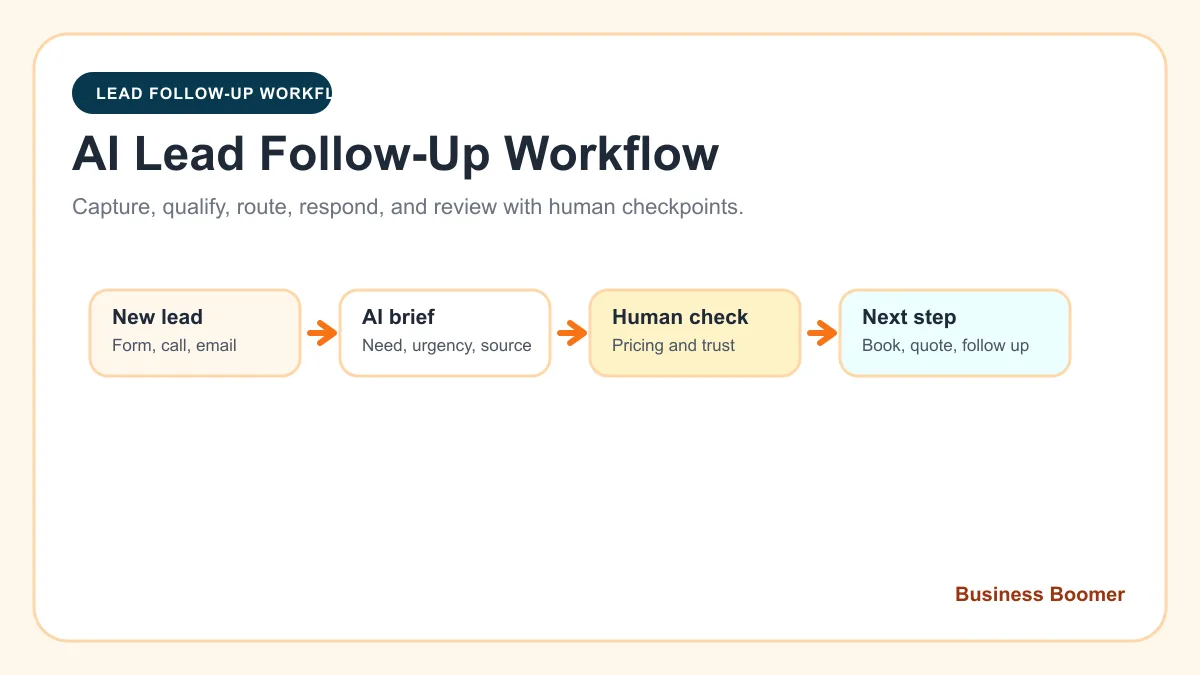
An AI automation workflow for lead follow-up is a repeatable system that captures a new inquiry, organizes the important details, drafts or schedules the next step, and alerts a person when judgment is needed. For a small service business, the goal is simple: respond faster, keep every lead visible, and stop relying on memory to move sales conversations forward.
The best first version should be narrow. Start with one lead source, one CRM or tracking place, one response rule, one follow-up sequence, and one human review checkpoint. That gives the business a workflow it can actually trust before adding scoring, personalization, or more channels.
Search intent and what this guide covers
People searching this topic usually want a workflow or tutorial, not a definition alone. The current results lean toward CRM platforms, no-code automation tools, AI SDR products, and broad small-business AI workflow guides. The useful gap for Business Boomer readers is a practical build map that shows what to connect, what to leave human, and how to keep the follow-up respectful.
If you still need the plain-English foundation, start with what lead response automation means for small business. This guide assumes you already know slow response is a problem and want to build the workflow.
Pick the lead leak before picking the tool
Do not start by asking which AI app to buy. Start by identifying the lead leak. A lead leak is the point where interested people wait too long, get a generic answer, sit in the wrong inbox, or never receive a useful follow-up after the first conversation.
Common lead leaks include website forms that only send an email, missed calls with no text-back, estimates with no follow-up reminder, social messages that never enter the CRM, and referrals that stay in an owner's phone. The workflow should fix one of those leaks first.
For timing and tone, use how to follow up with leads for small business before automating a sequence. The automation should support a good sales habit, not multiply a bad one.
The simple lead follow-up workflow
The first workflow can be described in six steps:
| Step | What happens | What AI can help with | Human control point |
|---|---|---|---|
| 1. Capture | A lead arrives from a form, phone transcript, email, ad, chat, or referral | Clean up messy text and pull out useful details | Make sure the source is reliable |
| 2. Create record | The lead is added to a CRM, job tool, or tracked sheet | Suggest category, service type, urgency, and next action | Avoid duplicate contacts |
| 3. Qualify | The system separates urgent, high-fit, and low-fit leads | Summarize need, location, timeline, and fit signals | Do not let AI reject good leads alone |
| 4. Respond | The lead receives a fast acknowledgment or booking option | Draft a short reply based on the inquiry | Approve customer-facing templates |
| 5. Follow up | Reminders or messages trigger if no next step happens | Draft polite follow-up language | Pause when the situation is sensitive |
| 6. Review | The owner sees stuck leads and exceptions | Generate a weekly lead report | Decide what to improve next |
This is a focused version of AI workflow automation for small business. The difference is that this workflow is only about getting a lead from first contact to the next clear sales step.
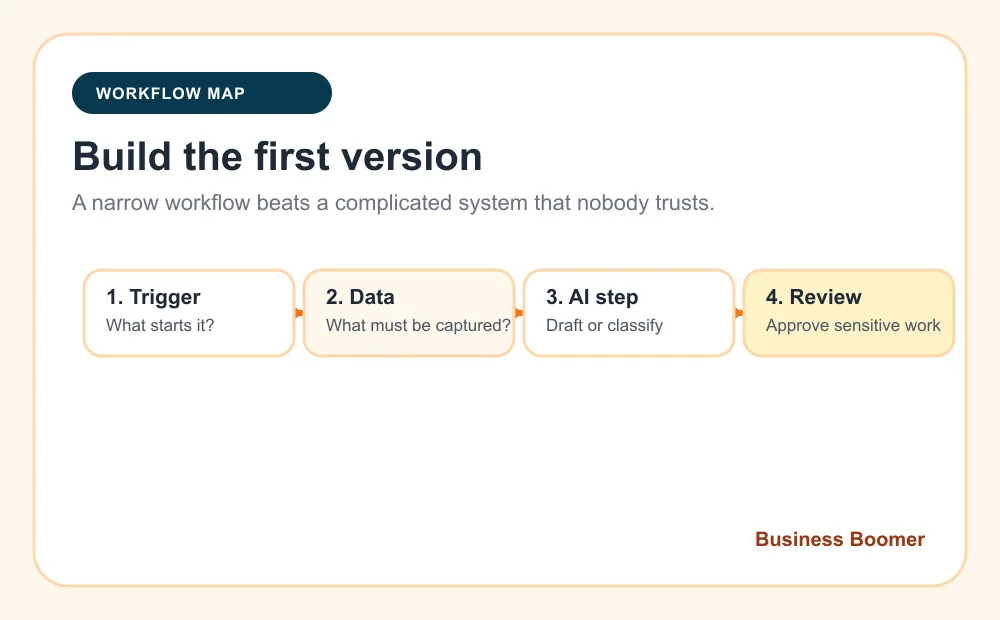
Define the trigger
The trigger is the event that starts the workflow. For many U.S. service businesses, the best first trigger is a website form submission because the fields are predictable and easy to test. Missed-call transcripts, booking requests, quote forms, Facebook lead ads, and email inquiries can come later.
Write the trigger in one sentence: "When a new quote form is submitted, create a lead record, send an acknowledgment, notify the owner, and schedule follow-up if no appointment is booked." If the sentence becomes long and tangled, the workflow is probably too big for version one.
If leads are scattered across tools, tighten the source of truth with what a CRM is for small business. AI follow-up gets fragile when nobody knows where the real customer record lives.
Capture only the fields that drive action
A lead follow-up workflow does not need twenty fields to begin. It needs the details that change the next step: name, contact method, service needed, location, urgency, source, preferred time, notes, owner, stage, and follow-up status.
For home services, add property type, photos, job address, and desired timing. For professional services, add business type, problem summary, timeline, and decision-maker. For appointment businesses, add calendar preference and reminder consent where relevant.
When the team is not sure which leads deserve fast attention, pair the workflow with how to qualify leads for small business. Qualification should be simple enough that the owner agrees with it after reviewing real examples.
Add AI where the work is fuzzy
AI is most useful in the fuzzy parts of follow-up: summarizing messy inquiries, classifying service type, spotting urgency, drafting a reply, rewriting a message in a calmer tone, or turning call notes into a CRM update. Basic automation should still handle the movement of work from one system to another.
A practical prompt for the AI step might say: "Summarize this lead in three bullets, identify service type, urgency, missing information, and the safest next action. Do not promise pricing, availability, or results." That gives the output a job without giving AI control over the sale.
If the business is still deciding where AI belongs, the broader guide to what AI automation is for small business owners can help separate AI decisions from ordinary automation rules.
Keep customer-facing messages short
The first automated response should make the business feel organized, not scripted. A good acknowledgment confirms the request, sets expectation, and offers one clear next step.
Example for a local service business:
Thanks for reaching out. We received your request and are reviewing the details now. If you want the fastest next step, you can book a short call here, or reply with any photos or timing details that would help us prepare.
That message works because it does not pretend the job is already priced or approved. It gives the customer confidence while keeping a human involved.
For appointment-heavy businesses, connect this step with appointment scheduling automation. The booking link should not be a random link; it should match the lead type, availability rules, reminders, and intake questions.
Route leads with simple rules first
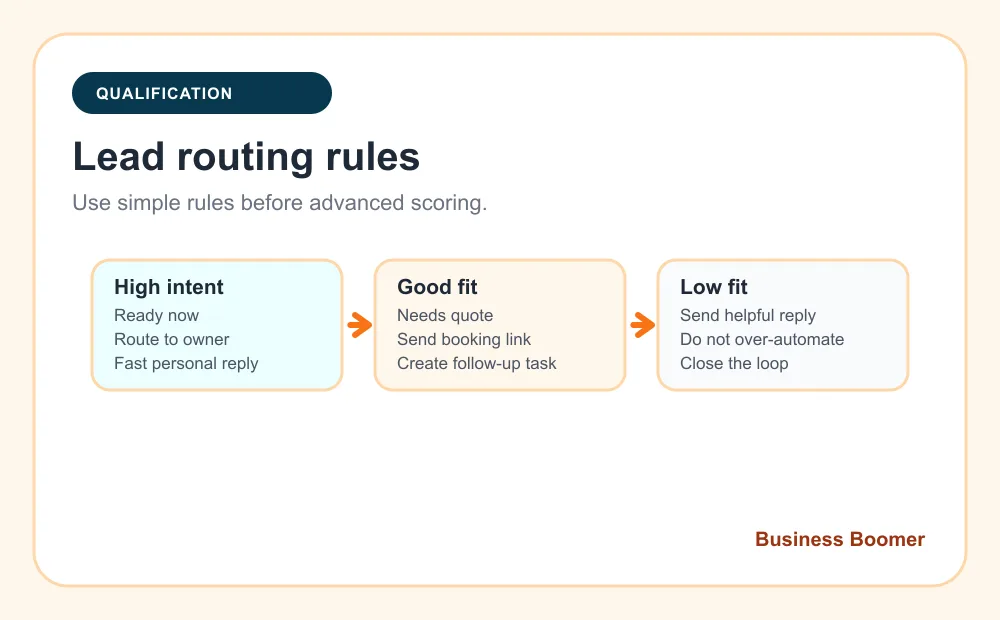
Advanced lead scoring sounds attractive, but most small businesses should begin with three buckets:
- High intent: urgent, ready to book, good service fit, clear location, real contact details.
- Good fit: qualified but needs more information, quote review, or a sales conversation.
- Low fit: outside service area, poor fit, unclear request, or not ready yet.
High-intent leads should notify a human quickly. Good-fit leads can receive a booking link or follow-up task. Low-fit leads can receive a helpful close-the-loop reply without creating busywork for the team.
The U.S. Small Business Administration's AI for small business guidance is a useful reminder to understand AI risks before relying on automated outputs. For lead follow-up, that means a person should still own pricing, legal language, sensitive situations, and final sales judgment.
Build the minimum tool stack
A small business usually needs four layers:
| Layer | Practical options | Main job |
|---|---|---|
| Lead capture | Website form, phone transcript, ad form, chat, email parser | Start the workflow with consistent information |
| Source of truth | HubSpot, Pipedrive, Jobber, Housecall Pro, GoHighLevel, Airtable, Sheets | Store owner, stage, source, status, and next step |
| Workflow connector | Zapier, Make, native automations, custom script | Move data, send alerts, and create tasks |
| AI step | Tool-native AI, OpenAI, Claude, Gemini, or an internal assistant | Summarize, classify, and draft with guardrails |
If choosing and connecting those layers is the hard part, review Business Boomer's AI automation services. The implementation work is usually less about buying software and more about making the handoffs reliable.
Human review is part of the workflow
Human review should be designed into the workflow from the start. Keep a person involved when the message affects pricing, scope, refunds, legal commitments, medical or financial topics, angry customers, unusual requests, or anything that could damage trust if the AI gets it wrong.
For a first version, use AI to draft and organize. Let the owner or team approve anything sensitive. Once the team sees the same safe pattern working repeatedly, more of the workflow can move from "draft" to "send automatically."
For a more hands-on implementation discussion, compare this with AI automation consulting for small business. Consulting is useful when the workflow crosses several tools or the business needs help deciding where review belongs.
Example workflow for a local service business
Imagine a remodeling company that gets website quote requests and missed calls. The first version could work like this:
- A quote form or voicemail transcript starts the workflow.
- AI summarizes the service request, location, urgency, and missing details.
- A CRM record is created with source, owner, stage, and next step.
- The lead receives a short acknowledgment and booking option.
- The owner gets a notification for high-intent jobs.
- If no booking happens in two business days, a follow-up task is created.
- A weekly report lists open leads, quote follow-ups, and stuck handoffs.
That same structure can be adapted for real estate, legal intake, contractors, salons, home care, pest control, and professional services. Use the industries page when the workflow needs to match a specific service model.
For real estate teams, the handoff may focus on speed-to-lead and showing requests from the guide to AI follow-up systems for real estate teams.
For law firms, the safer starting point is intake triage and staff review, which fits the guide to AI intake automation for law firms.
For contractors, quote follow-up and field handoffs often matter most, so compare the workflow with best AI automations for contractors.
What to measure after launch
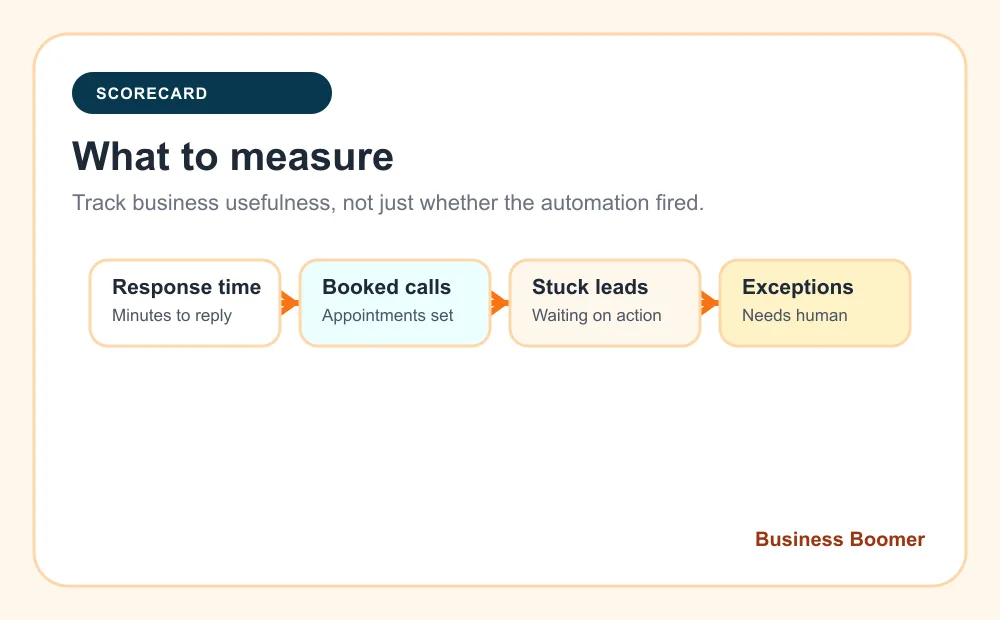
Do not measure only whether the automation fired. Measure whether the business got easier to run.
Track response time, number of leads captured, number of booked calls, leads waiting on human action, estimates needing follow-up, customer replies, workflow errors, and exceptions where automation should stop. Review the numbers weekly for the first month.
Invoice-heavy businesses should also connect follow-up visibility to cash collection. If the same team struggles with billing reminders, the invoice automation setup page is the next logical workflow to tighten.
Common mistakes
The most common mistake is trying to automate the whole sales process at once. Start with the smallest workflow that prevents leads from disappearing.
Other mistakes include sending AI-written messages without review, using one response for every lead type, ignoring duplicate CRM records, forgetting opt-out rules for texts and emails, measuring tool activity instead of booked next steps, and never checking whether customers find the messages helpful.
Another mistake is treating AI as the owner of follow-up. The business still owns the promise, the tone, the pricing, and the relationship. AI should make the next action clearer.
When to get help
Build this yourself if the workflow starts from one form, uses one CRM, and only sends simple internal alerts or draft messages. Get help if leads come from several places, the team needs routing by service or territory, the messages affect pricing, or the workflow must connect CRM, calendar, email, phone, and reporting.
Business Boomer usually starts by mapping one revenue leak, building the smallest useful workflow, testing it with real leads, and handing the owner a simple operating process. That is more durable than installing a complex system nobody understands.
For businesses that want a broader AI operating layer, OpenClaw onboarding can support internal tasks, owner notes, and recurring workflow reviews after the first lead system is stable.
For the done-for-you version of this workflow, use lead follow-up automation.
Lead follow-up next step
Stop letting leads sit without a next action.
Business Boomer can install lead capture, first-response drafts, quote follow-up reminders, and a simple owner handoff.
Keep building the system
Recommended next Business Boomer guides
These links are selected by topic and search intent so this guide connects to the most relevant service pages, industry pages, and supporting blog posts.
Service and setup pages
Use these when you are ready to turn the idea into an implementation path.
Industry-specific pages
See how the same workflow changes for specific business types.
Related blog posts
Read the connected guides that support this topic cluster.
Recommended next steps
These pages connect this guide to the Business Boomer offer, related workflow, and next implementation path.
Related AI automation guides
Keep going with the connected Business Boomer guides in this automation cluster.
Lead follow-up automation for small business
Turn form fills, missed calls, quote requests, emails, and voice notes into reply drafts, CRM updates, reminders, and next steps.
AI sales team and lead follow-up setup
Turn sales calls, form fills, quote requests, and owner notes into follow-up emails, calendar invites, CRM updates, and next-step reminders.
How to follow up with leads for small business
A practical workflow for CRM stages, reminders, email, text, and human follow-up tasks.
Website chat automation
Owner-approved website chat, intake questions, lead capture, CRM routing, and follow-up tasks.
FAQ
Quick answers about this guide and how to put the idea into practice.
What is the main takeaway from How to Build an AI Automation Workflow for Lead Follow-Up?
A practical lead follow-up workflow uses AI to summarize, qualify, route, and draft next steps while humans keep control of pricing, judgment, and sensitive customer conversations.
How does AI automation workflow for lead follow-up help a small business?
AI automation workflow for lead follow-up can help a small business reduce manual work, improve follow-up, organize repetitive tasks, and create a clearer operating process when it is tied to a real bottleneck.
Can Business Boomer help implement AI automation workflow for lead follow-up?
Yes. Business Boomer can help turn the idea into a practical workflow, page, checklist, or automation system depending on what the business needs first.
Stop letting leads sit without a next action.
Business Boomer can install lead capture, first-response drafts, quote follow-up reminders, and a simple owner handoff.
See Lead Follow-Up Automation