
FreshBooks vs QuickBooks Invoicing for Small Business
Choose the billing system that fits the source of truth, approval path, and accounting needs—not the longest feature list.


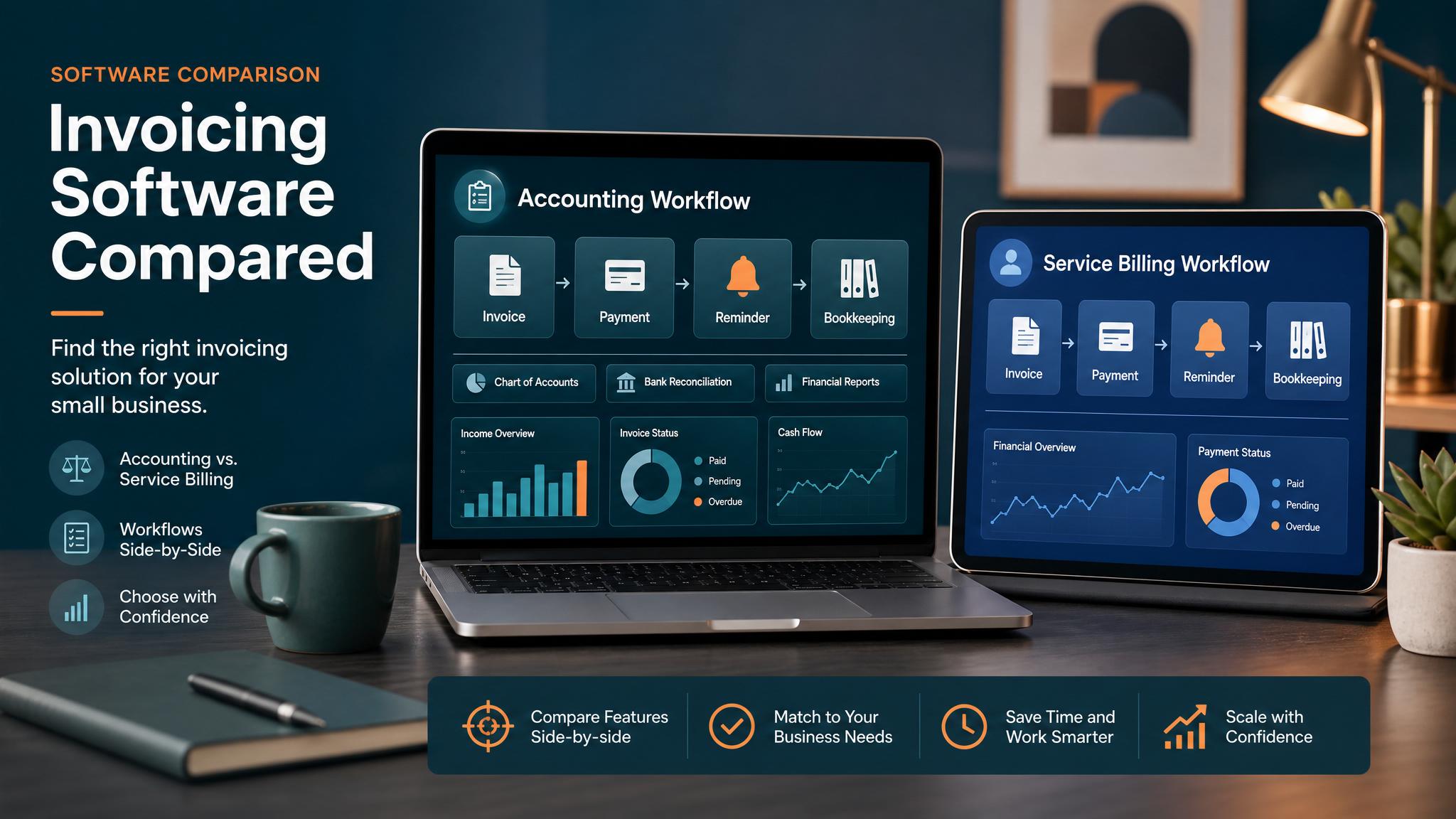
QuickBooks and FreshBooks can both support estimates, invoices, online payment options, and follow-up. The useful difference is where invoicing sits in the rest of the business. QuickBooks is often chosen when bookkeeping and financial reporting are central. FreshBooks is often considered by service businesses that prioritize a simpler client, project, time, and invoice workflow.
Product plans and capabilities change. Confirm the current features, limits, payment options, and fees in the account or vendor documentation before making a purchase or migration decision.
Decide by source of truth
Choose the system that should own the customer balance and paid status. If the bookkeeper already relies on QuickBooks for bank reconciliation, taxes, reporting, and accounts receivable, keeping invoices there can avoid a second financial record. If a small service team needs project time and client billing without a broader accounting workflow, FreshBooks may offer a more focused operating experience.
The question is not which product has more features. It is which one can remain authoritative after the invoice is sent.
Workflow comparison
| Decision | QuickBooks may fit when | FreshBooks may fit when |
|---|---|---|
| Accounting depth | Invoicing must connect closely to bookkeeping and financial reports | A separate accountant or simpler financial workflow handles the broader books |
| Time and project billing | Time comes from another approved source or the current QuickBooks workflow | The service team wants time, project, and client billing close together |
| Estimates | Estimates need to connect to the accounting customer record | A client-service workflow needs a straightforward estimate-to-invoice path |
| Recurring work | Recurring charges belong in the accounting system | Recurring service invoices are managed by a small client-facing team |
| Review ownership | Bookkeeper or office manager reviews drafts | Project or account owner reviews client billing |
| Reporting | Receivables must align with wider financial reporting | Operational invoice visibility is the immediate priority |
This is a workflow lens, not a guarantee that a specific plan includes a feature.
Compare one real invoice path
Use a representative invoice—not the easiest one and not the rarest exception. Map:
- what proves the work is billable
- where customer and price data live
- whether the system creates a draft or sends
- who approves variable amounts
- how the customer pays
- what stops reminders
- how partial payments, credits, and disputes are handled
Then test how each product supports that path with non-customer data. Do not send a real invoice or submit a real payment during evaluation.
Migration and integration costs
Switching systems is more than importing customer names. Review open invoices, payment history, recurring schedules, taxes, products or services, credits, deposits, document numbering, user access, and the accountant’s process. A superficially easier interface can still create more work if reconciliation moves outside the source of truth.
If another app owns job completion or accepted estimates, verify the supported handoff before committing to either platform. A connector should create a visible exception when required data is missing or the accounting write fails.
Reminder and payment controls
Whichever product is chosen, reminders should check the current invoice status before sending. Paid, credited, disputed, or paused records should stop follow-up. Avoid running overlapping reminders from the accounting platform and an outside tool.
Use the invoice reminder templates for message structure and the invoice automation checklist for launch controls.
A conservative choice when evidence is close
If both products support the required workflow, preserving the system already connected to accurate books, staff habits, and accountant review is usually lower risk than migrating for a marginal feature difference. Improve the surrounding trigger, review, and exception process first; migrate only when the existing system cannot support a documented requirement.
For a deeper QuickBooks workflow, see QuickBooks invoice automation.
How Business Boomer helps
Business Boomer maps one invoice path, defines the system of record and human review rules, and tests the handoff with safe data. Review the Invoice Automation Setup in 7 Days, compare service options, or contact Business Boomer with the current billing workflow.
Keep building the system
Recommended next Business Boomer guides
These links are selected by topic and search intent so this guide connects to the most relevant service pages, industry pages, and supporting blog posts.
Service and setup pages
Use these when you are ready to turn the idea into an implementation path.
Industry-specific pages
See how the same workflow changes for specific business types.
Related blog posts
Read the connected guides that support this topic cluster.
Recommended next steps
These pages connect this guide to the Business Boomer offer, related workflow, and next implementation path.
Related AI automation guides
Keep going with the connected Business Boomer guides in this automation cluster.
QuickBooks invoice automation setup
Connect QuickBooks invoice drafts, payment links, reminders, and overdue follow-up to real workflow triggers.
Best invoicing automation tools for small business
A comparison of QuickBooks, FreshBooks, Stripe Billing, Wave, Jobber, Housecall Pro, Zapier, and Make.
QuickBooks invoice automation for small business
How to use QuickBooks for recurring invoices, reminders, payment tracking, and workflow-connected billing.
Invoice automation for contractors
Connect completed jobs, estimates, QuickBooks, payment links, and overdue follow-up for contractor workflows.
FAQ
Quick answers about this guide and how to put the idea into practice.
What is the main takeaway from FreshBooks vs QuickBooks Invoicing for Small Business?
Choose the billing system that fits the source of truth, approval path, and accounting needs—not the longest feature list.
How does quickbooks vs freshbooks invoicing help a small business?
quickbooks vs freshbooks invoicing can help a small business reduce manual work, improve follow-up, organize repetitive tasks, and create a clearer operating process when it is tied to a real bottleneck.
Can Business Boomer help implement quickbooks vs freshbooks invoicing?
Yes. Business Boomer can help turn the idea into a practical workflow, page, checklist, or automation system depending on what the business needs first.
Turn invoice follow-up into a working setup.
Business Boomer can map the billing trigger, payment link, reminder timing, and overdue handoff for one focused invoice workflow.
See Invoice Automation Setup