
Blog Impressions but No Clicks? A Small-Business Search Console Checklist

Author
Business Boomer StaffEditorial Team
The Business Boomer Staff profile is used for general guides, announcements, and educational resources created or maintained by the Business Boomer editorial workflow.
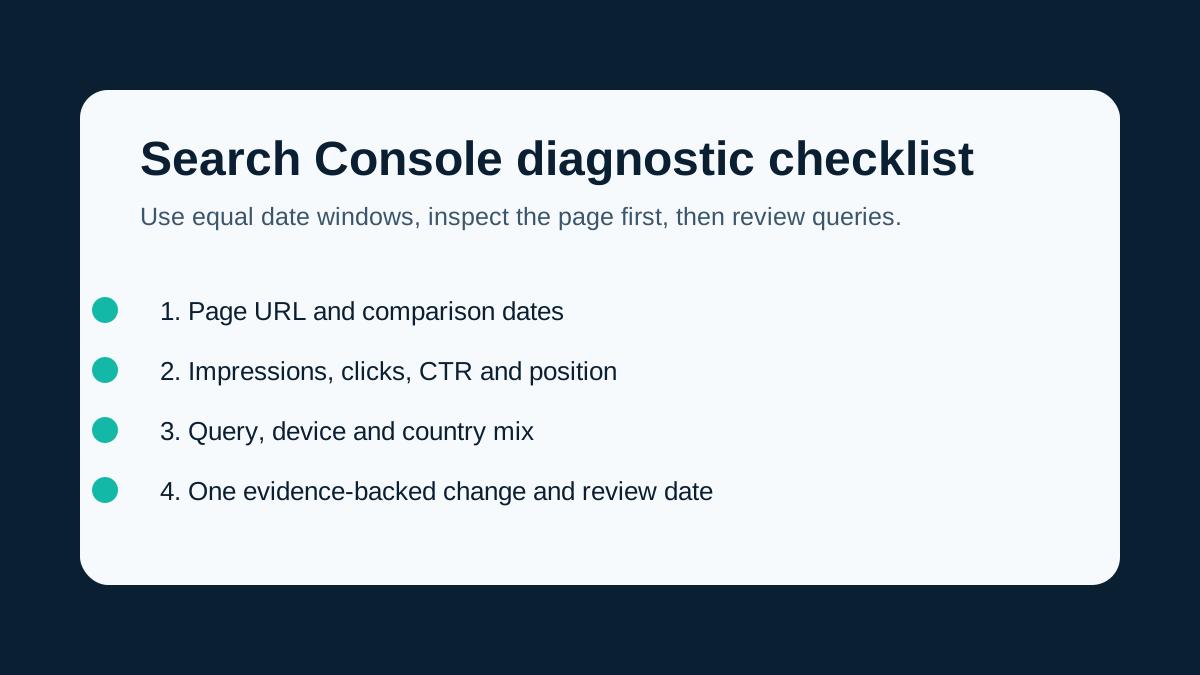
When a blog page earns impressions but few clicks, start with the exact page, compare equal complete date windows, inspect its queries and audience mix, then make one evidence-backed change instead of guessing.
Getting impressions is useful evidence: Google is showing your page for at least some searches. It is not evidence that the page is winning the right searcher, earning clicks, or creating leads.
The next move is not to rewrite the whole article or chase a larger keyword. Start with one page, equal complete date windows, and the queries behind the impressions. This checklist is designed for an owner who needs a practical diagnosis rather than a dashboard full of averages.
Quick answer: Compare the same page across equal completed date windows. Check impressions, clicks, CTR, and average position, then inspect the queries, devices, and countries that changed. Decide whether the problem is low visibility, weak rank, or visible-but-uncompelling search presentation. Make one specific change, record it, and wait long enough to evaluate it.
Download the blank worksheet
Download the Search Console page-and-query diagnostic worksheet.
The CSV includes the fields that keep a review traceable: page URL, equal date windows, query, clicks, impressions, CTR, position, device, country, diagnosis, one planned change, and a review date. It is intentionally blank. Do not fill it with guessed causes or pretend a single report proves a business outcome.
1. Start with an exact page and equal complete date windows
Open the performance report and filter to the page you want to improve. Then compare two equal, completed windows. A partial current week can make ordinary day-of-week differences look like a sudden gain or loss.
Google describes Search Console as a way to monitor search performance by queries, pages, and countries; it also separates page-level indexing checks into URL Inspection. Use those as different questions: performance asks what appeared and was clicked, while inspection asks about the page's index status. Google's Search Console overview is a useful starting point.
Record these four metrics before making a change:
| Metric | What it can tell you | What it cannot tell you alone |
|---|---|---|
| Impressions | The page appeared in a search result or feature | That the searcher found the result relevant |
| Clicks | Searchers selected the result | That the visit became a lead or customer |
| CTR | Clicks relative to impressions in that report | Why a person did or did not click |
| Average position | A directional view of where results appeared | A fixed rank for every query, device, location, or day |
2. Decide which of three problems you actually have
Low visibility: not enough impressions
If impressions are low, do not diagnose a click problem yet. Check whether the page is indexed, whether it answers a specific search need, and whether relevant internal links help readers and crawlers find it. A new or recently updated page also needs time to be crawled and processed.
Low rank: impressions exist, but the page is usually far down the results
If the page is visible but most relevant queries have weak average positions, make the answer more useful before touching cosmetic metadata. Check whether the article directly answers the query, explains the next decision, includes accurate examples, and links to the most relevant related pages.
For example, a page about tools should not be forced to answer a diagnostic question simply because both include the word “blog.” A tool-comparison guide and a page-performance checklist serve different jobs.
Visible but weak click-through: impressions are healthy and position is competitive
When the page already appears for relevant searches, examine the result's promise. Does the title describe the exact problem? Does the opening answer it quickly? Is the page specific about who it is for and what the reader will get?
Google recommends descriptive, concise, distinct titles and warns against keyword stuffing. It can create title links from several sources, including the page title, visible heading, and prominent page text, so an edited title is a signal—not a guarantee. Read Google's title-link guidance before changing a title.
The same caution applies to descriptions. Google may choose a snippet from page content instead of your meta description. Write useful page text and a concise summary, then measure; do not promise that a meta change will force a particular search snippet. See Google's snippet guidance.
3. Inspect queries before rewriting anything
Select the exact page, then review the queries that generated impressions. Group them into plain-language buckets:
- The query matches the page's central answer.
- The query is adjacent but needs a missing section or clearer example.
- The query belongs to a different page or service.
- The query is too broad or ambiguous to interpret yet.
Also compare device and country. A change in mobile mix, local demand, or query mix can move CTR without proving that your wording improved or worsened. Keep that context in the worksheet.
Here is a hypothetical example—not a client result. A page about video editing tools receives impressions for “best video editing tools” and “how to add captions to a customer testimonial.” The first may fit the comparison page. The second may need a short, useful captions section or a separate how-to page, depending on the existing content and overlap review. The next step is one evidence-backed change, not a claim that either query will create sales.
If your content workflow includes video, use the video editing tools guide as a related resource only when it genuinely helps the reader decide what to do next.
4. Choose one change, not five guesses
Write down one planned change and why it matches the evidence. Good candidates include:
- Rewriting an inaccurate or vague title so it matches the actual page answer.
- Replacing a generic opening with a direct answer and a clear reader outcome.
- Adding a missing decision rule, example, or FAQ that the relevant queries reveal.
- Improving a contextual internal link to a page that solves the reader's next problem.
- Correcting stale or unsupported claims after checking current primary sources.
Avoid changing a title, slug, heading hierarchy, several sections, and every internal link in the same pass. If all of those move at once, you will not know what changed—or whether demand simply changed.
5. Keep AI-feature reporting separate from Web clicks
If you use Search Console's generative AI report, keep its metrics separate from your ordinary Web performance report. Google explains that AI-feature data can overlap with Web reporting. Do not add the two sets of impressions together, and do not describe Web queries as AI prompts. The AI performance report documentation and Google's AI-features guidance explain the reporting and eligibility limits.
6. Record the release date and review after enough data
Put the date of the change in your worksheet. Recheck live availability, canonical URL, sitemap inclusion, and any available indexing status after release. Then wait for enough comparable data before calling a result positive or negative.
Clicks are not leads. A page may attract more visitors without producing qualified inquiries, and a quiet week can still be normal variation. Keep traffic, search visibility, and business outcomes as separate measures.
A practical weekly routine
- Pick one page with enough data to inspect.
- Compare equal completed windows.
- Filter to the page, then review queries, device, and country.
- Name the diagnosis: low visibility, low rank, or visible-but-weak click-through.
- Make one source-backed improvement.
- Record the date, scope, and expected reader benefit.
- Recheck after an appropriate comparison window; label early checks as interim.
If the diagnosis points to a broader operating question, use the AI automation partner comparison to clarify where expert help belongs. If you need help mapping content, the service page, and the follow-up workflow around a real business goal, contact AI Business Boomer. The aim is not more blog posts for their own sake. It is a content system that answers useful questions, earns the right visits, and gives the business a clear next step.
Keep building the system
Recommended next Business Boomer guides
These links are selected by topic and search intent so this guide connects to the most relevant service pages, industry pages, and supporting blog posts.
Service and setup pages
Use these when you are ready to turn the idea into an implementation path.
Industry-specific pages
See how the same workflow changes for specific business types.
Related blog posts
Read the connected guides that support this topic cluster.
Related AI automation guides
Keep going with the connected Business Boomer guides in this automation cluster.
AI automation services for local small business
The main Business Boomer service page for lead response, missed-call follow-up, invoice reminders, reviews, CRM updates, scheduling, and OpenClaw setup.
AI automation for local service businesses
Practical lead, scheduling, review, CRM, invoice, and admin automation for plumbers, HVAC companies, roofers, landscapers, cleaners, contractors, and other local operators.
AI assistant for local business
Owner-controlled AI assistants that help local businesses handle missed leads, scheduling handoffs, FAQs, reviews, CRM updates, and follow-up.
AI website for service businesses
Clearer service pages, lead paths, FAQs, reviews, and AI-assisted follow-up for service businesses.
Keep building on this guide
Practical guides, examples, and resources you can use in your own business.
Frequently Asked Questions
FAQ
Quick answers about this guide and how to put the idea into practice.
Why does my blog have impressions but no clicks?
The page may rank too low, appear for queries that do not match its answer, have a weak or inaccurate search presentation, or be reaching a different device, country, or audience mix than expected. Review the exact page and queries before changing it.
Can changing a title or meta description guarantee more clicks?
No. A clearer title and description can improve the page's on-page signals, but Google may generate a different title link or snippet and search demand can change. Measure the result after enough time.
Should I compare two different date ranges in Search Console?
Use equal, complete windows whenever possible. Unequal or partial windows can make normal seasonality, weekday mix, and reporting lag look like a content change.
Find the workflow worth fixing first.
Use the Free 30-Minute AI Consultation to map where leads, reviews, content, or follow-ups are slipping and choose the smallest useful next step.
Book a Free 30-Minute AI Consultation