
AI vs Automation: What Small Business Owners Need to Know
AI and automation are related, but they solve different business problems. This guide shows small business owners when to use simple automation, when to use AI, and when the right answer is both.


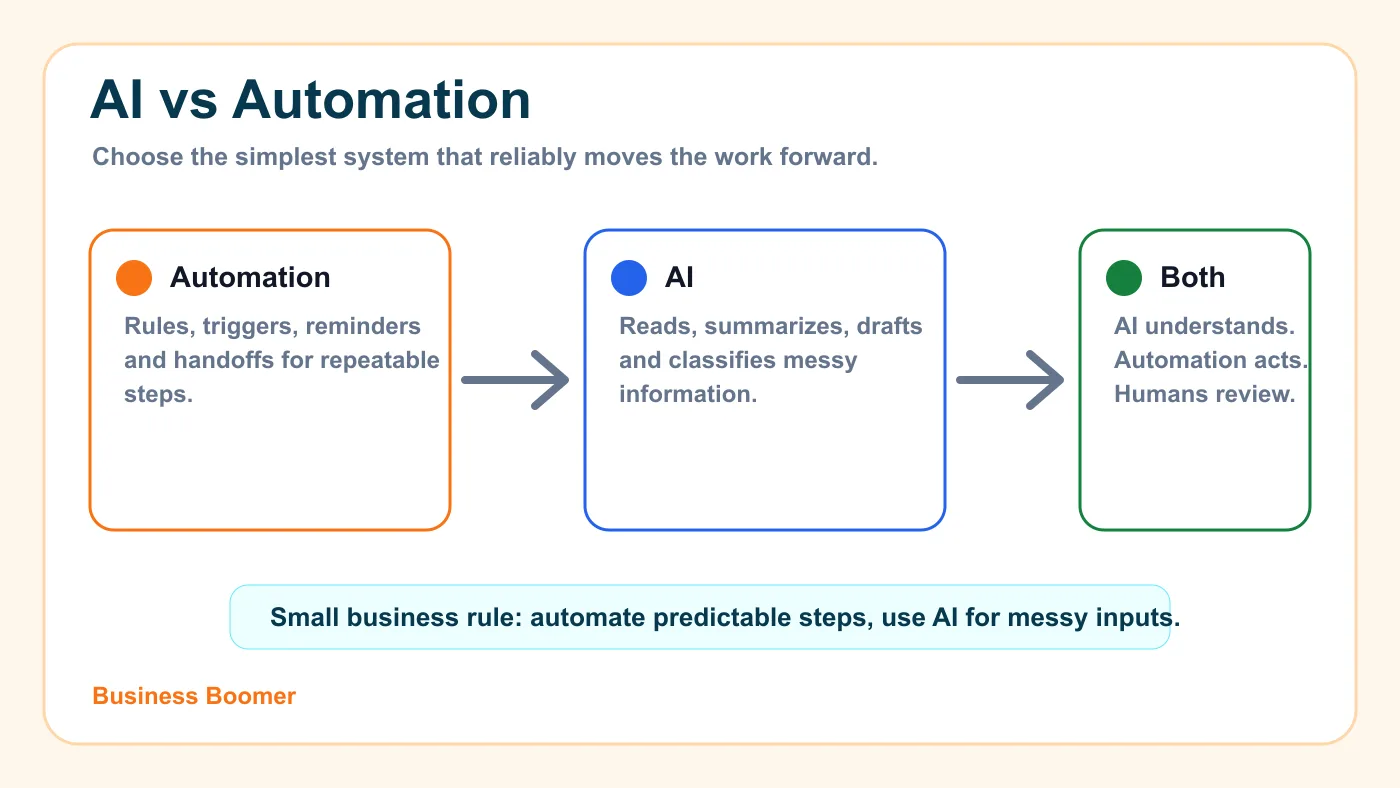
AI and automation are not the same thing. Automation follows clear rules to move repeatable work forward. AI helps interpret messy information, draft language, summarize notes, classify requests, or suggest the next step when the input is not perfectly structured.
For most small businesses, the best answer is not "AI or automation." It is choosing the simplest reliable system for the job. Use automation when the steps are predictable. Use AI when the work involves language, judgment, classification, or summarizing. Use both when AI needs to understand the input and automation needs to deliver the action.
The plain-English difference between AI and automation
Traditional automation is a set of instructions. If this happens, do that. A customer fills out a form, a confirmation email goes out. An invoice becomes overdue, a reminder task appears. A booking is made, the team receives a calendar notification.
AI is different because it can work with less structured information. It can read a customer message, summarize a voicemail transcript, classify a lead, draft a reply, pull action items from notes, or turn a messy intake form into a cleaner handoff.
That is why the strongest small-business systems often combine the two. The automation handles the trigger, tool connection, update, reminder, or follow-up. The AI handles the fuzzy middle step. If the overall concept still feels new, start with the guide to what AI automation means for small business.
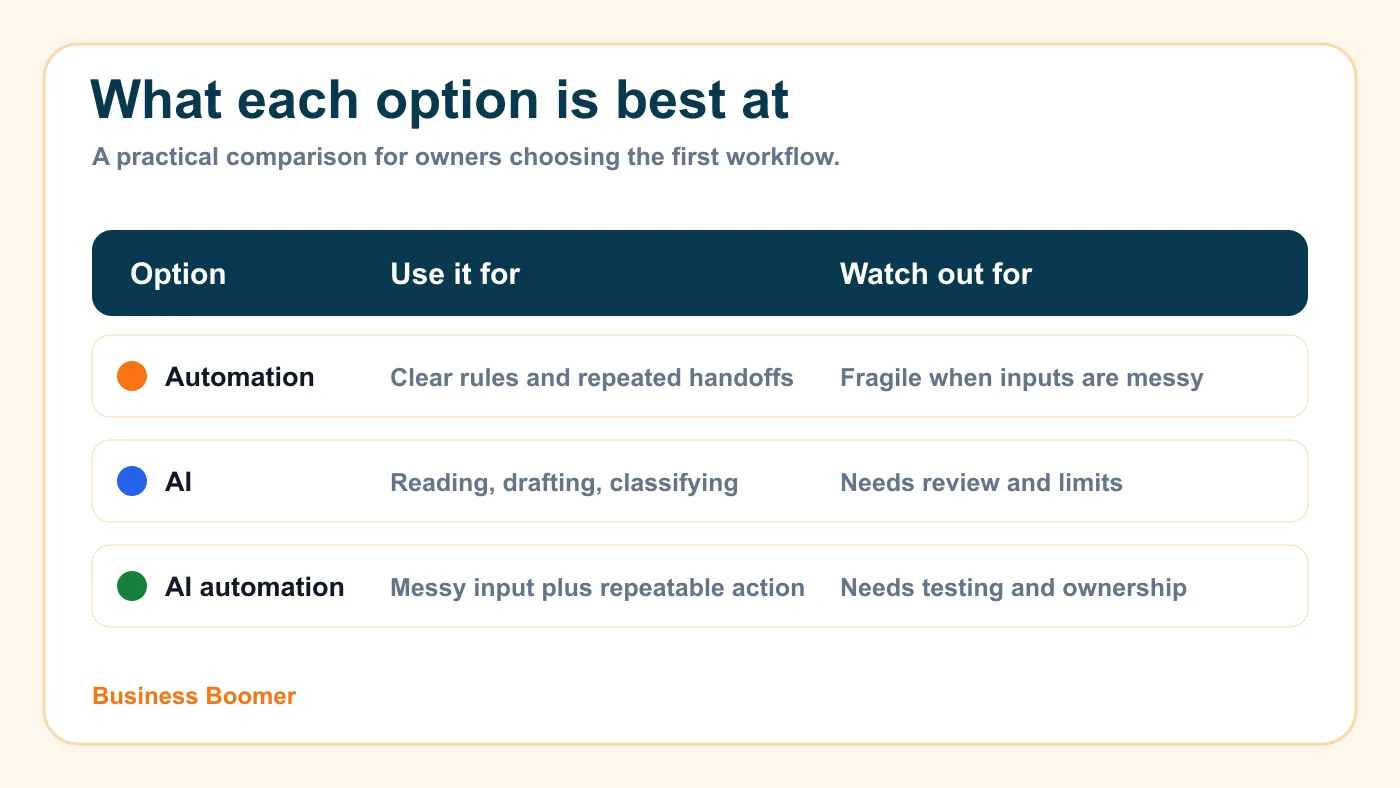
Quick comparison: AI vs automation vs AI automation
| Option | Best for | Small-business example | Main risk |
|---|---|---|---|
| Automation | Predictable steps with clear rules | Send a reminder when an invoice is 7 days overdue | Breaks when inputs are messy |
| AI | Reading, writing, summarizing, classifying, or drafting | Summarize a lead inquiry and suggest a reply | Can be wrong or too confident |
| AI automation | Messy input plus repeatable next action | Classify a lead, create a CRM note, draft a response, and alert the owner | Needs review, testing, and clear limits |
Think of automation as the operating checklist. Think of AI as the assistant that helps understand what came in. A good workflow uses each part where it is strongest.
For example, a landscaping company may not need AI to send a basic appointment confirmation. A normal automation can do that. But if the company receives long website messages with photos, service notes, location details, and urgency, AI can summarize the request before automation sends it to the right place. That is closer to AI workflow automation for small business.
When simple automation is enough
Simple automation is enough when the trigger and next step are obvious. If a form is submitted, send an email. If a job is complete, create an invoice task. If a customer chooses a time, add it to the calendar. If a payment is overdue, remind the owner.
This is where many businesses should start because it is cheaper, easier to test, and less risky than building an AI-heavy workflow. A small company does not need a custom AI agent for every repetitive task. It needs a reliable process that removes avoidable manual work.
Good simple automation candidates include:
- appointment confirmations
- intake form routing
- missed-call alerts
- invoice reminder tasks
- recurring report emails
- review request timing
- calendar and CRM updates
If the process is mostly rules and handoffs, read the broader guide to business automation for small business before adding AI.
When AI is worth adding
AI becomes useful when the input is messy, written in natural language, or different every time. That is common in owner-led service businesses because real customers do not always follow a perfect form.
A law firm may receive a long intake email. A contractor may receive photos and a paragraph about a job. A real estate team may need call notes turned into next steps. A salon may want to summarize appointment notes before rebooking. In those cases, AI can organize the information so a person can move faster.
The key is to keep AI in a bounded role. Let it summarize, classify, draft, or suggest. Do not let it make high-stakes decisions alone. The U.S. Small Business Administration's AI guidance for small businesses is a useful reminder that owners should understand both the opportunity and the risks before relying on AI output.
AI is worth considering when the workflow includes:
- emails, chat messages, call transcripts, or notes
- lead qualification language
- customer questions that need categorizing
- estimate follow-up drafts
- invoice reminder wording
- internal summaries for the owner
- routing decisions that need context
If most of the task is customer follow-up, compare this with lead response automation so the business fixes speed and ownership before adding complexity.
When you need both AI and automation
Most practical AI systems for small businesses are really AI plus automation. AI reads or drafts. Automation moves the work into email, CRM, accounting, calendar, project management, or a team notification.
Here is a common lead-response example:
- A website inquiry arrives.
- AI summarizes the request, service type, location, and urgency.
- Automation creates a contact or note in the CRM.
- AI drafts a short reply for review.
- Automation alerts the owner and schedules a follow-up task.
That workflow is not about replacing the owner. It is about making sure the owner sees the right context faster. If the company already struggles with scattered leads, the guide on how to follow up with leads for small business can help tighten the human process before the workflow is automated.
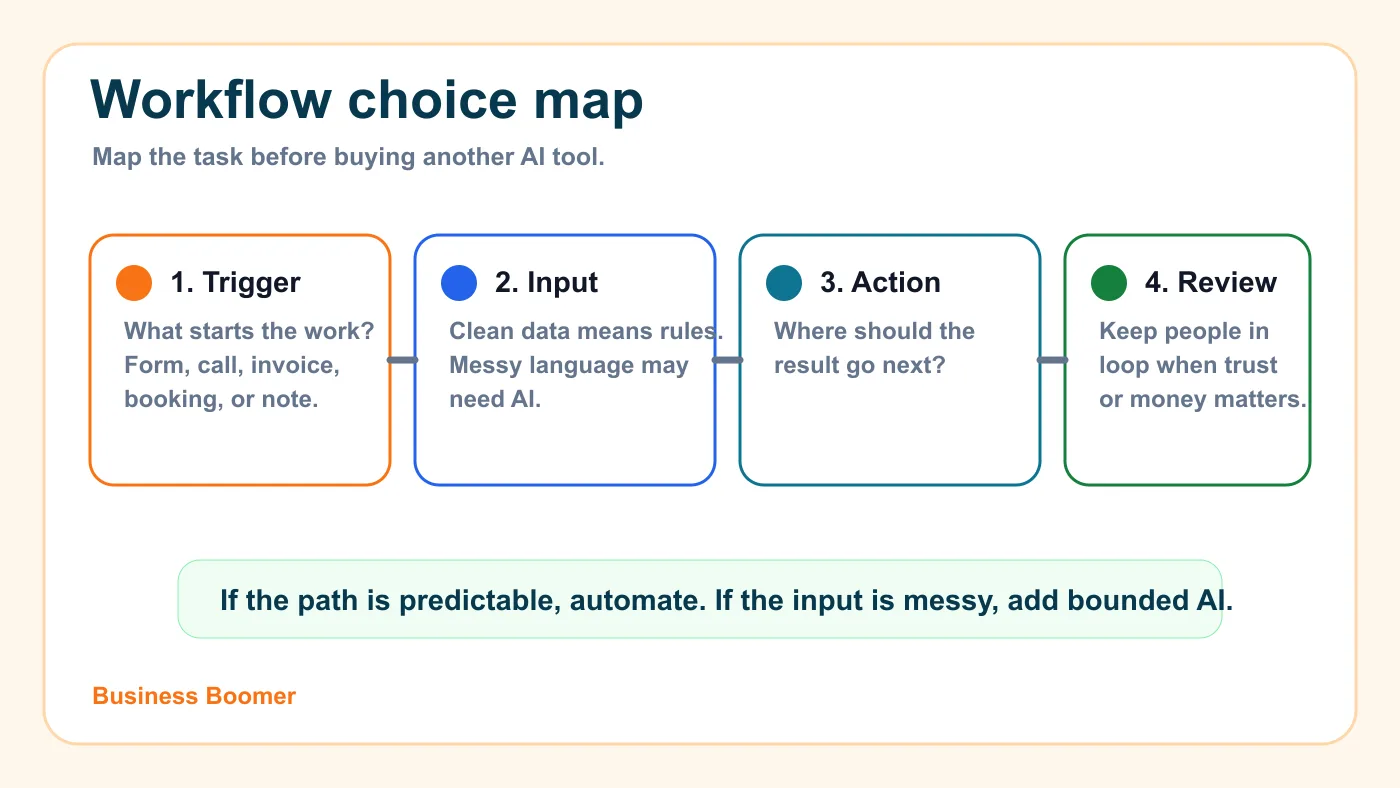
Examples by small-business workflow
Different workflows need different levels of intelligence. The fastest way to avoid overbuilding is to map the job first, then choose the lightest system that can do it reliably.
Lead response
Simple automation can send a fast acknowledgment and notify the team. AI can summarize the inquiry, classify the service need, detect urgency, and draft a response. Together, they can turn a messy inbound message into a cleaner lead brief.
This is especially useful for local service businesses that get inquiries from forms, missed calls, email, social messages, and referral partners.
Scheduling and intake
Automation can send booking links, confirmations, and reminders. AI can summarize intake details or pull preparation notes from a customer message. The business should still keep a person involved when timing, pricing, access, or sensitive customer details need judgment.
If appointments are the bottleneck, start with how to automate appointment scheduling for small business before adding more advanced AI layers.
Invoice reminders
Automation can trigger reminders based on due dates. AI can help draft more customer-aware reminder language, summarize account history, or flag accounts that need personal attention.
For billing-heavy companies, this usually belongs inside a practical invoice automation setup rather than a standalone AI experiment.
Owner admin
Automation can move tasks between tools. AI can turn voice notes, call recaps, screenshots, or meeting notes into organized action items. This is often valuable because the owner is usually the bottleneck.
Businesses that want an AI operating layer for this kind of work can look at OpenClaw onboarding, especially when the goal is human-in-the-loop task capture rather than fully autonomous decisions.
Sales and estimate follow-up
Automation can remind the team when an estimate has gone quiet. AI can draft a follow-up message based on the job type and previous conversation. The owner or salesperson should still approve messages when price, scope, or relationship context matters.
For contractors, this connects naturally to AI automation for contractors, where the highest-value work is often estimate follow-up, job handoffs, and admin cleanup.
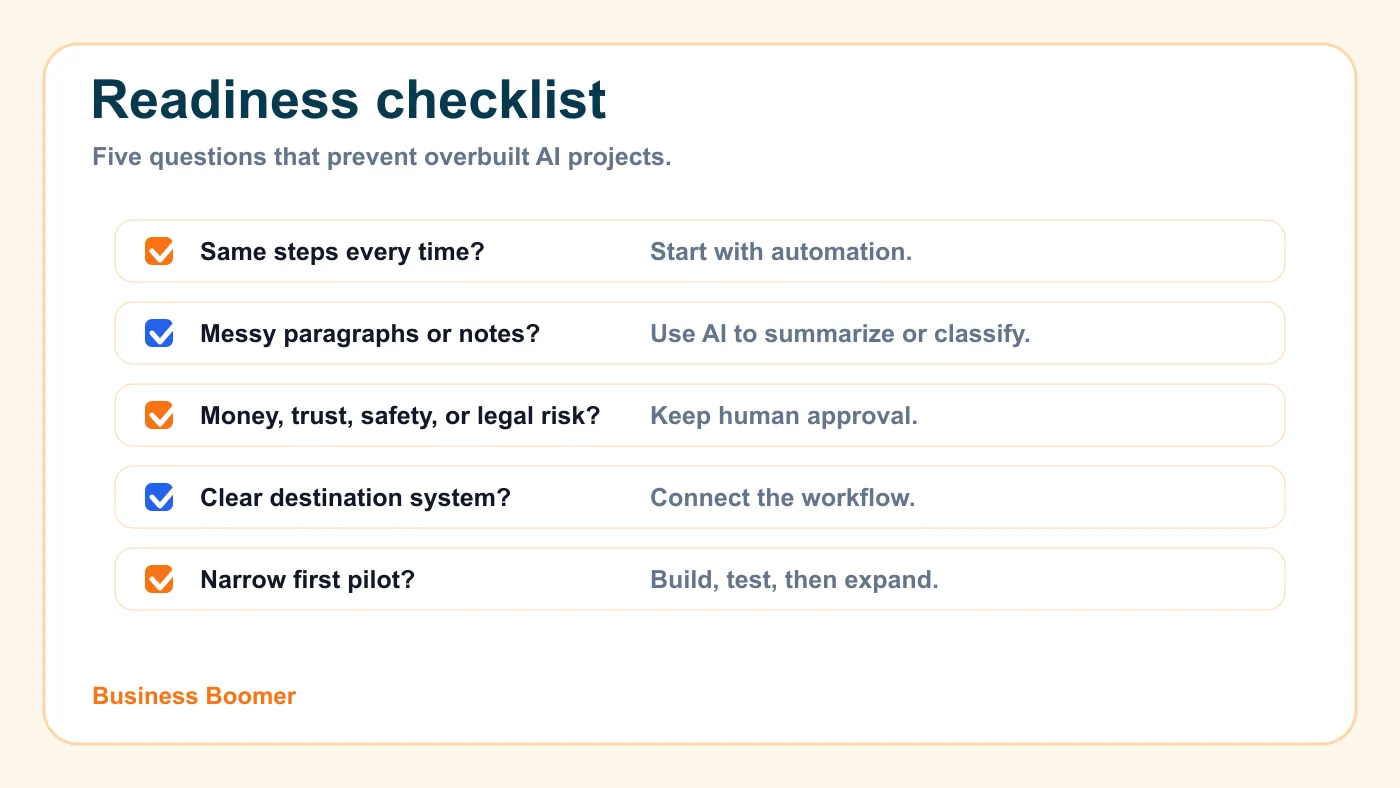
A simple decision checklist
Before buying another AI tool, answer these questions:
| Question | If yes | If no |
|---|---|---|
| Are the steps always the same? | Start with automation | Consider whether AI needs to interpret the input |
| Is the input messy or written in paragraphs? | AI may help summarize or classify | A rules-based workflow may be enough |
| Does the output affect money, trust, safety, or legal risk? | Keep human review | More automation may be acceptable |
| Is there already a clear place for the result to go? | Connect the workflow | Fix the process before adding tools |
| Can the team test it on a narrow use case? | Build a small pilot | Map the workflow first |
The National Institute of Standards and Technology's AI Risk Management Framework is built for broader AI governance, but the practical lesson applies to small businesses too: define the context, measure risk, manage it, and keep oversight where decisions matter.
Common mistakes business owners should avoid
The first mistake is treating AI as a replacement for process clarity. If nobody can explain what should happen after a lead, invoice, appointment, or customer message arrives, AI will not magically fix it.
The second mistake is using AI where a normal automation would be simpler. A due-date reminder, calendar confirmation, or status update usually does not need a language model. Adding AI can increase cost and failure points without improving the result.
The third mistake is sending AI-written customer messages without review. This is risky in service businesses because tone, timing, pricing, and customer history matter. Use AI to draft and organize. Keep a person involved where trust is on the line.
The fourth mistake is buying tools before choosing the workflow. A business may sign up for three platforms and still have no clear trigger, owner, or success measure. If the workflow is unclear, a focused AI automation consulting review can be more useful than another subscription.
What to automate first
Start with one workflow that is frequent, visible, and easy to judge. For most U.S. service businesses, that means one of four areas: lead response, estimate follow-up, invoice reminders, or owner admin capture.
Do not start with the most complex process in the company. Start with the task that wastes time every week and has a clear before-and-after result. A good first project should answer three questions:
- What starts the workflow?
- What should happen next?
- Where does a human review the result?
If the answer is mostly rules, build simple automation. If the answer requires reading, summarizing, classifying, or drafting, add AI carefully. If the answer requires both, build an AI automation workflow with review and error handling.
Business Boomer's AI automation services are built around this idea: one useful workflow first, then expansion after the business can see that the system works.
What Business Boomer would recommend
Business Boomer would not tell a small business to "use AI everywhere." The better move is to pick one operational bottleneck and decide whether it needs automation, AI assistance, or a combined workflow.
For a service business, that first system is usually lead response, follow-up, invoice reminders, scheduling intake, or owner admin capture. The goal is not a flashy demo. The goal is a process the owner and team can actually run.
If you want help choosing the first workflow, start with the main Business Boomer services page.
You can also book a conversation through Business Boomer contact when you already know the bottleneck you want fixed.
Next step
Find the workflow worth fixing first.
Use the Free 30-Minute AI Consultation to map where leads, invoices, notes, or follow-ups are slipping and choose the smallest useful system.
Keep building the system
Recommended next Business Boomer guides
These links are selected by topic and search intent so this guide connects to the most relevant service pages, industry pages, and supporting blog posts.
Service and setup pages
Use these when you are ready to turn the idea into an implementation path.
Industry-specific pages
See how the same workflow changes for specific business types.
Related blog posts
Read the connected guides that support this topic cluster.
Related AI automation guides
Keep going with the connected Business Boomer guides in this automation cluster.
AI automation services for local small business
Planning examples for broader automation. Compare current managed calls and reviews on the Services page; confirm other work in a separate scope.
Lead follow-up automation for small business
Turn form fills, missed calls, quote requests, emails, and voice notes into reply drafts, CRM updates, reminders, and next steps.
How to automate invoices for small business
A practical guide to invoice creation, reminders, payment tracking, and cash-flow follow-up.
Best invoicing automation tools for small business
A comparison of QuickBooks, FreshBooks, Stripe Billing, Wave, Jobber, Housecall Pro, Zapier, and Make.
FAQ
Quick answers about this guide and how to put the idea into practice.
What is the main takeaway from AI vs Automation: What Small Business Owners Need to Know?
AI and automation are related, but they solve different business problems. This guide shows small business owners when to use simple automation, when to use AI, and when the right answer is both.
How does AI vs automation help a small business?
AI vs automation can help a small business reduce manual work, improve follow-up, organize repetitive tasks, and create a clearer operating process when it is tied to a real bottleneck.
Can Business Boomer help implement AI vs automation?
Yes. Business Boomer can help turn the idea into a practical workflow, page, checklist, or automation system depending on what the business needs first.
Find the workflow worth fixing first.
Use the Free 30-Minute AI Consultation to map where leads, invoices, notes, or follow-ups are slipping and choose the smallest useful system.
Book a Free 30-Minute AI Consultation