
AI Sales Automation for Small Business
AI sales automation helps a small business respond faster, keep every lead visible, and scale follow-up without turning the sales process into a messy pile of disconnected tools.


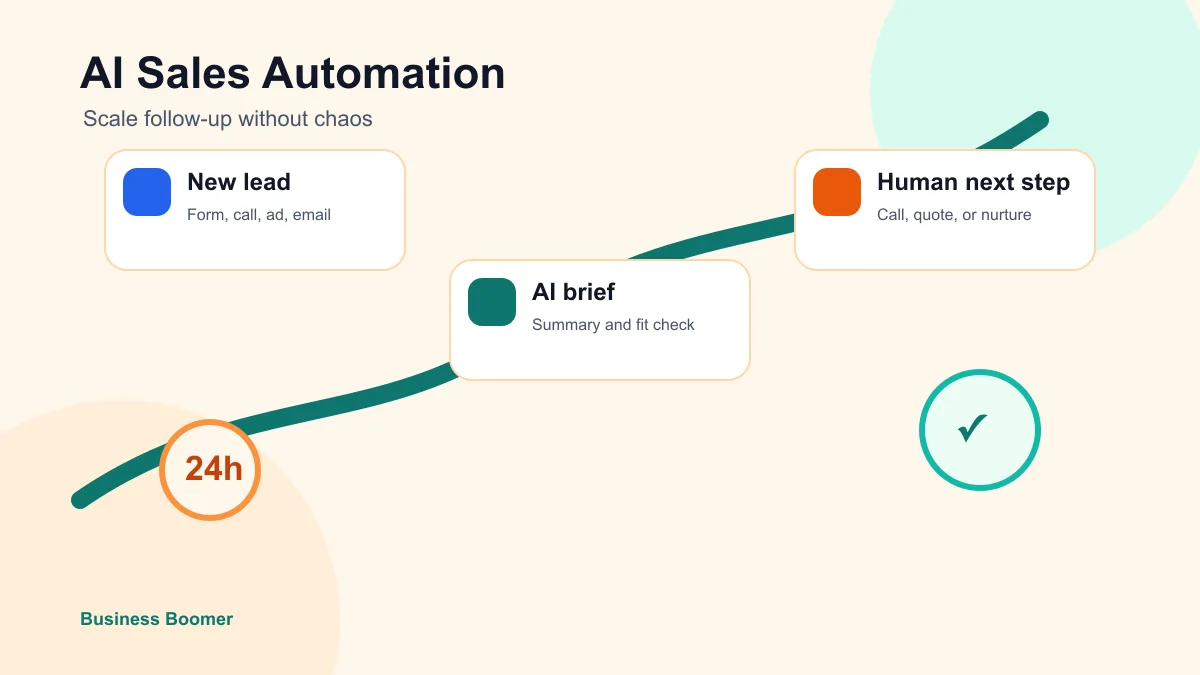
AI sales automation for small business means using automation and AI to capture leads, summarize what they need, route the next step, remind the right person, and keep follow-up moving. The point is not to replace sales judgment. The point is to stop losing good prospects because the owner is busy, the inbox is noisy, or the CRM is out of date.
The best first system is narrow: one lead source, one place to track the lead, one response rule, one follow-up sequence, and one human review point. Once that works, a small business can add scoring, better handoffs, weekly reporting, and more channels without creating sales chaos.
Search intent and SERP pattern
People searching this topic usually want a buying guide or workflow explanation. Current U.S. results lean heavily toward CRM platforms, AI sales tool lists, outbound software, and broad vendor articles about AI lead follow-up. The repeated themes are email sequences, lead scoring, CRM updates, meeting notes, pipeline visibility, and automated reminders.
The useful gap for Business Boomer readers is practical implementation. A service business owner does not need another list of ten platforms before they know what the sales process should do. They need a follow-up map that shows what to automate, what to keep human, and how to scale the system without spamming leads or burying the team in alerts.
If your business is still missing the first response, start with the narrower lead follow-up workflow guide. This article focuses on the next step: scaling a working follow-up process across more leads, more stages, and more sales conversations.
What AI sales automation should actually handle
For a small business, AI sales automation should handle the repeatable work around the sale, not the promises inside the sale. Good automation can acknowledge a new inquiry, summarize the request, classify urgency, create a task, draft a reply, remind the owner, and show which leads are stuck.
Human judgment should still own pricing, fit, scope, exceptions, sensitive customer situations, and final sales decisions. That is especially important for home services, legal intake, medical-adjacent services, financial services, and any business where the wrong promise can create a real operational problem.
A practical automation setup usually belongs inside the broader AI automation services conversation because the system has to connect tools, stages, messages, and handoffs. A prompt library alone is not enough if leads still sit in email threads.
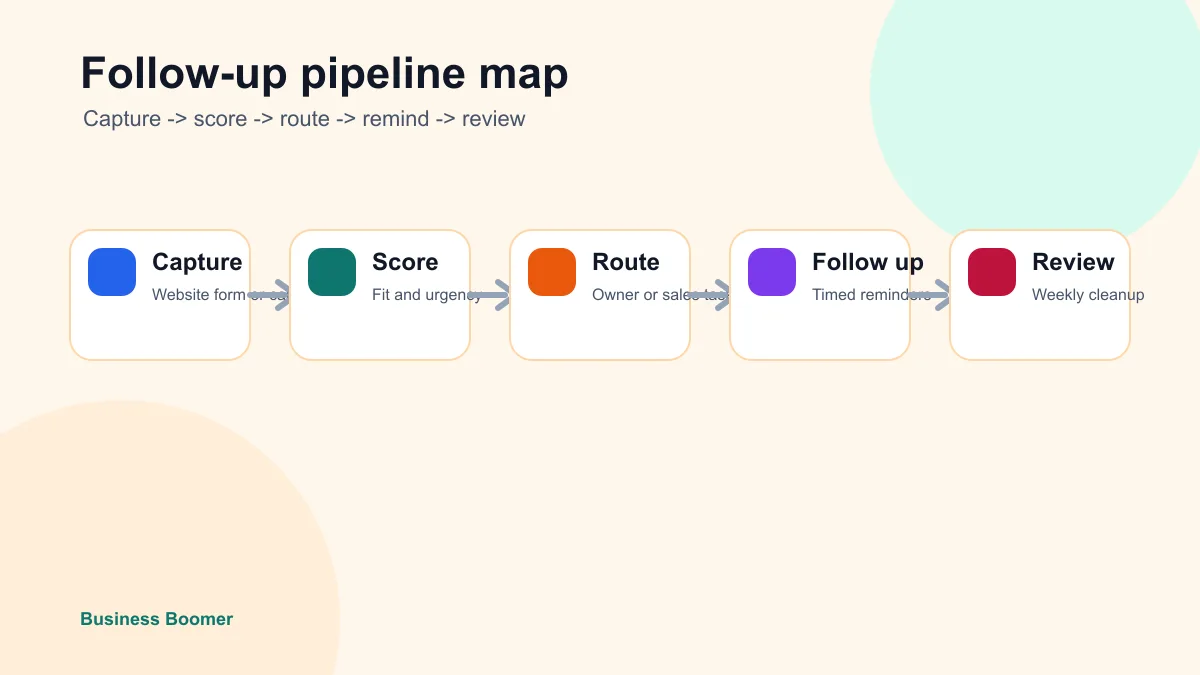
Build around the sales stage, not the tool
Most messy sales automation projects start with the tool. The owner buys a CRM, an AI assistant, or an outbound platform, then tries to force the business into whatever default workflow the software suggests.
Start with stages instead. A simple service-business pipeline might use new inquiry, contacted, qualified, estimate sent, follow-up due, won, lost, and nurture. Those stages make the automation easier because each stage has a clear owner and next action.
If the team does not already have one source of truth, use what a CRM is for small business as the foundation. AI can summarize and suggest actions, but it cannot rescue a sales process where nobody trusts the record.
Example: contractor estimate follow-up
A contractor gets a website quote request. The automation creates a lead record, summarizes the project, checks the service area, alerts the owner, and sends a fast acknowledgment. If the estimate is sent but no decision happens after three business days, the system creates a follow-up task and drafts a short message.
That is a better first version than trying to automate every sales conversation. For contractor-specific workflows, the same logic can connect to AI automation for contractors after the lead stages are clean.
Example: local service lead routing
A local service business may need to route emergency requests, quote requests, recurring-service questions, and low-fit requests differently. AI can help classify the message, but the routing rule should be simple enough that the owner can audit it.
If the business handles mixed phone, form, and email leads, the local service business automation page is a useful next context for deciding which channel should be fixed first.
Use scoring to prioritize, not reject
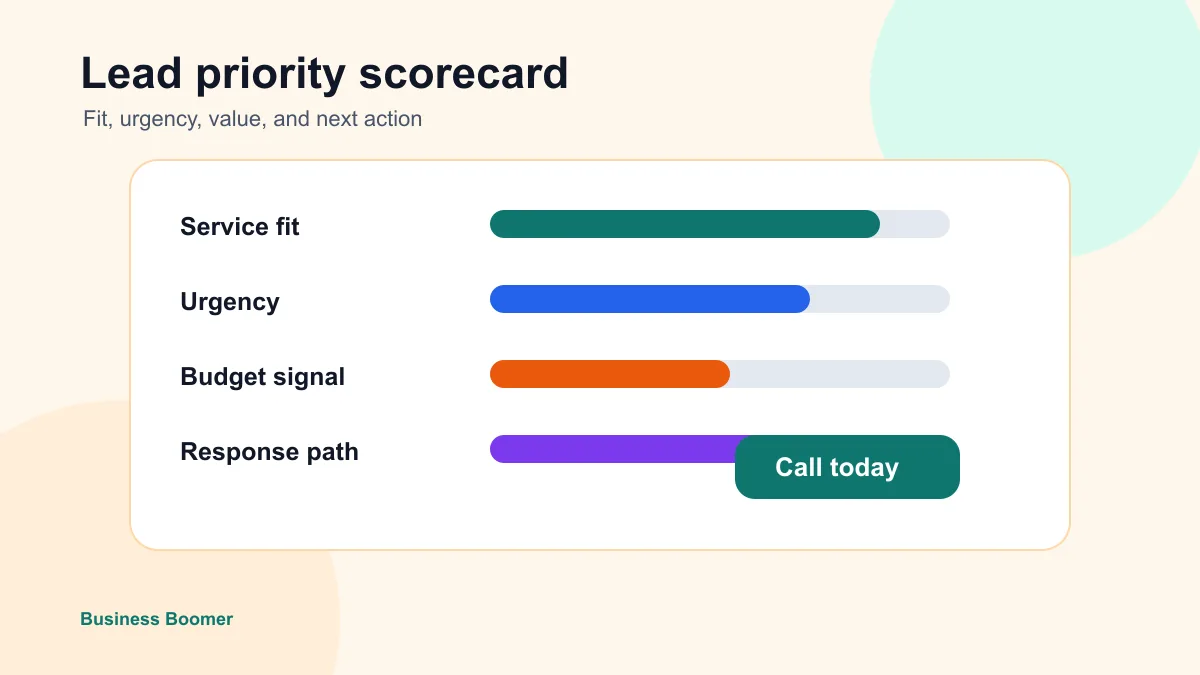
Lead scoring is helpful when the team has more opportunities than attention. It is risky when it silently hides leads or lets an AI system reject people without review.
Use a simple scorecard first:
| Signal | High-priority example | Low-priority example | Automation action |
|---|---|---|---|
| Service fit | Clear match for a core service | Outside scope or unclear need | Route or ask one clarifying question |
| Urgency | Needs help this week | Exploring with no timeline | Set response speed and owner alert |
| Location | Inside service area | Outside service area | Route, refer, or close the loop |
| Contact quality | Real name and reachable phone/email | Missing or suspicious details | Request missing information |
| Next step | Ready to book or approve estimate | Needs education first | Send booking link or nurture task |
This approach pairs well with how to qualify leads for small business. Qualification should make the next step clearer, not create a black box.
Make follow-up sequences short and useful
Sales automation gets sloppy when every lead enters the same long sequence. A better small-business follow-up flow is shorter and tied to the actual sales stage.
For a new inquiry, send a fast acknowledgment and booking option. For an estimate, send a reminder that references the job and offers to answer questions. For a no-show, send one reschedule message. For a quiet lead, send a final helpful close-the-loop note instead of endless nudges.
The timing and tone should come from real sales habits before automation scales them. Use how to follow up with leads for small business to tighten the message sequence before connecting it to a CRM or AI assistant.
For email outreach, review the FTC's CAN-SPAM Act compliance guide before automating promotional messages. For SMS, get clear consent and keep opt-out handling human-reviewed unless the rules are already documented.
Add AI where the work is messy
AI is strongest where the input is messy and the output needs judgment before action. In a sales workflow, that usually means summarizing a call transcript, extracting customer needs from a long email, spotting missing information, drafting a reply, rewriting a message in plain English, or preparing a pre-call brief. The broader AI workflow automation guide explains how to keep those steps connected instead of treating them as isolated prompts.
It is weaker as an unsupervised decision-maker. Do not let AI invent discounts, quote prices, promise availability, diagnose complex situations, or decide that a lead is worthless. Those decisions belong to the business.
This is the same pattern as lead response automation: automate the handoff and draft the next step, but keep a person responsible for the customer promise.
Connect reporting before adding more channels
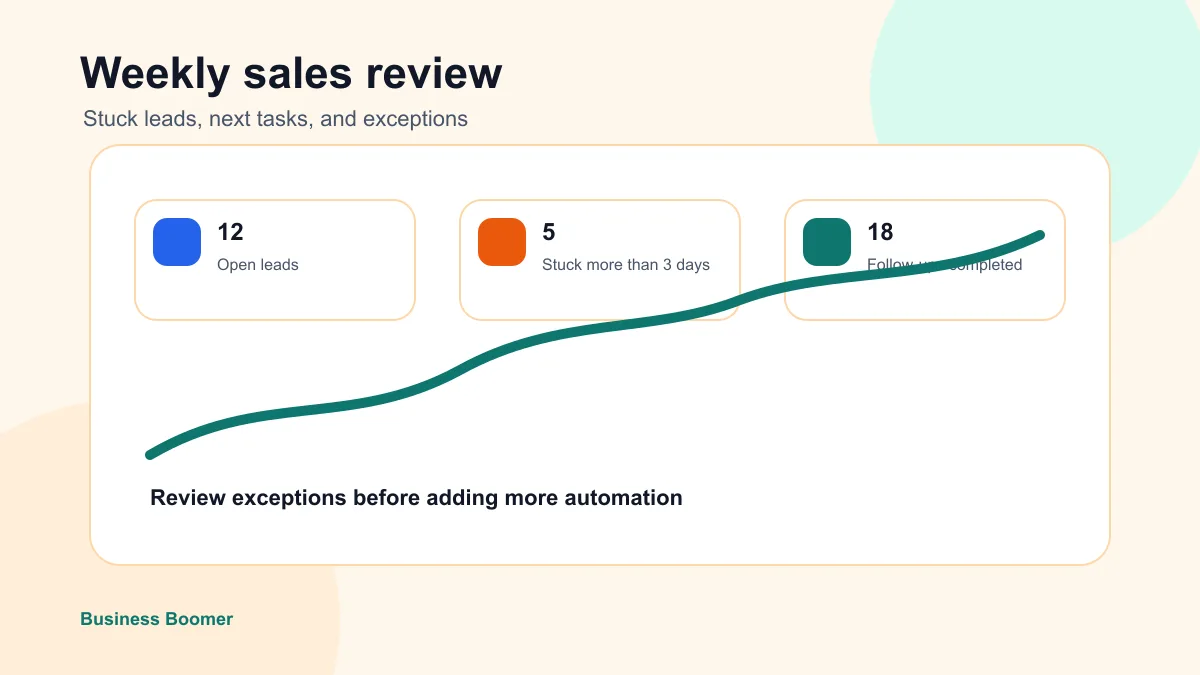
Scaling follow-up does not mean adding more messages first. It means making the current pipeline visible enough to manage.
A weekly sales automation report should answer:
- How many new leads came in?
- How many received a first response?
- Which leads have no next step?
- Which estimates are waiting for follow-up?
- Which source produced the best-fit leads?
- Which automation created confusion or duplicate work?
If the business cannot answer those questions, adding outbound sequences, chatbots, or more AI tools will usually create noise. The reporting layer can be a CRM dashboard, a spreadsheet, a weekly email summary, or an owner-facing task list.
Choose the smallest stack that can scale
A small business does not need a complex sales technology stack to start. It needs a clean trigger, a trusted record, a follow-up rule, and a review rhythm. If the team is still deciding where AI belongs, the plain-English guide to what AI automation means for small business is a useful checkpoint.
| Layer | Simple option | When to upgrade |
|---|---|---|
| Lead capture | Website form, phone transcript, booking request, email parser | Leads arrive from several channels |
| Source of truth | CRM, job tool, Airtable, or clean spreadsheet | Ownership and stages need better visibility |
| Automation | Native CRM rules, Zapier, Make, n8n, or custom workflow | More routing, AI summaries, and exception handling are needed |
| AI support | Drafting, summaries, scoring suggestions, call briefs | The business has enough clean data to trust patterns |
| Review | Daily task list and weekly owner report | More team members need shared accountability |
If you are still comparing categories, the best AI automation tools for small business guide explains where CRM, automation builders, AI assistants, and agent tools fit.
Avoid these scaling mistakes
The first mistake is automating a weak sales habit. If the manual follow-up is pushy, vague, or inconsistent, automation will make that problem happen faster.
The second mistake is adding too many internal alerts. Owners start ignoring automation when every lead, stage change, and email open creates a notification. Reserve urgent alerts for leads that truly need fast human attention.
The third mistake is creating duplicate records. If one lead appears in a CRM, spreadsheet, email inbox, and job tool with different status labels, the automation will eventually route the wrong next step.
The fourth mistake is skipping exception handling. Every workflow needs a clear path for bad data, angry customers, sensitive questions, bounced emails, and leads that do not fit the normal pattern.
For broader ideas before choosing a project, review AI automation examples for small businesses and pick the workflow with the clearest business bottleneck.
A practical 14-day rollout
Use the first two weeks to prove the system instead of trying to automate everything.
| Day range | Work | Proof to check |
|---|---|---|
| Days 1-2 | Pick one lead source and one sales stage map | Everyone agrees on stages and owner |
| Days 3-5 | Connect capture to the CRM or tracking sheet | Test leads create clean records |
| Days 6-7 | Add AI summary and next-action draft | Owner approves or edits outputs |
| Days 8-10 | Add follow-up tasks for one stage | No lead reaches that stage without a next step |
| Days 11-12 | Add weekly stuck-lead report | Owner can see neglected leads |
| Days 13-14 | Review failures and tighten rules | Exceptions are documented before scale |
This keeps the setup close to revenue and easy to inspect. Once it works, add another source, another stage, or another team member. For businesses that want an AI operating layer with approval steps, the OpenClaw onboarding path is a practical next comparison.
When to get implementation help
Get help when leads are spread across several tools, follow-up depends on owner memory, the CRM is messy, or the team has already tried automation and stopped trusting it. Those are implementation problems, not just software-selection problems.
Business Boomer can map the bottleneck, clean up the handoff, connect the workflow, add human review, and document the operating process. For a sales-focused project, the first useful win is usually a working system that captures new leads, drafts the next step, and shows the owner what needs attention today. Use the contact page when you want help turning the sales follow-up map into a working setup.
Sales automation should start with the handoff, so compare this guide with lead follow-up automation.
Lead follow-up next step
Stop letting leads sit without a next action.
Business Boomer can install lead capture, first-response drafts, quote follow-up reminders, and a simple owner handoff.
Keep building the system
Recommended next Business Boomer guides
These links are selected by topic and search intent so this guide connects to the most relevant service pages, industry pages, and supporting blog posts.
Service and setup pages
Use these when you are ready to turn the idea into an implementation path.
Industry-specific pages
See how the same workflow changes for specific business types.
Related blog posts
Read the connected guides that support this topic cluster.
Recommended next steps
These pages connect this guide to the Business Boomer offer, related workflow, and next implementation path.
Related AI automation guides
Keep going with the connected Business Boomer guides in this automation cluster.
AI automation services for local small business
Planning examples for broader automation. Compare current managed calls and reviews on the Services page; confirm other work in a separate scope.
Lead follow-up automation for small business
Turn form fills, missed calls, quote requests, emails, and voice notes into reply drafts, CRM updates, reminders, and next steps.
How to automate invoices for small business
A practical guide to invoice creation, reminders, payment tracking, and cash-flow follow-up.
Best invoicing automation tools for small business
A comparison of QuickBooks, FreshBooks, Stripe Billing, Wave, Jobber, Housecall Pro, Zapier, and Make.
FAQ
Quick answers about this guide and how to put the idea into practice.
What is the main takeaway from AI Sales Automation for Small Business?
AI sales automation helps a small business respond faster, keep every lead visible, and scale follow-up without turning the sales process into a messy pile of disconnected tools.
How does AI sales automation for small business help a small business?
AI sales automation for small business can help a small business reduce manual work, improve follow-up, organize repetitive tasks, and create a clearer operating process when it is tied to a real bottleneck.
Can Business Boomer help implement AI sales automation for small business?
Yes. Business Boomer can help turn the idea into a practical workflow, page, checklist, or automation system depending on what the business needs first.
Stop letting leads sit without a next action.
Business Boomer can install lead capture, first-response drafts, quote follow-up reminders, and a simple owner handoff.
See Lead Follow-Up Automation