
Best AI Agents for Business Automation Workflows
The best AI agents for business automation are not the flashiest autonomous tools. For a small team, the best choice is the agent setup that improves one real workflow, connects to the tools already running the business, and keeps human review where mistakes would be expensive.


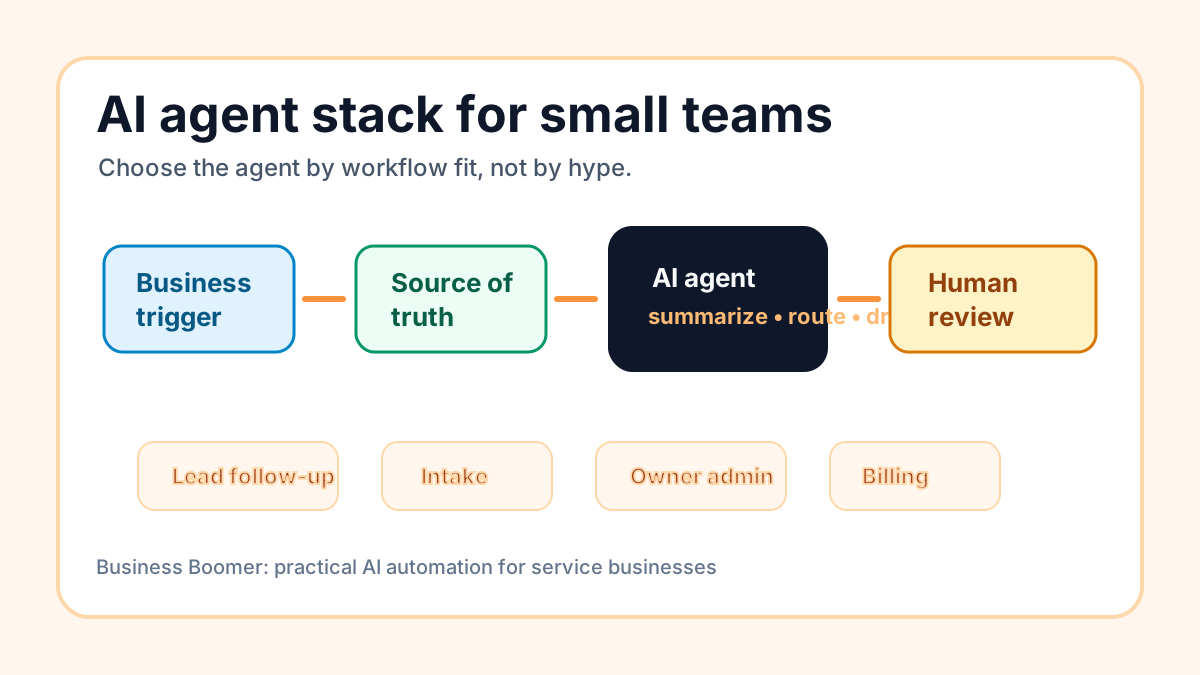
The best AI agents for business automation are the ones that can help a small team move real work through a defined process: capture the trigger, read the context, draft or route the next step, and pause for human review when judgment matters. A small business does not need the most autonomous agent first. It needs the most reliable agent for one repeated workflow.
For most U.S. service businesses, that means choosing an agent setup for lead follow-up, intake, scheduling, customer support, invoice reminders, owner admin, or weekly reporting before buying a broad “AI workforce” platform. The right agent should make the next action easier without guessing prices, policies, sensitive customer decisions, or financial details.
If the first workflow is local lead handling, compare agent tools with the AI assistant for local business setup page.
Search intent and top-result pattern
People searching for the best AI agents for business automation are usually comparing tools, platforms, and agent categories before they commit to a workflow. Current U.S. results lean toward vendor roundups, “best AI agents for small business” lists, no-code agent platform comparisons, and broad agentic AI tool articles.
Recurring themes include ease of use, templates, support automation, sales automation, workflow builders, integrations, and autonomous task completion. The gap is that many results rank software logos before helping an owner decide which business workflow should get an agent at all. This guide compares agent types by practical workflow fit for small teams.
What counts as an AI agent for business automation?
An AI agent is a software setup that can use instructions, business context, and connected tools to complete part of a workflow. In a business setting, that might mean reading a form submission, summarizing an email thread, drafting a follow-up, creating a task, checking a record, preparing a report, or asking a person to approve the next step.
That is different from a regular chatbot. A chatbot answers a prompt. A business automation agent should sit inside a repeatable process with a trigger, a source of truth, tool access, review rules, and a measurable outcome. If you need that structure first, start with the AI workflow automation guide before comparing agent products.
The important question is not “Which AI agent is best?” The useful question is “Which workflow should this agent own, what tools can it touch, and where must it stop?”
Quick comparison: the best agent types for small teams
Small teams should compare agent categories, not just brand names. A practical business usually needs one of these six types first.
| Agent type | Best first use | Good fit for | Main risk |
|---|---|---|---|
| Lead follow-up agent | New inquiry summary, draft response, owner alert | Contractors, local services, agencies, consultants | Sending too much automatically before the offer is understood |
| Intake and scheduling agent | Intake cleanup, missing-field prompts, appointment prep | Law firms, med spas, home services, clinics | Mishandling sensitive customer details |
| Admin operations agent | Voice notes to tasks, weekly summaries, owner reminders | Owner-led teams with scattered work | Becoming a task dump with no source of truth |
| Customer support agent | Triage, draft replies, status lookup, escalation | Ecommerce, service desks, subscription businesses | Answering policy or refund questions without review |
| Research and content agent | Prospect research, article briefs, competitor notes, repurposing | Agencies, marketers, consultants | Publishing unsupported claims or stale facts |
| Finance and billing assistant | Invoice reminder drafts, payment status checks, exception alerts | Service businesses with recurring billing | Touching money decisions without approval |
For many local operators, the safest first agent is a lead or admin agent because it can prepare work without making final customer promises. If lead speed is the bottleneck, pair this article with lead response automation.
1. Lead follow-up agents
A lead follow-up agent helps a small team respond faster without forcing a salesperson to read every raw inquiry from scratch. It can watch website forms, email, chat, missed-call logs, or CRM updates, then summarize the request, classify urgency, draft a reply, and create the next task.
For a roofing company, it might flag storm-damage requests. For a pest control company, it might separate urgent infestation calls from routine prevention questions. For a consultant, it might prepare the first-call context and suggest the next qualification question.
This is often the best first AI agent for businesses where revenue depends on response speed and clear handoff. The agent should support the follow-up workflow, while a person still approves pricing, timing, unusual terms, and sensitive customer communication. If you need a build pattern, use the lead follow-up workflow guide. If you want the workflow installed, start with lead follow-up automation.
2. Intake and scheduling agents
An intake agent turns messy customer information into a cleaner prep packet. It can read form answers, identify missing details, summarize the customer need, route the request, and prepare the team before an appointment.
This is useful for law firms, home service companies, real estate teams, med spas, consultants, and professional services where the first conversation goes better when the business already understands the situation. The agent does not need to make decisions. It needs to organize the handoff.
Scheduling agents can also help when appointments are created in one tool and prep work lives somewhere else. A good version connects booking, reminders, intake questions, and internal prep notes. If scheduling is the main friction point, the narrower appointment scheduling automation guide is a better next read.
3. Admin operations agents
An admin operations agent helps the owner or manager turn scattered information into organized action. It might convert voice notes into tasks, summarize email threads, prepare a weekly operating brief, remind the owner about stalled follow-ups, or collect open items from several tools.
This category is valuable because many small teams do not have a full operations manager. The owner carries context in their head, work lands in too many places, and the team loses track of what changed. An agent can help by turning those signals into a repeatable operating rhythm.
The risk is that the agent becomes another inbox. To prevent that, connect it to a clear source of truth: CRM, project board, task tool, shared sheet, or operating doc. Business owners who want this style of operator should compare agent software with the OpenClaw onboarding path, especially when the goal is messaging, memory, tools, and proof in one operating layer.
4. Customer support agents
A support agent can triage messages, identify common requests, draft replies, check order or appointment status, and escalate unusual cases. For a small team, this is most useful when the same questions repeat and the business has clear policies.
The agent should not improvise policies, refunds, legal answers, medical guidance, or promises the business cannot keep. A safer setup drafts responses and tags urgency before the team decides what to send.
This is where AI agent marketing can get ahead of operational reality. A polished demo may show instant replies, but a real support workflow needs escalation, audit history, policy boundaries, and a way to correct wrong answers. The U.S. Small Business Administration’s overview of AI for small business is a useful reminder that AI can support operations, but owners still need oversight.
5. Research and content agents
Research agents can help with prospect lists, competitor scans, article briefs, content repurposing, source summaries, and first-draft outlines. These are useful for agencies, consultants, local service marketers, and owner-led companies that need consistent content but cannot spend hours on every first pass.
The business risk is fake confidence. A research agent can summarize outdated pages, miss local context, or draft unsupported claims if the workflow does not require source review. For public content, the agent should collect sources, label assumptions, and leave final judgment to a person.
When the research is tied to acquisition, connect the agent to a commercial path. For example, a content agent should not only create articles. It should support a page, service, lead magnet, audit offer, or follow-up sequence. If you are still deciding what automation work should be bought first, compare this with best AI automation services for small business.
6. Finance and billing assistants
Finance agents should be treated carefully. They can be very useful for summarizing invoice status, drafting payment reminders, finding missing billing details, preparing exception lists, and alerting the owner when a customer needs human attention.
They should not change prices, modify terms, approve refunds, handle disputes, or send sensitive payment messages without review. The line between automation and financial judgment matters.
For many service businesses, billing is still a strong place to start because the workflow has clear triggers and measurable follow-up. If overdue invoices or payment reminders are the bottleneck, start with invoice automation setup rather than a broad agent platform.
How to choose the right AI agent
Choose the agent by workflow fit. A good first agent should handle work that is frequent, text-heavy, rule-bound enough to guide, and important enough to improve. It should also have enough examples to test before customers depend on it.
Use this scorecard:
| Question | Strong answer | Weak answer |
|---|---|---|
| What triggers the agent? | A form, email, CRM stage, appointment, invoice status, or message | “Whenever we need help” |
| Where is the record? | CRM, calendar, accounting tool, ticket system, task board, or shared doc | Scattered across personal inboxes |
| What can AI do safely? | Summarize, classify, draft, route, remind, prepare | Decide prices, policies, or sensitive outcomes |
| Who reviews exceptions? | Named owner, admin, salesperson, or manager | Nobody is sure |
| What proves it worked? | Faster response, fewer missed tasks, cleaner prep, on-time reminders | “The AI seems smart” |
If the business cannot answer those questions, the next step is workflow design, not tool shopping. The AI automation company checklist can help compare providers when implementation help is needed.
What tools should an AI agent connect to?
Most small teams do not need an agent that touches every system. They need an agent connected to the minimum tools required for the first workflow.
For lead follow-up, that may mean website forms, email, CRM, calendar, and task notifications. For intake, it may mean forms, calendar, shared docs, and a CRM note. For billing, it may mean accounting software, payment links, email templates, and an owner exception list.
Tool access should be narrow at first. Give the agent enough context to help, but avoid broad permissions until the workflow is tested. This is especially important for customer data, financial records, regulated information, and any action that sends messages externally.
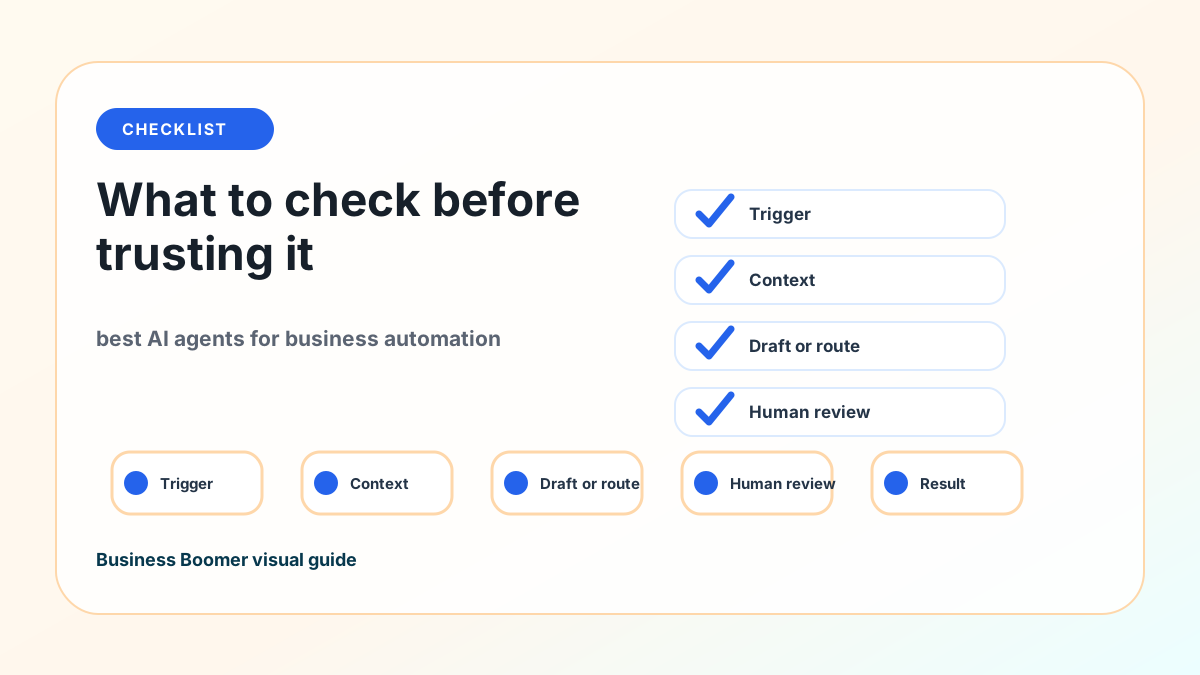
Human review is not optional
The best small-business agent setups are human-in-the-loop by default. That does not make them weak. It makes them usable in a real business where reputation, customer trust, and money are involved.
An agent can prepare the next step. A person should still own judgment. Keep approvals human for prices, discounts, refunds, legal language, medical or health details, hiring decisions, sensitive financial actions, unusual customer complaints, and anything that changes the customer relationship.
NIST’s AI Risk Management Framework is built for broader AI governance, but the small-team takeaway is simple: define how the system should behave, test it with real cases, monitor mistakes, and keep risk controls visible.
A practical starter build
A good starter AI agent project can be small:
- Pick one workflow, such as new lead inquiry to booked call.
- Write the current process in plain English.
- Choose the system of record.
- Decide what the agent can read.
- Decide what the agent can draft, tag, route, or summarize.
- Define what always needs approval.
- Test normal cases, missing information, angry replies, duplicates, and edge cases.
- Launch with review before customer-facing automation expands.
- Review results weekly for the first month.
This is the same practical approach behind AI automation examples for small businesses: pick a visible bottleneck, build the smallest reliable system, and prove it before expanding.
When a small team should not use an AI agent yet
Do not start with an AI agent if the workflow is not documented, the data is unreliable, nobody owns review, or the business wants the agent to make sensitive decisions immediately. Fixing the process comes first.
Also be careful if the team is trying to use AI to compensate for an unclear offer, weak customer communication, poor service delivery, or no follow-up ownership. An agent can make a clear workflow faster. It cannot make a confused workflow trustworthy.
If the business is still at the “what should we automate first?” stage, read business automation for small business before choosing agent software.
Bottom line
The best AI agents for business automation help a small team run one real workflow better. Start with the workflow that repeats often, creates visible friction, and can be tested with human review: lead follow-up, intake, scheduling, support triage, owner admin, research, or billing follow-up.
Business Boomer helps small businesses choose and set up practical AI automation around real bottlenecks. If you want the fastest path, start with the services page or book a Free 30-Minute AI Consultation.
Operator setup next step
Put an AI operator inside a real workflow.
Business Boomer can set up OpenClaw with practical prompts, approval rules, reminders, and one workflow your business can use.
FAQ
Quick answers about this guide and how to put the idea into practice.
What is the main takeaway from Best AI Agents for Business Automation Workflows?
The best AI agents for business automation are not the flashiest autonomous tools. For a small team, the best choice is the agent setup that improves one real workflow, connects to the tools already running the business, and keeps human review where mistakes would be expensive.
How does best AI agents for business automation help a small business?
best AI agents for business automation can help a small business reduce manual work, improve follow-up, organize repetitive tasks, and create a clearer operating process when it is tied to a real bottleneck.
Can Business Boomer help implement best AI agents for business automation?
Yes. Business Boomer can help turn the idea into a practical workflow, page, checklist, or automation system depending on what the business needs first.