
AI Automation for Ecommerce Workflows
AI automation for ecommerce helps small brands answer repeat questions, manage order exceptions, summarize customer issues, personalize follow-up, and keep marketing connected to real customer behavior.


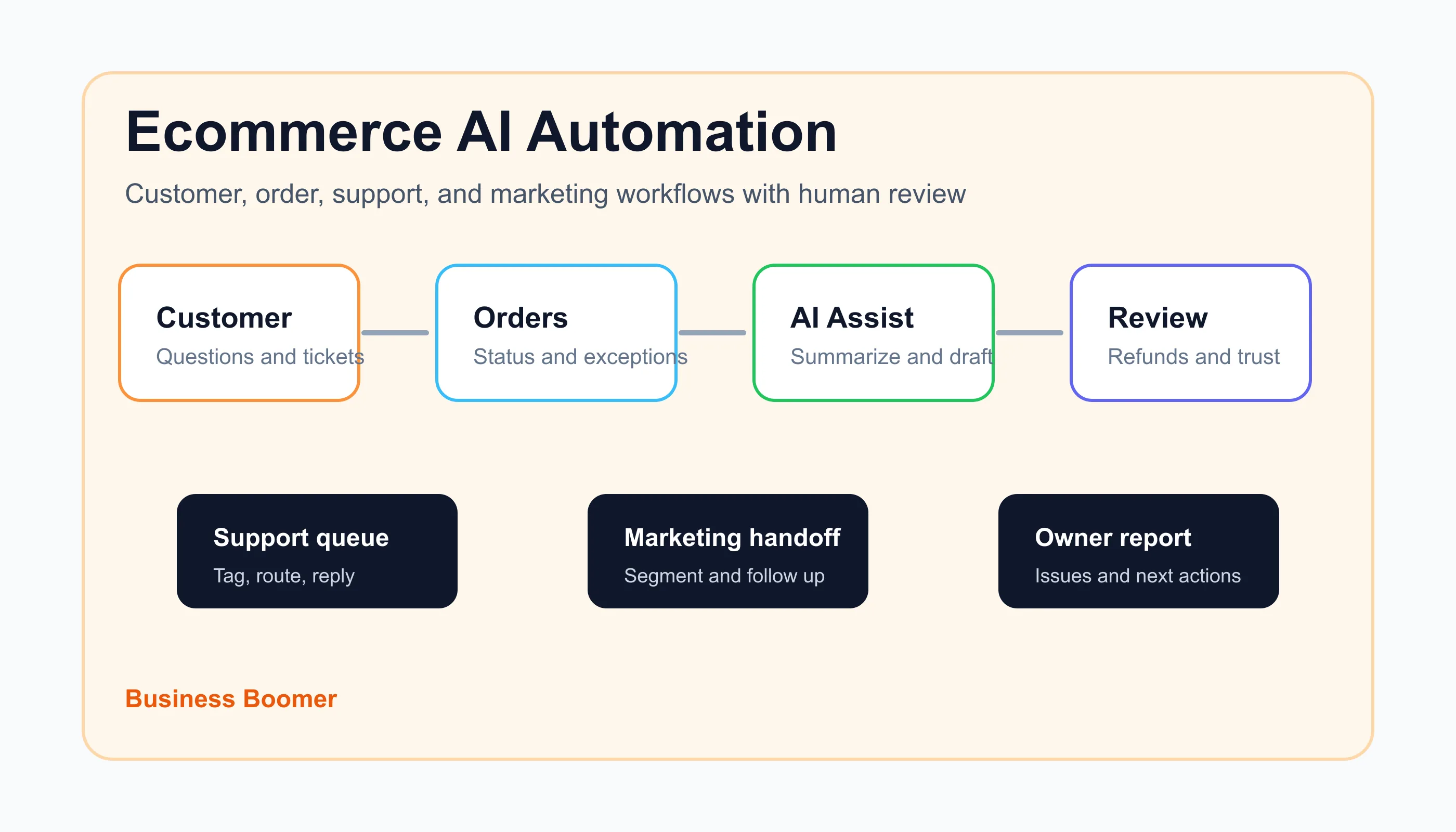
AI automation for ecommerce means using AI inside repeatable store workflows so customer questions, order updates, inventory signals, review requests, and marketing follow-up move through the right systems with less manual copying.
For most small ecommerce brands, the best first build is not a fully autonomous store. It is a focused workflow that catches a frequent bottleneck: answering repeat support questions, summarizing order issues, routing refunds or shipping problems, drafting post-purchase messages, or turning customer behavior into a useful follow-up segment.
Search intent and top-result pattern
People searching for AI automation for ecommerce usually want a practical workflow guide, tool shortlist, or examples they can apply to a Shopify, WooCommerce, Amazon, Etsy, or direct-to-consumer operation. Current U.S. search results are dominated by ecommerce platforms, AI tool lists, marketing automation vendors, chatbot providers, and workflow examples.
The recurring SERP pattern is clear: customer support automation, product recommendations, abandoned cart flows, order management, inventory forecasting, personalization, and analytics. The gap is implementation detail for smaller brands. Many pages explain what is possible, but fewer show where AI should sit, what data it can safely read, and when a human should review the output.
Where AI fits in an ecommerce workflow
Ecommerce already has automation: order confirmations, shipping notices, cart emails, payment receipts, inventory alerts, help desk macros, and review requests. AI is useful when the work is repetitive but the input is messy.
That includes reading a customer's support message, identifying the order issue, summarizing purchase history, drafting a reply, tagging the problem, or recommending a next action. It can also help marketing teams turn behavior into segments without manually reading every order note.
If the team needs the plain-English foundation first, the guide to what AI automation means for small business explains the difference between simple automation and AI-assisted workflows.
If the business has not mapped its basic operations yet, start with the broader guide to AI for business process automation before adding more tools. AI works better when the trigger, source of truth, review point, and next action are already clear.
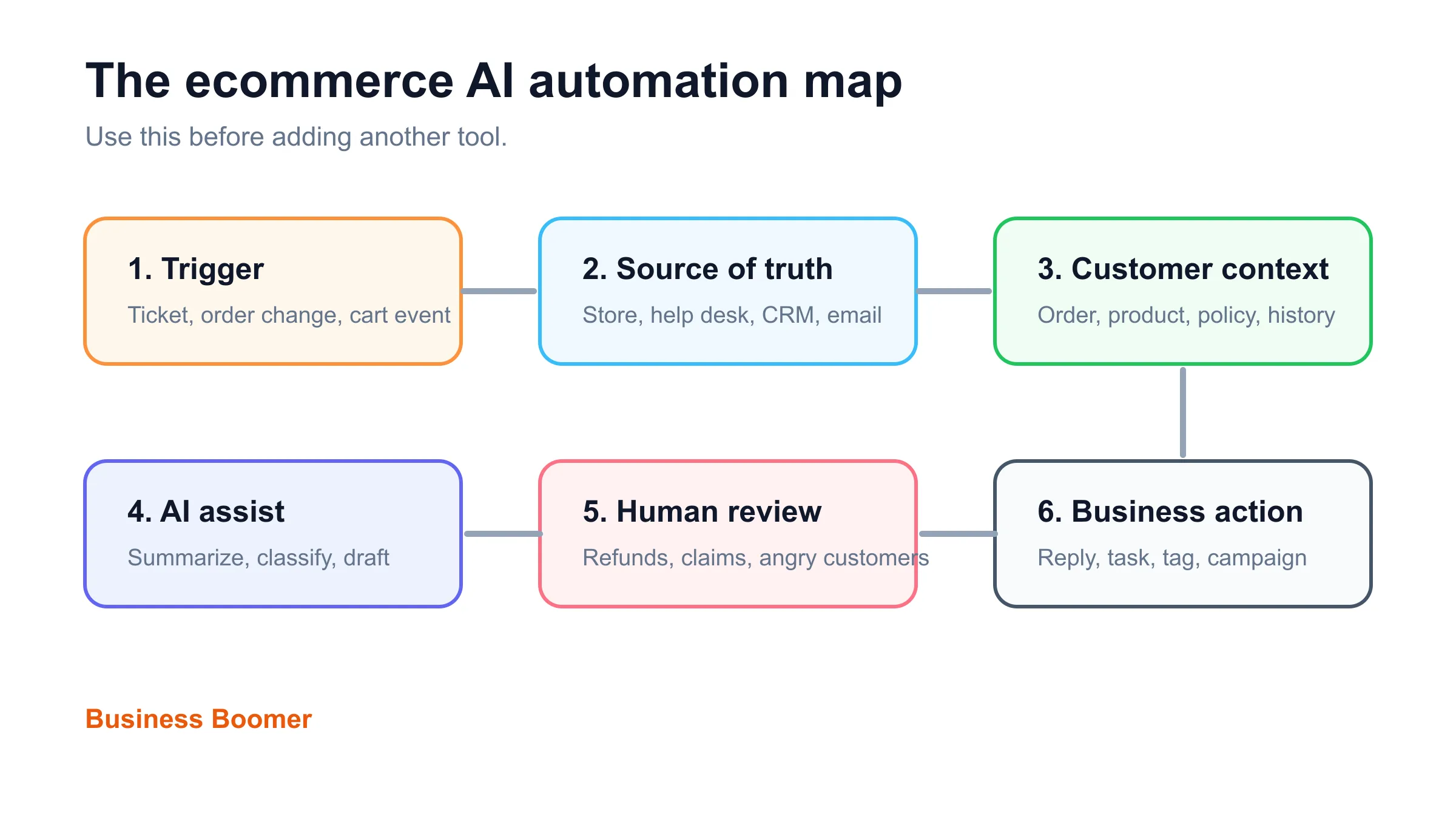
The ecommerce AI automation map
A useful ecommerce automation has six parts. Skipping one usually creates more cleanup work later.
| Part | Question to answer | Ecommerce example |
|---|---|---|
| Trigger | What starts the workflow? | New support ticket, order status change, low stock alert, abandoned checkout |
| Source of truth | Which system owns the record? | Shopify, WooCommerce, help desk, CRM, email platform, accounting tool |
| Customer context | What does AI need to know? | Order number, product, delivery status, customer history, return policy |
| AI assist | What should AI do? | Summarize, classify, draft, segment, flag risk, suggest next step |
| Human review | What needs approval? | Refunds, exchanges, angry customers, custom discounts, legal or health claims |
| Business action | What happens next? | Reply, task, tag, campaign, refund review, inventory note, owner report |
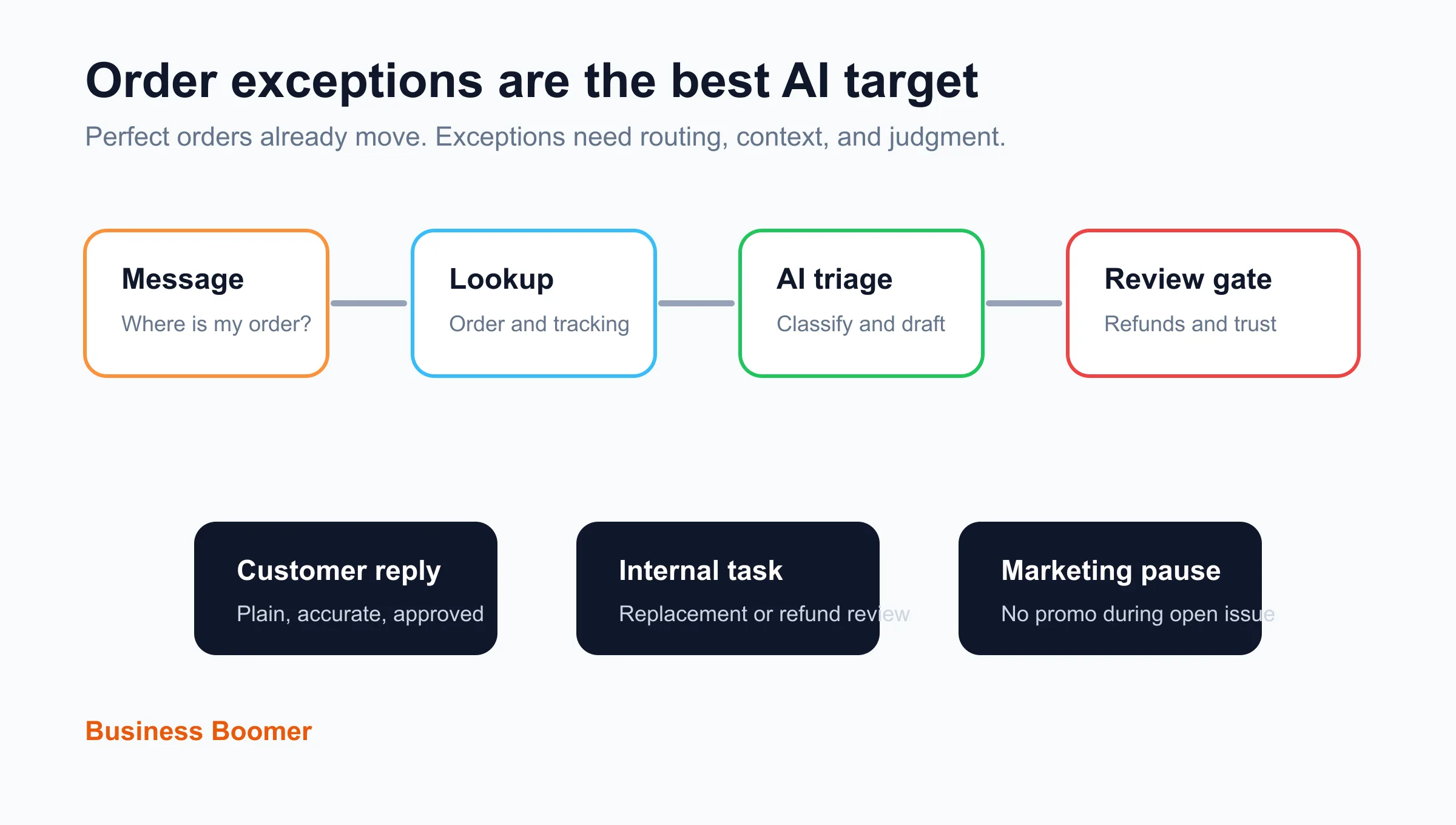
The system should not ask AI to "run support" or "grow sales" in a vague way. A better workflow is: when a customer asks where an order is, check shipment status, summarize the issue, draft a plain reply, tag the ticket, and create a human task if the order is late or disputed.
Best first workflows for ecommerce brands
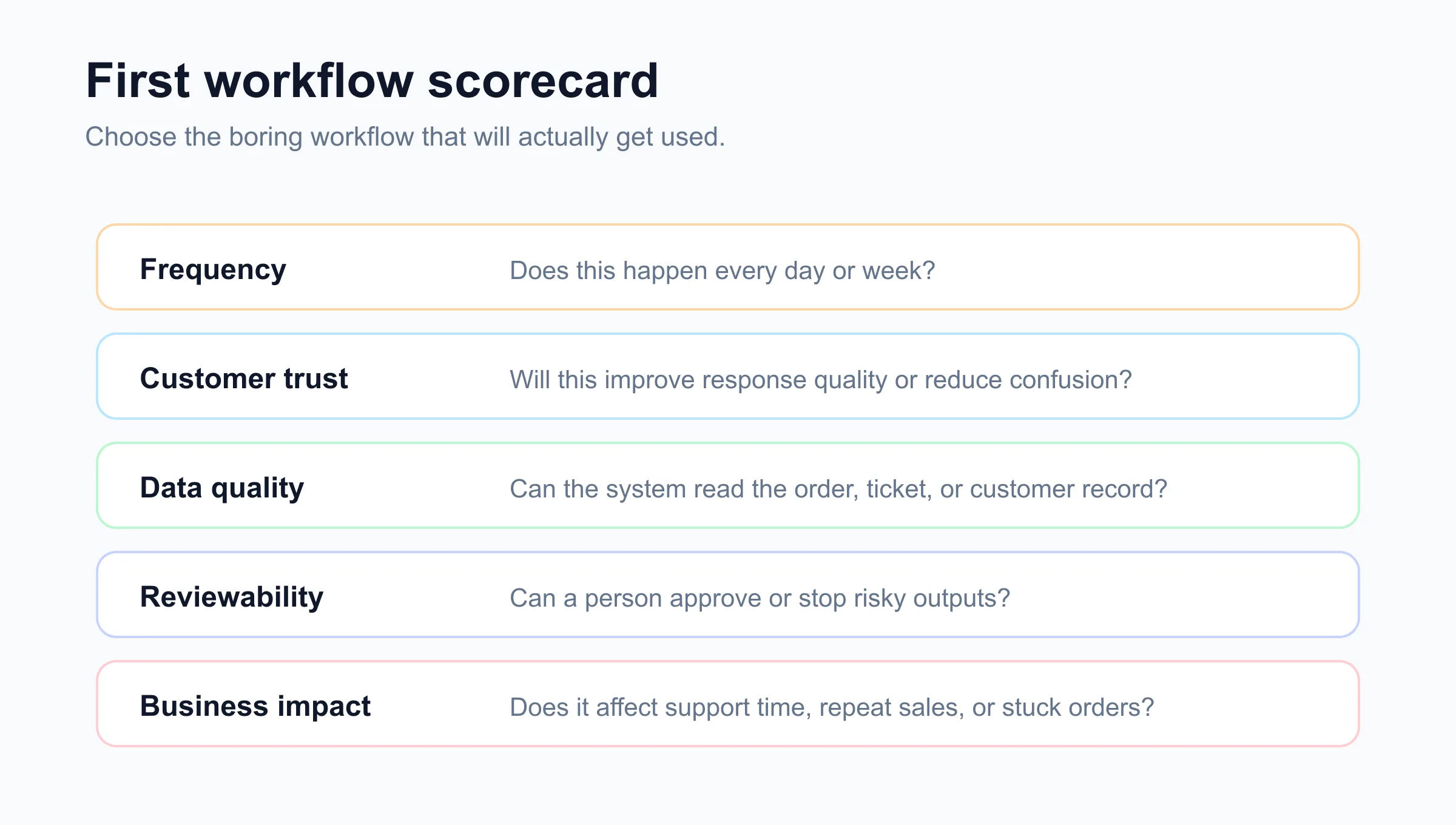
The best first workflow is frequent, easy to test, and close to customer trust or revenue. For a small brand, that usually means support, order exceptions, post-purchase follow-up, or reporting before advanced predictive projects.
Customer question triage
Customer question triage is often the safest first project. The workflow reads a new help desk message, detects the topic, connects it to the order record, and drafts a reply for approval.
Common categories include shipping status, returns, sizing, damaged items, subscriptions, address changes, wholesale inquiries, and product fit questions. AI can summarize the customer history and suggest the right saved policy, while the help desk or CRM remains the source of truth.
If your customer records are scattered, the plain-English CRM guide for small business is a useful foundation before building more support automation.
When the store also gets quote requests or wholesale inquiries, a simple lead qualification workflow helps separate support tickets from sales opportunities.
Order exception routing
Order automation is strongest when it focuses on exceptions, not perfect orders. Normal orders already receive confirmations and shipping notices. The real pain is delayed shipment, failed payment, duplicate order, out-of-stock item, damaged package, wrong address, return request, or partial refund.
An AI-assisted workflow can classify the issue, pull the order details, draft the customer note, and route the ticket to the right person. A human should approve refunds, replacement orders, custom discounts, and anything that could affect trust.
For brands that also send invoices, deposits, or B2B payment requests, connect the process to invoice automation setup so billing follow-up does not live in a separate spreadsheet.
Post-purchase follow-up
Post-purchase follow-up is more useful when it reacts to what the customer bought and what happened after delivery. AI can help draft segment-specific messages, summarize reviews, identify common product questions, and flag customers who may need a support touch before another promotion.
For example, a skincare brand might separate first-time buyers, repeat buyers, subscription customers, return requests, and customers who asked a support question before buying. A home goods brand might segment by product category, room type, purchase size, and delivery issue history.
The same follow-up discipline applies outside ecommerce. The guide to small-business lead follow-up is useful when the store also sells consultations, custom quotes, wholesale accounts, or high-ticket products.
Abandoned cart and browse follow-up
Most ecommerce platforms already support cart and browse abandonment. AI adds value when the follow-up needs better segmentation, message variation, or review of why people hesitate.
Do not start by adding more emails. Start by asking what the customer already showed you: product viewed, price point, repeat visit, cart value, size uncertainty, shipping concern, coupon behavior, or support question. Then use AI to help draft cleaner variants and detect patterns in replies.
If the store also depends on booked calls or demos, pair this with lead response automation so high-intent buyers are not treated like ordinary newsletter subscribers.
For ecommerce brands that sell consultations, fittings, or custom product work, appointment scheduling automation can connect the booking step to customer context.
Product content cleanup
AI can help standardize product descriptions, FAQ answers, comparison copy, and support snippets. It is most useful when the brand already knows the product and needs consistency, not when the tool is inventing claims.
Use AI to turn internal notes into cleaner product content, but review anything related to health, safety, warranties, compatibility, regulated products, or performance claims. The U.S. Small Business Administration has a practical overview of AI for small business, and the principle applies here: use AI as an assistant around real business knowledge, not as a substitute for judgment.
What to automate first
Use this scorecard before buying another tool. The goal is to choose one workflow that will actually be used.
| Candidate workflow | Good first project when... | Wait when... |
|---|---|---|
| Support triage | The team answers the same questions daily | Policies are unclear or changing every week |
| Order exceptions | Late, damaged, failed, or returned orders create manual cleanup | Order data is unreliable |
| Post-purchase follow-up | Repeat purchase and review flows are inconsistent | The brand voice is not defined |
| Cart follow-up | High-intent shoppers abandon with clear patterns | The store has low traffic or weak product pages |
| Inventory signals | Stockouts or overstock create frequent issues | The team does not trust inventory counts |
| Owner reporting | The owner checks several dashboards manually | Source systems do not capture useful events |
If the brand still needs a broader list of possible workflows, compare this with AI automation examples for small businesses and pick the ecommerce version of the same bottleneck.
Tool stack: keep the system boring
Small ecommerce brands usually do not need a giant AI platform first. They need a clean connection between store, support, marketing, and reporting tools.
A practical stack might include Shopify or WooCommerce, a help desk, email marketing, SMS where appropriate, a CRM for wholesale or high-ticket buyers, an accounting tool, Zapier or Make, and one AI step with clear permissions. The exact tools matter less than the handoff.
If the team is still deciding which business systems belong together, the automation guides index is a useful place to compare service pages, invoice resources, and practical workflow articles.
The AI workflow automation setup guide gives the same pattern in more detail: trigger, data, AI step, review point, action, and measurement.
If you are comparing vendors versus a done-for-you setup, AI automation services is the better buying lens than another generic ecommerce tool list.
AI should read less than you think
Give AI the minimum data needed to do the job. A support triage workflow may need order number, shipment status, product name, recent customer message, policy snippet, and prior ticket count. It probably does not need full payment details, unrelated customer history, or private notes from every system.
This matters for privacy and trust. The NIST AI Risk Management Framework is a useful reference when a business needs a more formal way to think about AI risk, governance, and review.
Human review points for ecommerce AI
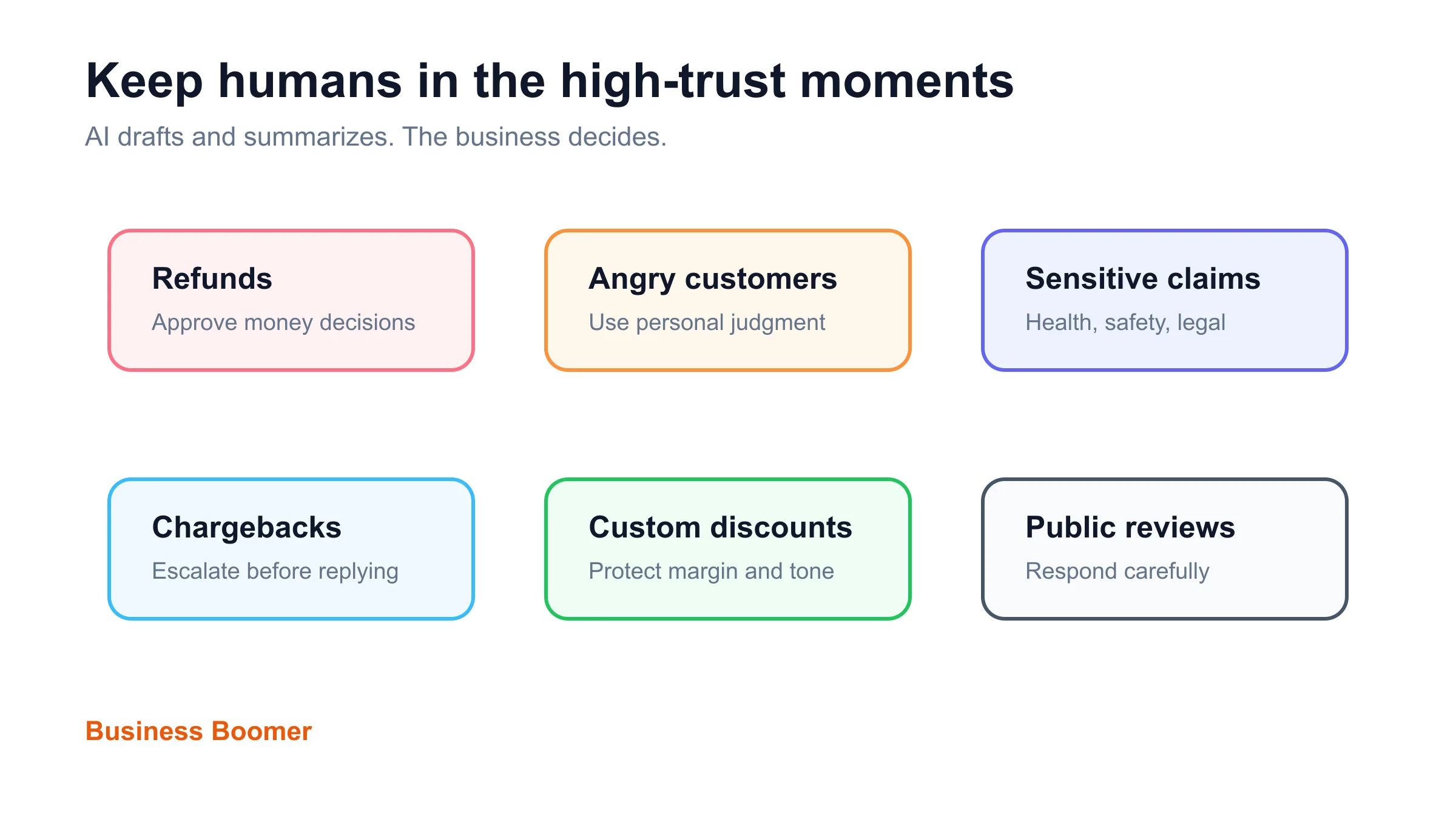
Human review is part of the automation, not an afterthought. Ecommerce brands should keep a person involved when the workflow touches refunds, chargebacks, warranty decisions, safety claims, medical or wellness claims, legal language, custom discounts, angry customers, fraud concerns, or public review responses.
AI can draft and summarize. The business should decide. That separation keeps the system useful without letting a confident draft become a customer-facing mistake.
For owner-led brands that want an AI operating layer around tasks, notes, and review queues, OpenClaw onboarding can be a better fit than scattered AI chat prompts.
Example: support-to-retention workflow
Here is a narrow workflow Business Boomer would consider for a small ecommerce brand with repeat support questions and inconsistent post-purchase follow-up.
| Step | Automation action | Human role |
|---|---|---|
| New support ticket arrives | Match message to order and customer record | Confirm source systems are connected correctly |
| AI classifies the issue | Tag shipping, return, product fit, subscription, damaged item, or wholesale inquiry | Review uncertain or high-risk categories |
| AI drafts the reply | Use policy snippet, order status, and brand voice | Approve sensitive replies and exceptions |
| Workflow creates a task | Escalate late order, refund request, chargeback risk, or angry customer | Decide refund, replacement, or personal response |
| Marketing tag updates | Mark first-time buyer, repeat buyer, support issue, or product category | Prevent promotional messaging during unresolved issues |
| Weekly report runs | Summarize top issues, stuck orders, and repeat questions | Choose which product page, policy, or workflow to fix |
This is intentionally smaller than "automate the store." It improves one loop that affects customer trust, support time, retention, and marketing quality.
A practical rollout checklist
Before launch, test the workflow with real examples: normal order questions, late shipments, duplicate orders, angry customers, missing order numbers, return requests, fraudulent-looking messages, discount questions, and product advice requests.
- Pick one workflow with a clear trigger.
- Name the source of truth for orders and customer records.
- Decide what AI is allowed to read.
- Decide what AI is allowed to draft, classify, or summarize.
- Write the human review rule.
- Add a stop condition for refunds, chargebacks, sensitive claims, and angry customers.
- Test with real historical tickets or orders.
- Confirm the customer-facing message matches the brand voice.
- Track one or two metrics: response time, stuck tickets, repeat questions, or manual touches.
- Document the workflow so the team can operate it without guessing.
For teams comparing implementation partners, the guide to AI automation services for small business can help separate useful builds from tool demos.
What Business Boomer would build first
For a small ecommerce brand, Business Boomer would usually start with customer question triage or order exception routing. Those workflows are frequent, easy to test with past tickets, and close to customer trust.
The second layer would connect support insights to marketing: pause promotional messages during unresolved issues, tag common product questions, summarize review themes, and create a weekly owner report. After that, it makes sense to improve abandoned cart, replenishment, winback, and customer segment workflows.
The same principle applies to non-ecommerce operations: start with a narrow business automation workflow, prove it, and expand after the team can run it.
If the store needs an implementation partner instead of another tool subscription, review the broader Business Boomer services path before choosing the build.
If you want help choosing and building the first ecommerce workflow, book a Free 30-Minute AI Consultation and bring one store bottleneck plus the tools you already use.
AI automation next step
Find the workflow worth fixing first.
Use the Free 30-Minute AI Consultation to map where leads, reviews, content, or follow-ups are slipping and choose the smallest useful next step.
Keep building the system
Recommended next Business Boomer guides
These links are selected by topic and search intent so this guide connects to the most relevant service pages, industry pages, and supporting blog posts.
Service and setup pages
Use these when you are ready to turn the idea into an implementation path.
Industry-specific pages
See how the same workflow changes for specific business types.
Related blog posts
Read the connected guides that support this topic cluster.
Related AI automation guides
Keep going with the connected Business Boomer guides in this automation cluster.
AI automation services for local small business
Planning examples for broader automation. Compare current managed calls and reviews on the Services page; confirm other work in a separate scope.
Invoice automation for contractors
Connect completed jobs, estimates, QuickBooks, payment links, and overdue follow-up for contractor workflows.
How to automate invoice reminders
A customer-friendly reminder workflow for due dates, overdue invoices, payment links, and human follow-up tasks.
Best AI automations for contractors
Field notes, estimate follow-up, scheduling, internal handoffs, and admin workflows.
FAQ
Quick answers about this guide and how to put the idea into practice.
What is the main takeaway from AI Automation for Ecommerce Workflows?
AI automation for ecommerce helps small brands answer repeat questions, manage order exceptions, summarize customer issues, personalize follow-up, and keep marketing connected to real customer behavior.
How does AI automation for ecommerce help a small business?
AI automation for ecommerce can help a small business reduce manual work, improve follow-up, organize repetitive tasks, and create a clearer operating process when it is tied to a real bottleneck.
Can Business Boomer help implement AI automation for ecommerce?
Yes. Business Boomer can help turn the idea into a practical workflow, page, checklist, or automation system depending on what the business needs first.
Find the workflow worth fixing first.
Use the Free 30-Minute AI Consultation to map where leads, reviews, content, or follow-ups are slipping and choose the smallest useful next step.
Book a Free 30-Minute AI Consultation